
Category: Articles
10 Best Client Management Software in 2025
TABLE OF CONTENT :
If you need client management software to manage your projects, but don’t know which one to pick, you’re in the right place.
Choosing the right client management system in 2025 can feel tricky. There are so many options, and each one promises to make your work easier.
In this guide, we will show you the 10 best client management tools. We compare them based on their features, ease of use, and pricing.
By the end, you will know which tool fits your business and see which one helps you manage clients efficiently.
What Is Client Management Software?
Client management software is a tool that assists you in staying connected with your clients without spending time on manual messaging. You can send emails and SMS directly to your clients using your templates and automation rules. The software updates your clients on project status at important milestones and even sends detailed project reports via email or SMS. With automated notifications, you keep your clients informed with alerts and reminders, so they always know what’s happening.
Benefits of Client Management Tool
Using a client management platform gives your business many benefits. Here are some key ones you can expect:
Keep Client Details in One Place
Client management software helps you store project files, contracts, and message history inside one dashboard. Instead of switching between spreadsheets or emails, you can find everything in seconds.
Save Time with Automation
You don’t need to do the same work again and again. With client management tools, you can set rules to send follow-up emails, reminders, or invoices automatically.
Stay Connected with Clients
The software helps you send emails, SMS, or chat messages directly from the platform. You can also use templates and set automatic updates when projects reach certain points.
Track Projects Easily
You can track every task, project, and deadline in real time. The software gives you a clear view of your progress through dashboards, timelines, and alerts. You can assign tasks, set milestones, and get reminders for important deadlines.
Work Better as a Team
Your entire team can work together inside the same platform. You can assign roles, share files, and track progress without confusion. Everyone sees what they need to do, and you can check updates anytime.
Build Client Relationships
The customer management software helps you remember every client's preferences and feedback. You can use this information to personalize your communication and improve your service.
Keep Clients Happy
With this software, you can track client satisfaction using feedback forms, reports, and issue tracking tools. You can fix problems, respond quickly and make sure every client feels valued.
Grow Business Quickly
The built-in reports and analytics give you a clear view of your performance. You can track sales, conversion rates, and client behavior to make better decisions.
10 Best Apps for Client Management in 2025
- TechForing Customer
- HubSpot CRM
- Wrike
- Asana
- Zoho Projects
- Monday.com
- Smartsheet
- Pipedrive
- ClickUp
- Teamwork
Now, we will share each software’s key features, main advantages and disadvantages, and pricing details.
01 # TechForing Customer
Best for Startups and Large Enterprises
Price - $5 per user/month
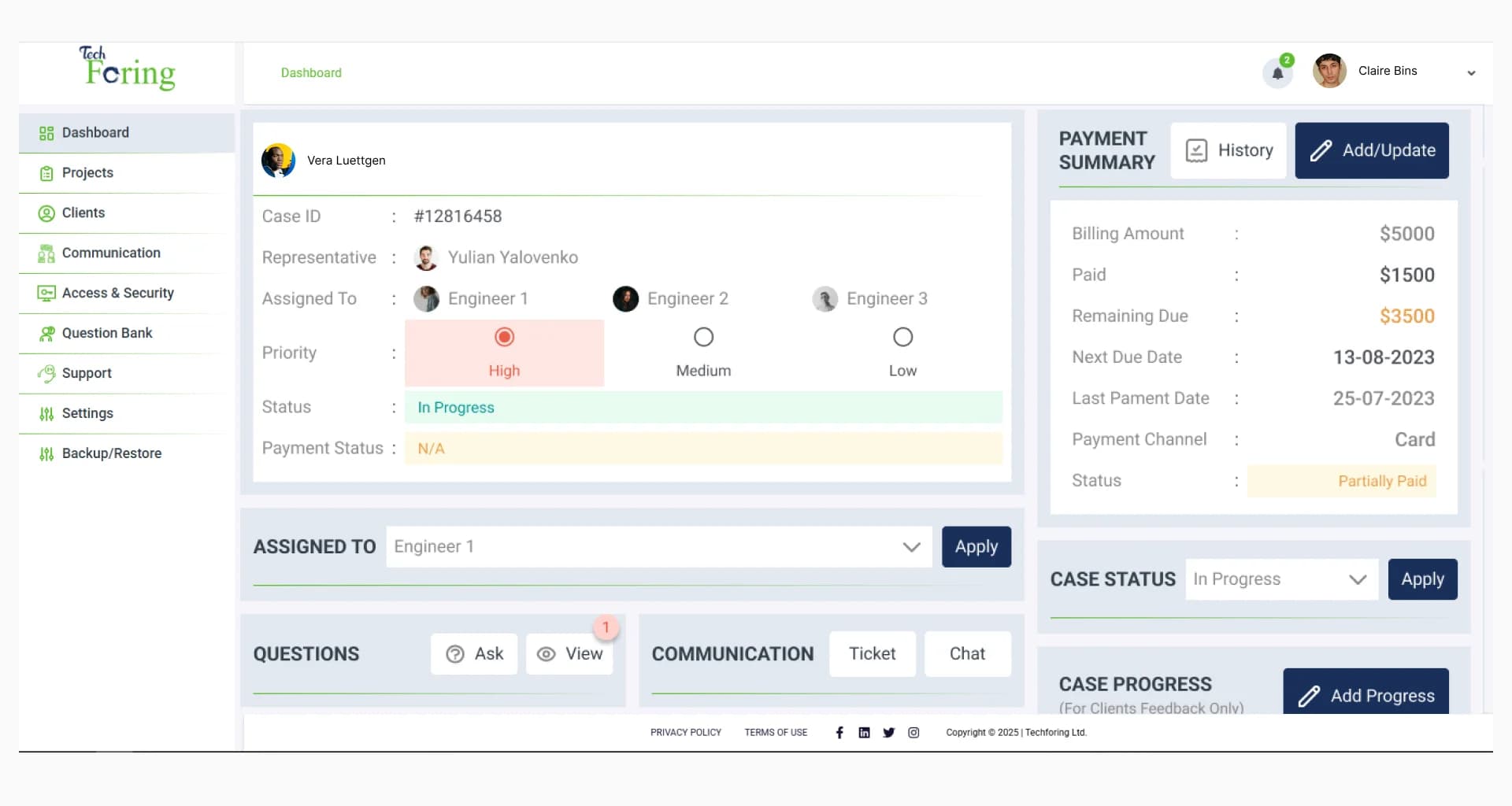
TechForing Customer is a client management and onboarding software that assists you in tracking project progress and automates communication with clients.
The tool works well for many industries such as IT services, digital marketing, consulting, healthcare, finance, education, real estate, SaaS companies, legal services, e-commerce, and creative agencies.
Key features include Email and SMS Templates, Automation Rules, Direct Client Communication, Project Status Updates, Report Distribution, Automated Notifications, Role-Based Access Control, and Real-Time Dashboard & Analytics.
TechForing Customer saves you time and effort. You don’t need to send updates or reminders manually. The software is also easy to use, so your team can start quickly.
02 # HubSpot CRM
Best for Startups and Small Businesses
Price - $15 per user/month, and you can also request a free demo.
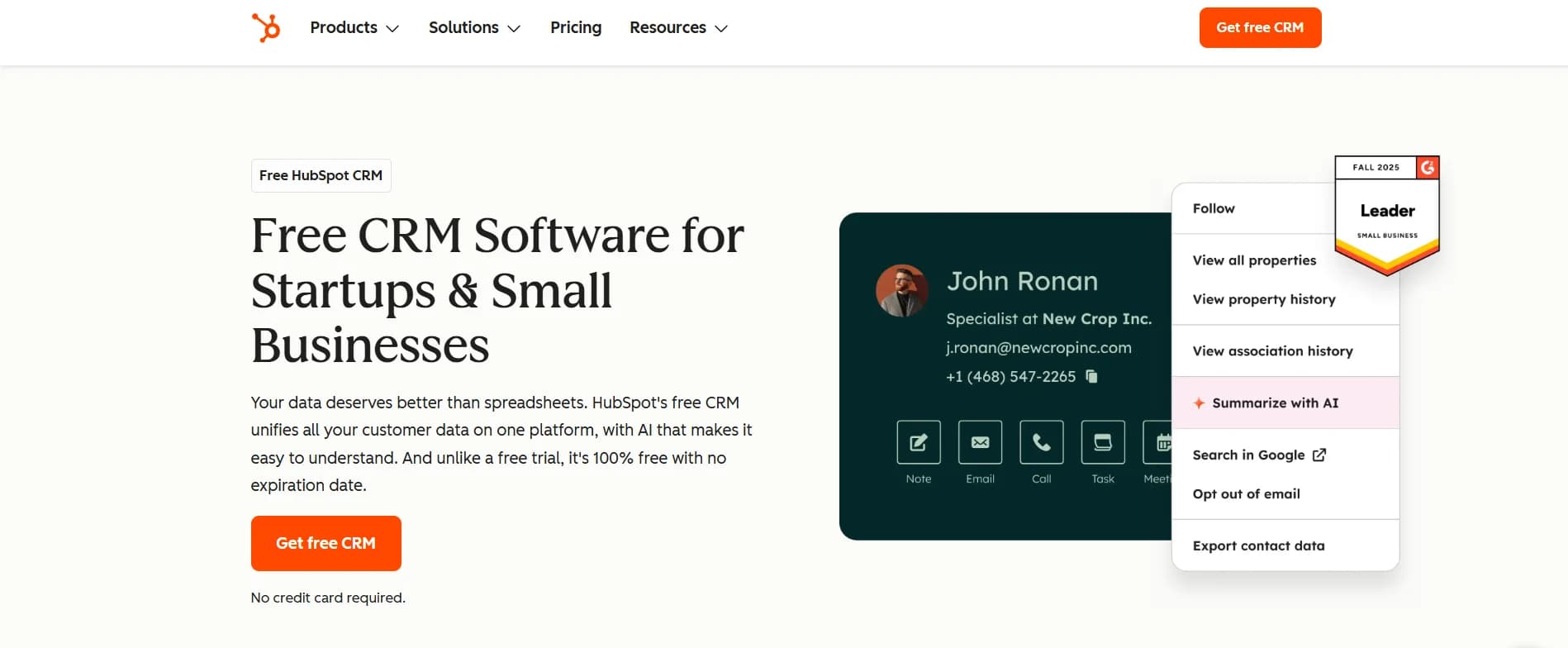
HubSpot CRM is a cloud-based client management tool that helps you connect with HubSpot’s marketing, sales, and service tools, which give you a full picture of your customer journey.
You can use HubSpot CRM in many industries, such as IT services, digital marketing, SaaS companies, consulting, healthcare, finance, education, real estate, e-commerce, legal services, and retail.
HubSpot CRM offers several features like Contact and Deal Management, Email Tracking and Engagement Notifications, Email Templates and Scheduling, Document Sharing, Meeting Scheduling, Live Chat, Sales Quotes, and Reporting Dashboards.
HubSpot CRM is very easy to use, even if you are new to CRM tools. The tools connect with other apps, and have a free plan to get started without spending money.
Some of the advanced tools only come with paid plans. Learning to use advanced automation and reporting features may take some time.
03 # Wrike
Best for marketing and consulting firms
Price - $10 per user/month, and a 14-day free trial is available.
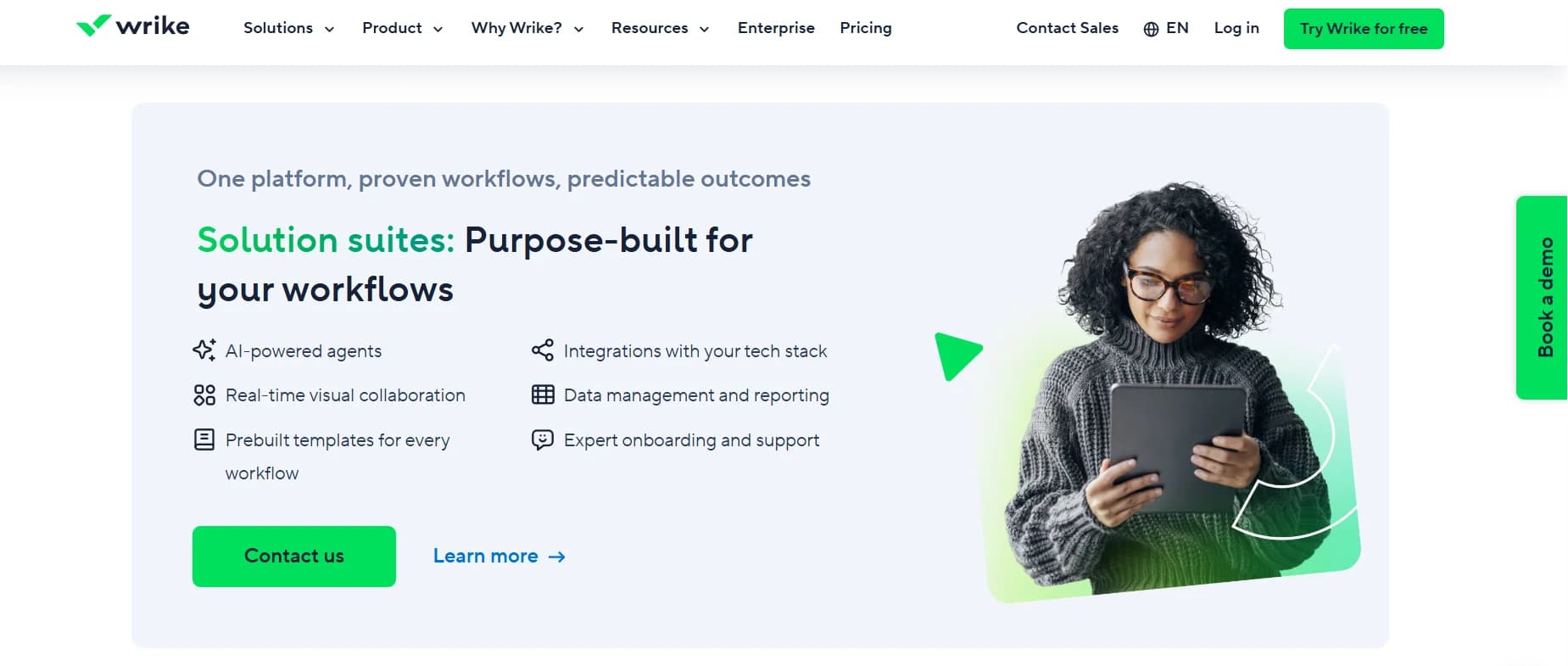
Wrike is a complete project collaboration and client management system software that helps you assign tasks, track progress, and update your clients without wasting time on manual follow-ups.
Wrike works well for many industries such as marketing agencies, IT services, software development, construction, consulting, education, healthcare, finance, real estate, and manufacturing.
Wrike gives you many features, such as Workflows, Task management, Time Tracking, Real-time Collaboration, Automated Notifications, Reports and Analytics, File Sharing, and App Integrations.
Wrike has a lot of benefits. You can customize your workflows, automate repetitive tasks, and collaborate with your team in real-time, which saves you from endless email threads.
On the downside, Wrike can feel a bit complicated when you first start. The tools have many features, so it can take some time for you to learn everything.
04 # Asana
Best for small and medium enterprises
Price - $10.99 per user/month
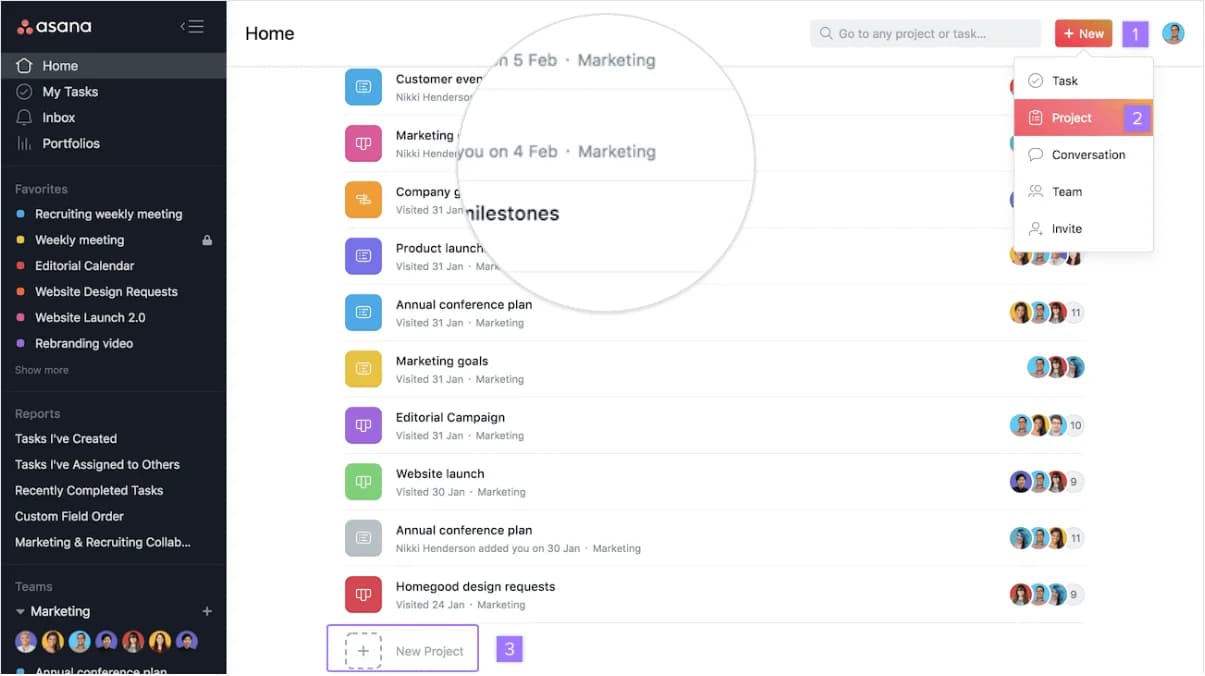
Asana is one of the most popular client and project management software that allows you to organize tasks, set deadlines, and automate workflows. With Asana, you can see your projects in lists, boards, calendars, or timelines, so your clients always stay updated.
Asana is suitable for industries such as IT and software development, consulting, education, healthcare, finance, real estate, creative agencies, human resources, and nonprofit organizations.
Asana has many features, including Task and Project Tracking, Customizable Project Templates, Boards and Timelines, Workload Management, Automated Rules and Notifications, File sharing, and Integration with Apps.
One of the biggest advantages of Asana is its easy-to-use interface. You don’t need to be a tech expert to start using it. You can see your projects in different ways, so you and your clients always know the progress.
However, Asana can feel overwhelming if you manage very big or complex projects. Some advanced features are only in premium plans, which can be expensive for small teams.
05 # Zoho Projects
Best for manufacturing and non-profit organizations
Price - $4 per user/month, and a 15-day free trial is available
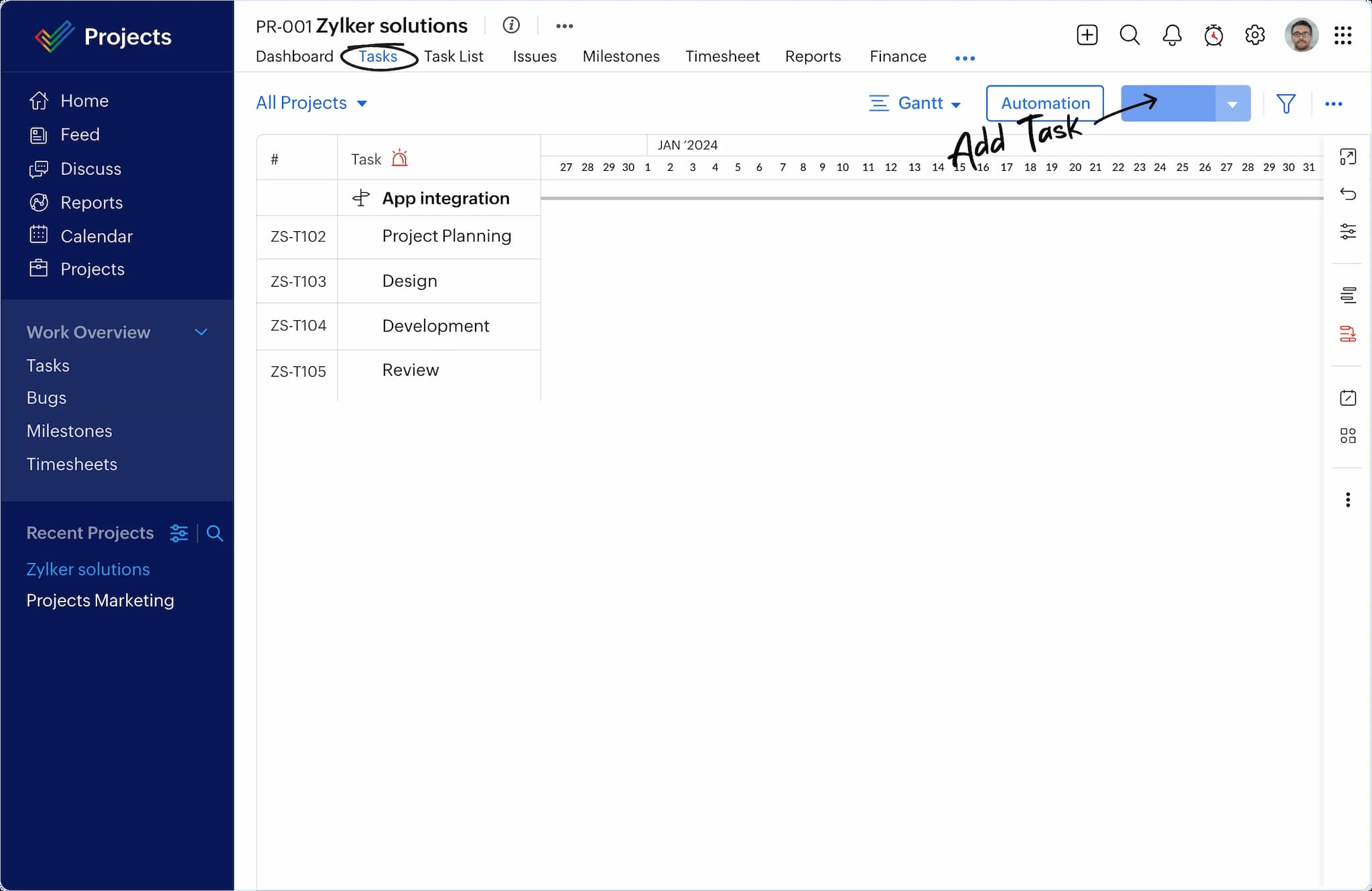
Zoho Projects is a client management application that assists you in planning, tracking, and managing projects. You can organize tasks, set deadlines, assign work, and send automatic updates to clients without doing it manually.
Zoho Projects works well for industries such as IT and software development, marketing agencies, consulting firms, construction, education, healthcare, finance, real estate, legal services, and e-commerce.
Zoho Projects has many useful features: you can track tasks and milestones, send automatic updates to clients via email or SMS, track time and create reports, plan projects with Gantt charts, set custom workflows and automation rules, and share files.
The main advantage of Zoho Projects is that you can plan projects, collaborate with your team, and keep clients in the loop without extra effort.
Some downsides are that the reporting tools are very detailed, which can feel a bit complicated, and some advanced integrations may need technical knowledge.
06 # Monday.com
Best for advertising and event management firms
Price - $8 per user/month, free trial and demo available
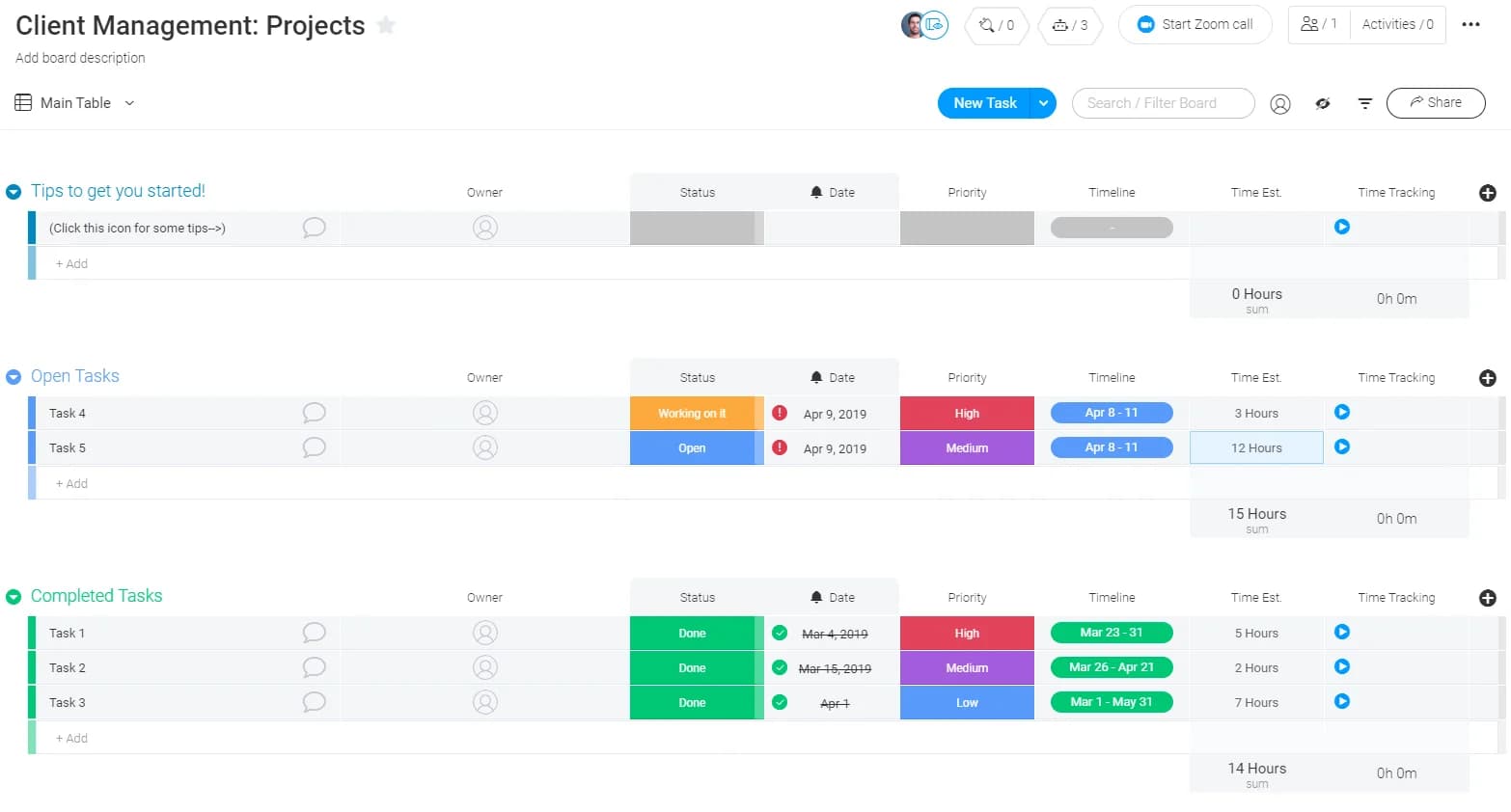
Monday.com is a client management and work operating tool that helps you plan, track, and manage projects and client relationships easily. The tools give you a clear, visual way to see what your team is working on, assign tasks, and follow up in real time.
The software works well for IT and software development, marketing and advertising, real estate, education, healthcare, finance and accounting, construction, consulting, event management, and e-commerce.
Monday.com comes with lots of useful features. You can create dashboards that show everything at a glance, automate workflows, assign and track tasks, track time, share files, communicate directly within the platform, and use client portals.
Monday.com's interface and drag-and-drop boards make tracking projects easy. You can adjust workflows to fit your industry, and automation saves time on repeated tasks.
But it has some downsides too. Some advanced functions require higher-level plans, which can be costly for smaller businesses.
07 # Smartsheet
Best for medium and large organizations
Price - $12 per user/month, and a 30-day free trial is available.
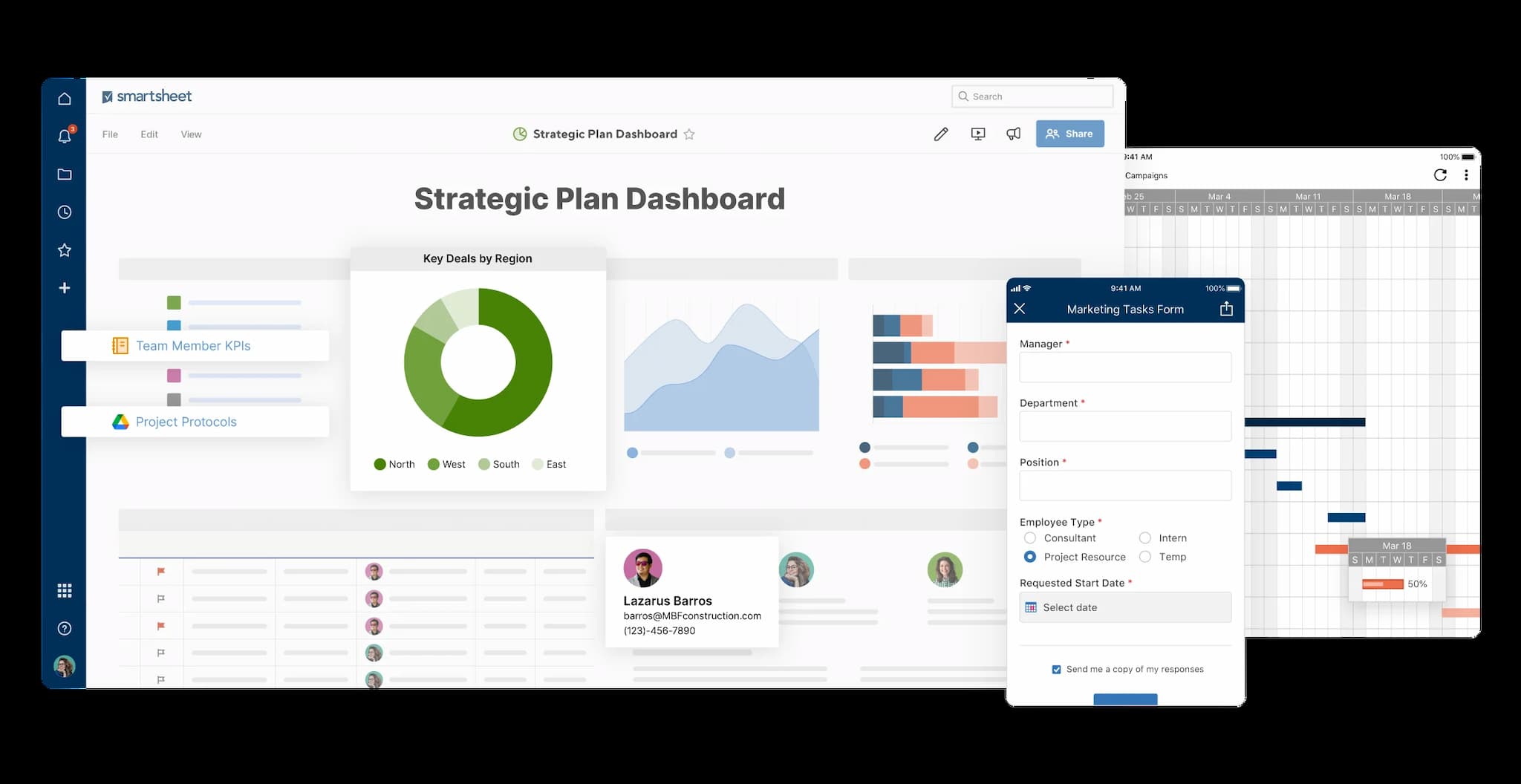
Smartsheet is a cloud-based client and work management platform that helps teams plan, track, automate, and report on work from anywhere. You can use the tools to manage clients, organize projects, share files, assign tasks, and monitor progress in real time.
Smartsheet is great for industries such as Marketing, IT Services, Construction, Real Estate, Consulting, Healthcare, Education, Finance, Manufacturing, Event Management, Government, and Nonprofit sectors.
Smartsheet comes with features such as Grid, Gantt, Card, and Calendar Views, Dashboards, Reports, Task, Approval, and Reminder Automation, Team Collaboration including Comments, Attachments, and Discussions, and AI Tools for Formula Creation.
Smartsheet is easy to customize for any business, and the spreadsheet-like layout feels familiar to most users. You can manage complex projects, track clients, and automate workflows without juggling multiple apps.
Some of its advanced features and connectors are only available in higher plans, which might be expensive for small businesses.
08 # Pipedrive
Best for small and medium-sized companies
Price - $14.90 per user/month, and a 14-day free trial is available.
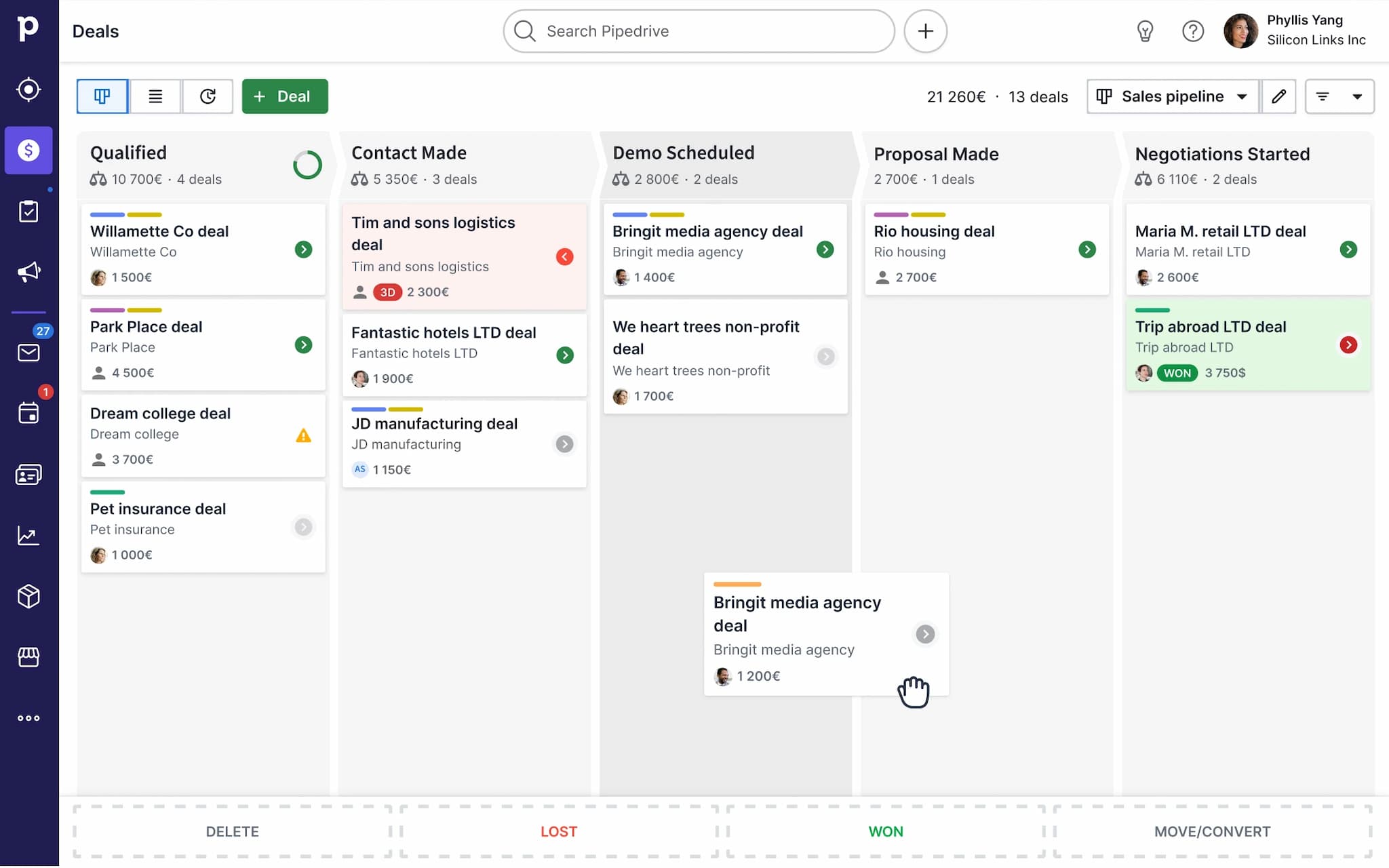
Pipedrive is a cloud-based client management program that helps you manage your sales and customer relationships easily. With the tools, you can see your entire sales pipeline at a glance and never miss a follow-up or opportunity.
Pipedrive works best for real estate, IT services, marketing and advertising, consulting, insurance, financial services, retail, education, healthcare, logistics, travel and tourism, and professional services.
Pipedrive comes with many features such as a visual sales pipeline, activity reminders, workflow automation, email integration, contact management, deal tracking, customizable dashboards, reporting and analytics, and mobile access.
The biggest plus of Pipedrive is that you can start using the tools quickly without long training. The visual sales pipeline shows exactly where your deals are.
On the downside, Pipedrive does not have some advanced marketing automation tools that other CRMs offer.
09 # ClickUp
Best for small to large companies
Price - $10 per user/month, and a free trial is available.
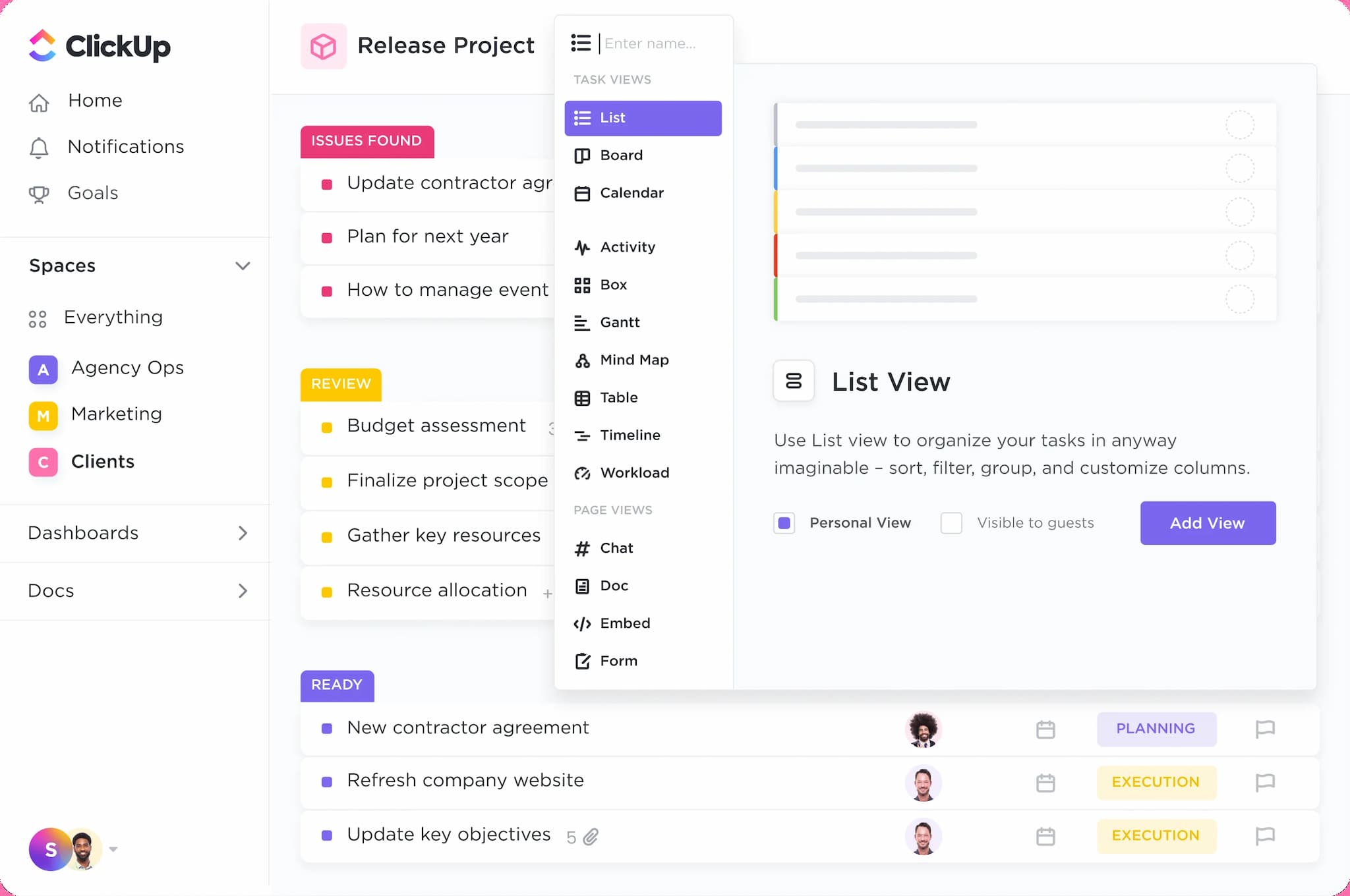
ClickUp is a client and project management tool that helps you organize tasks, projects, and client work all in one place. With ClickUp, you can assign tasks, set deadlines, track progress, and communicate with your team and clients easily.
ClickUp works well for IT and software development, marketing and advertising, consulting, real estate, healthcare, finance, education, legal services, event management, e-commerce, creative agencies, and startups.
ClickUp comes with features like client management, customizable workflows, real-time collaboration with comments and mentions, time tracking, email Integration, automated reminders and recurring tasks, file sharing, and customizable client dashboards.
ClickUp’s biggest advantage is that the application gives you everything in one place. You don’t need multiple tools because you can manage tasks, clients, projects, and communication all inside ClickUp.
On the downside, ClickUp can feel overwhelming if you are new. The software has many features, so learning everything can take time.
10 # Teamwork
Best for small to large-sized businesses
Price - $13.99 per user/month, and a 30-day free trial is available.
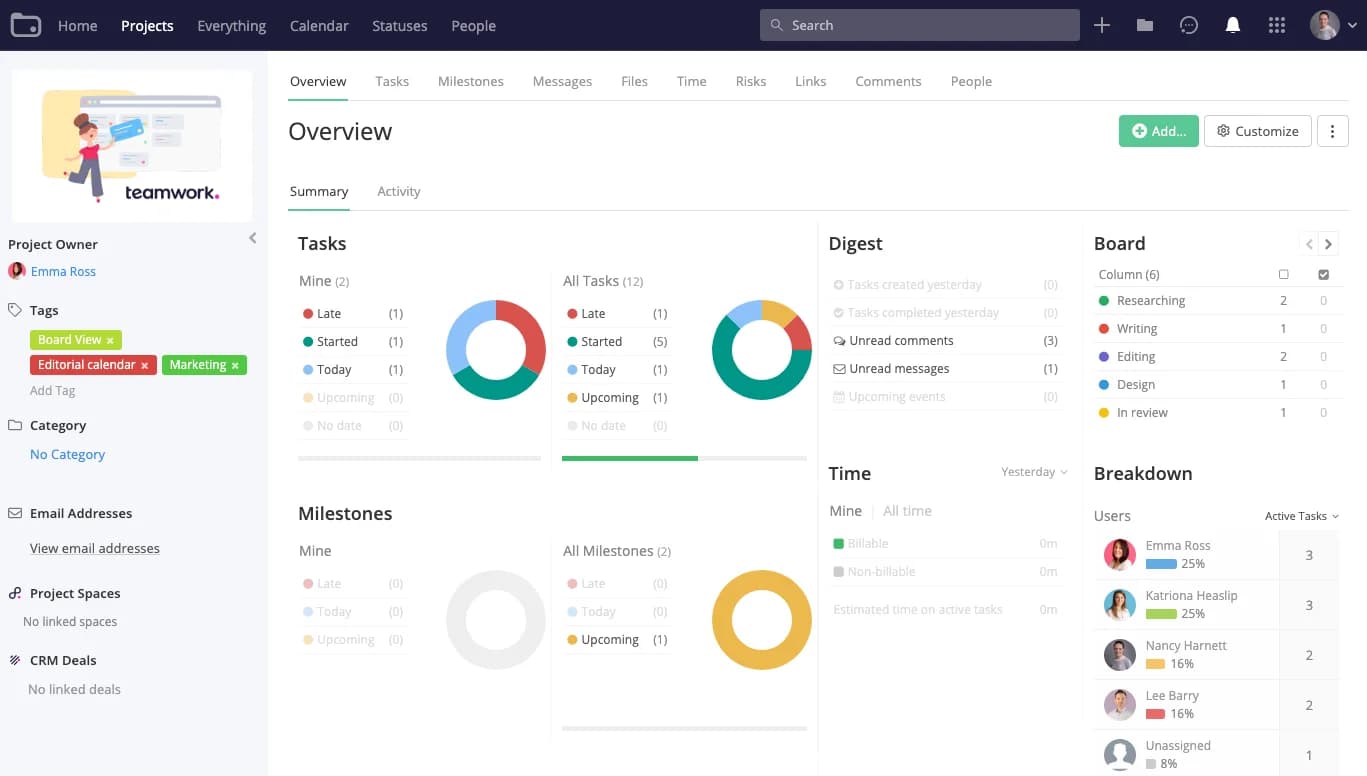
Teamwork is the best client management app that assists you in organizing projects, managing tasks, and keeping your team on the same page. The software also lets you store client information, track progress, and communicate easily.
Teamwork works well in many industries like Consulting Firms, Legal Services, Healthcare, Education, Real Estate, Construction, E-commerce, Finance, Event Management, and Non-Profit Organizations.
Teamwork comes with many features, such as task management and assignment, time tracking, project templates, collaborative workspaces, milestone tracking, Gantt charts for project planning, automated notifications, and detailed reporting dashboards.
With Teamwork, you can see how your team is performing, plan tasks clearly, and customize them to fit your business.
On the downside, some people may feel overwhelmed by all the features at first. You might need some time to learn the system.
Features of Client Management Software
Here are the main features you’ll find in modern client management tools:
- Centralized Client Database - You can keep all your client information in one place such as contact details, project files, contracts, invoices, and messages. You don’t need to jump between emails or spreadsheets.
- Communication and Collaboration - You can chat with your team or clients, send emails, or SMS directly from the platform. Most software even lets you create templates for follow-ups and automate notifications.
- Task and Project Management - You can create projects, assign tasks, and track progress in real time. You can also set deadlines, add milestones, and view progress through dashboards, Gantt charts, or timelines.
- Automation and Workflow Management - You can set up workflows that send reminders, follow-ups, or invoices automatically. The system reduces repetitive work so you can focus on delivering quality service.
- Reporting and Analytics - The Client management app gives you detailed reports about how your business is doing. You can track client satisfaction, conversion rates, performance, and project progress.
- File and Document Sharing - You can store, organize, and share files safely within the platform. Your team and clients can access them easily without using other apps.
- Integration with Other Tools - Most client manager software connects with tools you already use, like Gmail, Slack, and Google Drive, to reduce manual effort.
- Customization Options - Many client management solutions let you customize dashboards, workflows, and templates. You can modify the platform to match your work style.
- Role-Based Access Control - You can assign different access levels to your team members, which makes sure only the right people see certain information.
- Mobile Access - Most modern client management systems come with mobile apps. You can manage clients, track projects, and stay updated from anywhere.
How to Select the Right Client Management System for Business

Know What Your Business Needs
If you manage many clients at once, you need software that organizes client data, tracks interactions, and manages projects easily. If your team focuses on sales, you should pick software that helps track leads, communicate with clients, and connect with your CRM tools.
Choose Software That’s Easy to Use
Even the most powerful software is useless if you and your team cannot use it properly. Look for software that has a clean dashboard, simple navigation, and clear instructions. You can try free trials to see how well it fits your workflow.
Check Integration Options
You need software that connects with the tools you already use, like email apps, accounting systems, or project management tools. Integrations save you time, reduce mistakes, and keep your data consistent across all systems.
Security and Support
Your client data is sensitive, so pick software that keeps data safe. Look for features like encryption, access control, and automatic backups. Also, make sure the provider offers quick support so you can get help whenever you need.
Look at Reports and Analytics
You need the best client management system that gives clear insights into client interactions, project progress, and sales trends. Good reporting and analytics help you understand what works and what doesn’t.
Plan for Budget and Growth
You should think about your budget and future growth. The cheapest software may seem good at first, but it can hold your business back. Pick a system that can grow with your client base so you don’t have to switch again in a year or two.
Frequently Asked Questions
What is the difference between client management and CRM software?
Client management software helps you manage client projects, communication, and interactions. CRM software focuses on managing leads, sales pipelines, and customer relationships.
Can a client management application help improve client retention?
Yes. When you use a client management tool, you can automate updates, track client preferences, and communicate on time, which helps you build strong relationships.
Can client management software integrate with accounting or invoicing tools?
Yes. Many tools connect with QuickBooks, Xero, or other invoicing systems and let you automate billing and track payments.
How does a client management system help with client onboarding?
The software can send welcome messages, share documents, assign tasks, and track progress automatically, which helps you give your clients a professional start.
Do client management systems offer mobile notifications for project updates?
Yes. Most platforms have mobile apps that send push notifications. You and your clients stay updated about tasks, deadlines, and progress at all times.
Can a client management platform help in generating sales leads?
Yes, but indirectly. Tracking client interactions, project history, and engagement patterns, you can identify opportunities for upselling to existing clients.
What is the best client management software?
The best software depends on your business. TechForing Customer is great for startups and big teams. HubSpot CRM works well for small businesses. Other good options are Asana, Monday.com, and ClickUp.
Final Thoughts
Managing your clients can feel overwhelming, especially when you have many projects running at the same time. The right client management software makes it much easier.
The tools automate updates and give you a clear view of all your projects. When you have all client information in one place, you can work quickly and avoid confusion.
A client management tool also helps you build better relationships with your clients. You can track communication, collect feedback, and send timely updates.
If you want a platform that saves you time, keeps your team on track, and makes sure your clients are always informed, TechForing Customer is the perfect choice.
