
Category: Articles
10 Best Client Onboarding Software of 2025
TABLE OF CONTENT :
A recent study found that 86% of people are more likely to stay loyal to a company that offers a good onboarding experience, and 63% say the onboarding process significantly influences their decision to make a purchase.
If you run a small startup or a large company, the right onboarding software can save time, reduce mistakes, and make your clients feel welcome from the start. It helps you stay organized, send clear messages, and give clients what they need quickly.
In this blog, we’ve listed the 10 best client onboarding software of 2025. We’ll compare their features, prices, pros, and cons to help you find the best one.
What is Client Onboarding Software?
Client onboarding software is a digital tool that helps businesses guide new clients through the first steps of working together. It makes things easier by sending welcome messages, collecting needed documents, setting up accounts, assigning tasks, and keeping track of progress. This way, clients feel comfortable and everything gets done faster and more smoothly.
Benefits of Client Onboarding Software
Learn how client onboarding software can make your work easier, keep clients happy, and help your business grow.
Better Client Experience
Onboarding software helps make new clients feel welcome and comfortable from day one. It can send automatic welcome messages and guide clients step-by-step through your product or service. For example, a software company might show new users how to use important features, so they don’t get confused.
Saves Time for Your Team
There are many tasks during onboarding, such as entering data, sending emails, or collecting documents. The best onboarding software can do these tasks automatically, saving your team a lot of time. This means your team can spend more time helping clients personally or working on important projects.
Reduced Human Error
When people do tasks by hand, mistakes can happen, like missing papers or wrong information. Onboarding automation software helps reduce these mistakes by checking that everything is correct before moving on. This is very important for industries like finance or healthcare.
Grows With Your Business
As your business gets bigger, you will have more clients to onboard. Doing this by hand can be hard and take too much time. Digital onboarding software can handle more clients easily and still keep the process smooth. You can also change how it works to fit your needs as you grow.
Gets Client Feedback
A client onboarding platform allows you to ask clients for their feedback during the process, such as through surveys or ratings. This helps you find out if clients are having problems or if something is confusing. Getting feedback helps you make the onboarding process better for future clients.
Helps You Improve with Data
Onboarding software tracks how well the process is working with analytics dashboards. It shows things like how long clients take to finish onboarding, where they stop, and how engaged they are. This data helps you find problems and fix them. For example, if many clients drop out at one step, you can make that step easier.
Improve Client Retention
Clients who have a good onboarding experience are more likely to stick around. If they feel supported and understand your product or service, they won’t leave for a competitor. Studies show that companies with good onboarding keep 50% more clients than those without it. Customer onboarding software makes sure every client gets the help they need, reducing the chance they will leave.
10 Best Client Onboarding Software Solutions
- TechForing Customer
- ClickUp
- ChurnZero
- Clientary
- Demio
- UserGuiding
- WalkMe
- GUIDEcx
- Chameleon
- Zendesk
1. TechForing Customer - Best Customer Onboarding Software for Businesses

TechForing Customer is a client onboarding solution that helps businesses bring in new clients smoothly by using clear step-by-step processes, easy communication, and automation. One of its best features is the special service it offers for VIP clients, like signing NDAs, assigning expert support staff, and providing 24/7 help and monitoring. Unlike other tools, such as GuideCX or Process.st, which require different apps to manage tasks, TechForing Customer keeps everything in one dashboard. With helpful reports and full integration to other business tools, it gives a complete and smooth experience that makes onboarding easier and more professional.
Key Features
- Dashboard - The software has a simple and clear dashboard where users can see each client’s status, check progress, and manage all onboarding steps in one place.
- Ready-to-Use Templates - The system includes pre-made templates for common tasks, helping the team work faster and keeping the process the same for every client.
- Instant Notifications - Both clients and team members get quick alerts when something changes or needs attention, so no one misses anything important.
- Document Collection - Users can upload and organize client documents directly in the system, so there’s no need for emails or outside tools.
- Built-in Messaging - The platform includes a chat feature, allowing clients and team members to talk directly inside the system for quick help and updates.
- Progress Tracker - A visual tracker shows how far along each client is in the onboarding process, helping both the team and the client stay on the same page.
- Feedback & Reports - Clients can easily share their thoughts after onboarding, and the system gives useful reports to help improve the process over time.
Pros
- Makes onboarding clients quick and simple
- Let you communicate easily with clients by email or SMS
- Provides support with live chat and help tickets
- Keeps client information safe and secure
- Stores all client info in one place for your team
- Automates boring onboarding tasks to save time
- Works well with many other tools and apps
Price
- 30-day free trial available
- $5 per user/month
- $99 per month for 30 users
2. ClickUp - Best for Client Onboarding & Project Management
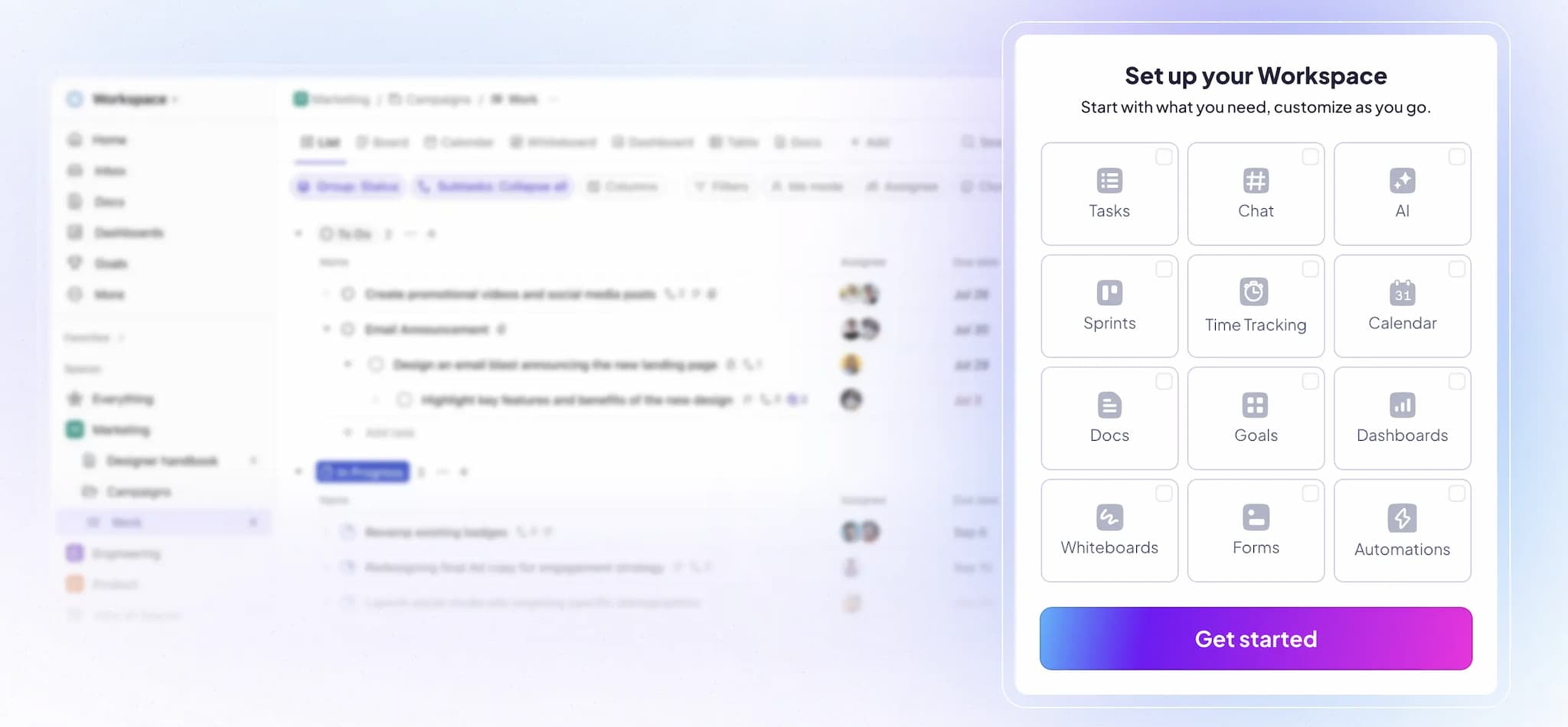
ClickUp is a powerful all-in-one project management software that also works great for client onboarding. It gives you ready-to-use templates like Client Onboarding Forms for financial companies and Customer Onboarding Boards for B2B teams. With built-in automation, you can quickly assign tasks, send welcome emails, and track progress. ClickUp also lets you create personal client dashboards to keep all info in one place, share documents, and make communication easy. You can see how each client is moving through the onboarding steps and keep things clear using team-friendly tools like comments and tags.
Key Features
- Onboarding Templates - ClickUp gives teams ready-made templates to help them start the client onboarding process quickly.
- Custom Forms - Teams can create simple forms to collect important details from clients, like contact info, project goals, and timelines.
- Automatic Workflows - The system can assign tasks, send welcome messages, or change the status of a project without anyone doing it manually.
- Communication - ClickUp allows teams and clients to share updates directly inside tasks. They can leave comments, tag each other, and upload files.
- Dashboards - Teams can build simple dashboards that show the status of onboarding work, see what’s done, what’s in progress, and what still needs attention.
Pros
- Built-in collaboration tools (live docs, comments, chat)
- Integrated time tracking and reporting features
- Generous free plan supporting unlimited users
Cons
- It can be hard to learn at first, especially for new users
- The app has many buttons and options that might confuse clients
Price
- Free Plan available
- Start from $7 - $12 monthly
- Enterprise - custom plan
3. ChurnZero - Best Saas Customer Onboarding Software
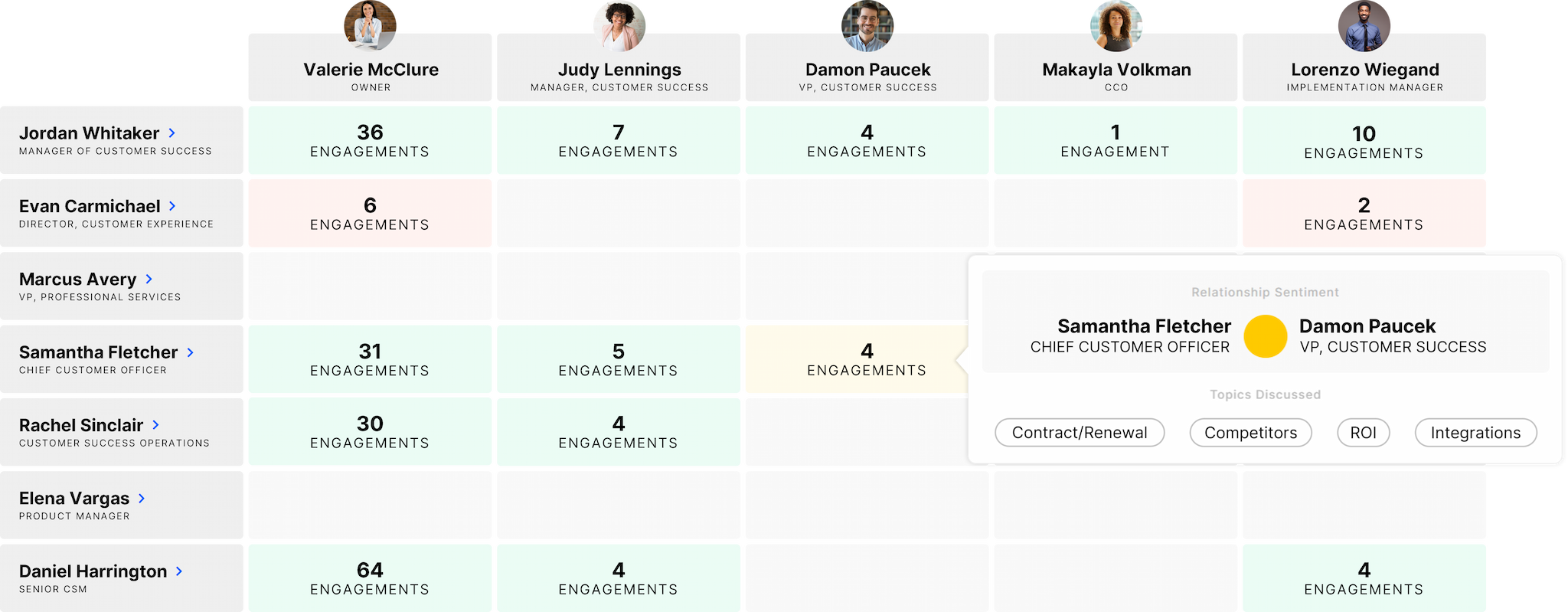
ChurnZero is a helpful client onboarding software made for subscription-based and SaaS businesses to make onboarding easier. It has many useful tools like automated onboarding journeys, task management, in-app WalkThroughs, real-time alerts, and customer journey templates to make sure every new customer gets the right support. With its main dashboard, teams can see real-time customer info, follow their activity, and use AI-powered health scoring to spot problems. ChurnZero lets you automate many steps, like sending emails or showing in-app messages. It also integrates well with other tools like Salesforce, HubSpot, Zendesk, and Gmail.
Key Features
- Dashboard - ChurnZero has a simple dashboard where users can see the status of each client, check how far they’ve come, and manage all steps of onboarding in one place.
- Automated Workflows - The software helps by automatically sending messages and tasks based on what the client needs, so the team doesn’t have to do everything by hand.
- WalkThroughs (In-App Guides) - It offers helpful pop-ups and tips inside the app that guide clients through the product step-by-step without extra help.
- Built-in Messaging - The platform includes messaging tools so clients and team members can talk easily inside the system or through apps like Slack.
- Reports and Insights - The software gives simple reports that show how onboarding is going and if any clients might have problems, helping the team improve the process.
Pros
- Let you create custom dashboards and group customers
- Sends real-time alerts about customer activity
- Has helpful and quick customer support
Cons
- Email features are basic and limited
- No mobile app to use
Price
-
Available on request
4. Clientary - Best Client Onboarding Software for Small Business

Clientary is an easy-to-use client onboarding software that helps freelancers, consultants, and small business owners manage their clients from the first contact to the final payment. With Clientary, you can create custom forms to collect client information, send proposals and contracts with e-signatures, and set up projects and tasks quickly. It also lets you track time, send invoices, and accept payments all in one place. Your clients get a branded page where they can see all the documents, updates, and bills you share with them. It’s a great tool for small teams or solo workers who want to save time and stay organized.
Key Features
- Client Portals - Each client gets their own portal where they can view proposals, sign contracts, send messages, and make payments.
- Templates - The system includes pre-made templates for common tasks like proposals, invoices, and contracts to help the team work faster.
- Proposal and Contract - Users can quickly create and send proposals. Once a client agrees, they can sign the contract online.
- Invoicing and Payments - Users can send invoices directly from the system. Clients can pay online through Stripe or PayPal. This makes payments quicker and easier to manage.
- Client CRM - All client details, messages, files, and notes are stored in one place to help users stay organized and build better client relationships.
Pros
- You can make a branded client portal for your customers
- Sends invoices automatically and accepts payments online
- Tracks your work time and adds it to invoices
Cons
- Not great for big companies with complex needs
- The mobile app doesn’t have all the features
Price
- 14-day free trial available
- Start from $19 - $59 monthly
5. Demio - Best Webinar Onboarding Software for Businesses
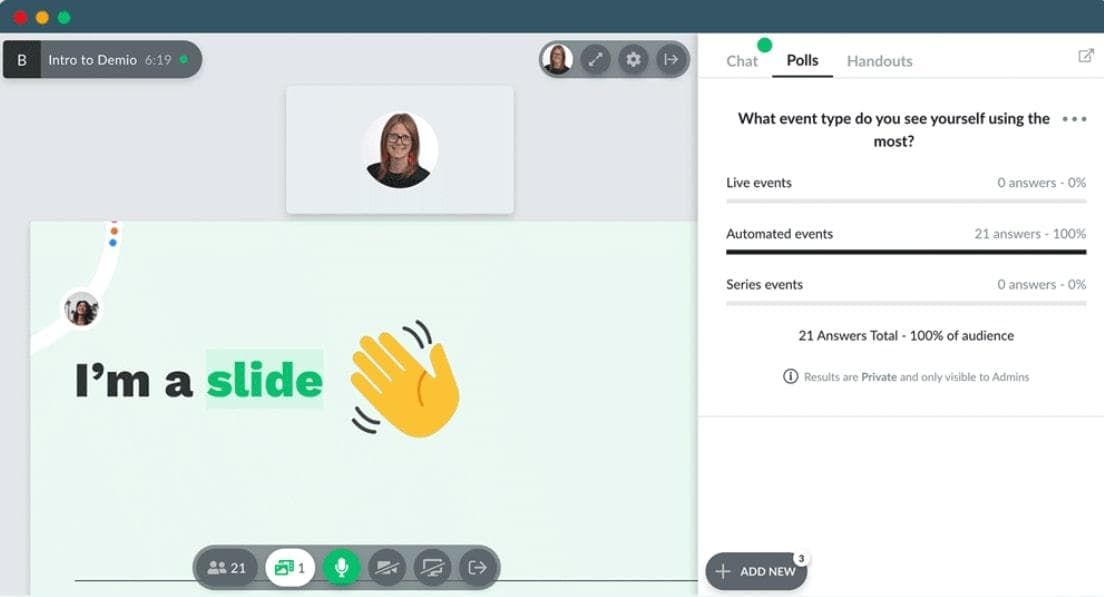
Demio is an easy-to-use online webinar tool that helps businesses welcome and guide new clients. It has features like live chat, polls, question and answer sessions, and handouts to keep clients interested and involved. Businesses can also create automated webinars that clients can watch anytime, making onboarding simple and consistent. You can customize sign-up forms to collect important information from clients and connect Demio with popular tools like HubSpot and Mailchimp to keep everything organized. It also gives useful reports to see how well your sessions are working.
Key Features
- Automated Webinars - Demio lets businesses run live webinars where they can talk with clients, as well as pre-recorded webinars that play automatically.
- Customizable Branding - Users can change the look of registration pages, thank-you pages, and webinar rooms by adding their own logos, colors, and messages.
- Engagement Tools - Demio has tools like polls, handouts, and chat that help keep clients interested and let them ask questions during the webinar.
- Automated Email Reminders - The software sends automatic email reminders before and after webinars to help clients remember the sessions.
- Mobile Accessibility - Clients can join webinars right from their phones without needing to download anything, making it easy to access from anywhere.
Pros
- Very easy to use
- Can run live or automatic webinars
- You can make your own registration pages
Cons
- Costs can be high for small businesses
- Not much customization on basic plans
Price
-
Start from $45 - $196 monthly
6. UserGuiding - Best Client Onboarding Solutions for Business
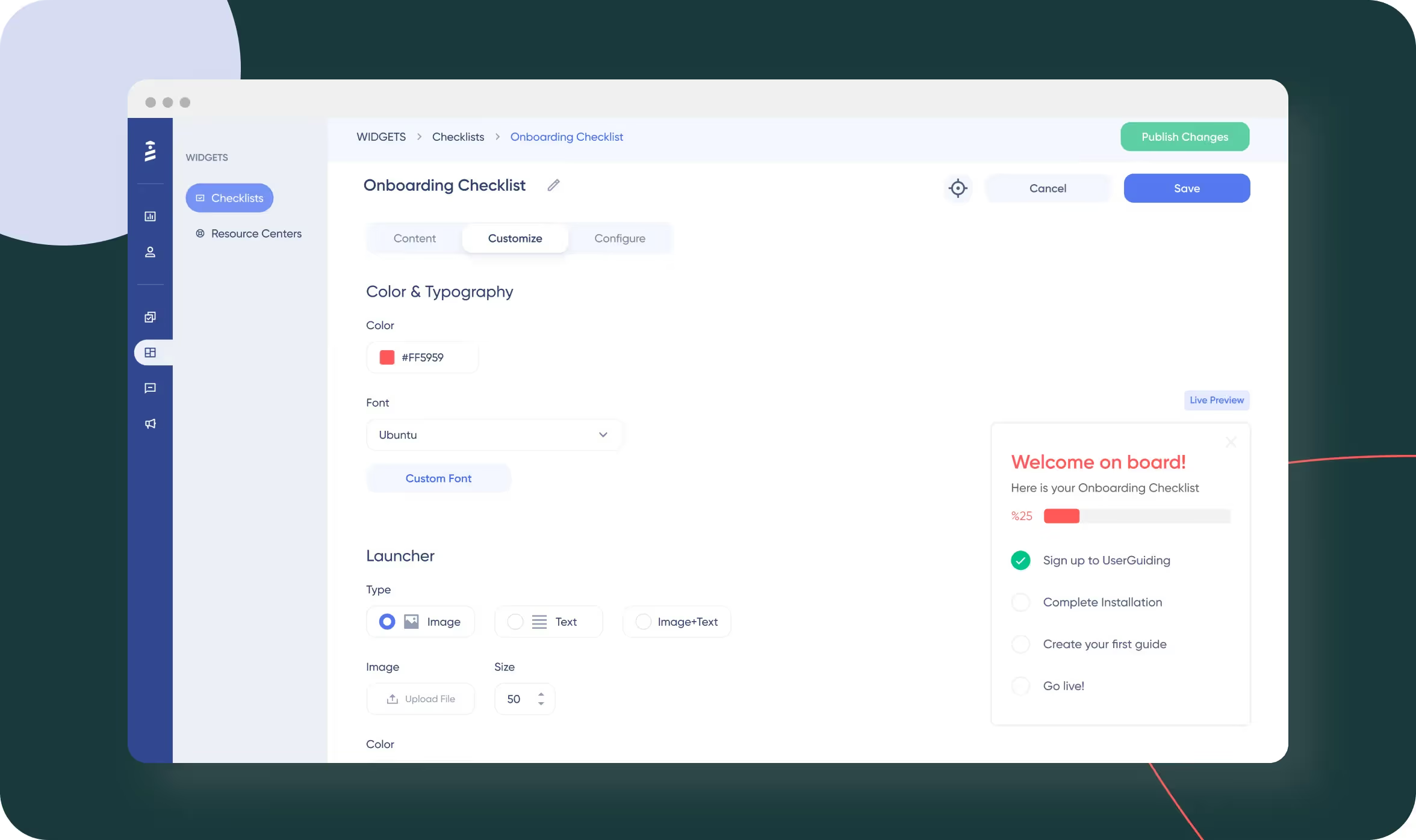
UserGuiding is a simple user onboarding software that helps businesses welcome and guide new users step-by-step without needing any coding skills. It lets companies create easy-to-follow product tours, checklists, and helpful tips using a drag-and-drop tool. With features like showing different guides to different users, sending messages inside the app, and tracking how users interact, UserGuiding helps businesses make sure users understand their product quickly. It also connects well with popular tools like CRM and marketing software. This way, companies can reduce questions from users, help them learn faster, and keep them happy.
Key Features
- Interactive Product Tours - UserGuiding lets businesses create easy step-by-step guides that show users how to use important features and get started fast.
- In-App Surveys and Feedback - UserGuiding collects feedback from users with surveys to find out what works and what needs fixing.
- Analytics and Reporting - It provides reports that show how users interact and how well the onboarding is working, so companies can improve it.
- Resource Centers - Companies can create a library of guides and tutorials so users can find help anytime they need it.
- Customizable Branding - Businesses can change colors, logos, and styles to match their brand during onboarding.
Pros
- Helps create interactive guides and checklists
- Works in many languages
- Shows helpful reports to understand users better
Cons
- It can be a bit expensive for small businesses
- Some features take time to learn
Price
- Free plan available
- Start from $174 - $349 monthly
7. WalkMe - Best Digital Customer Onboarding Software
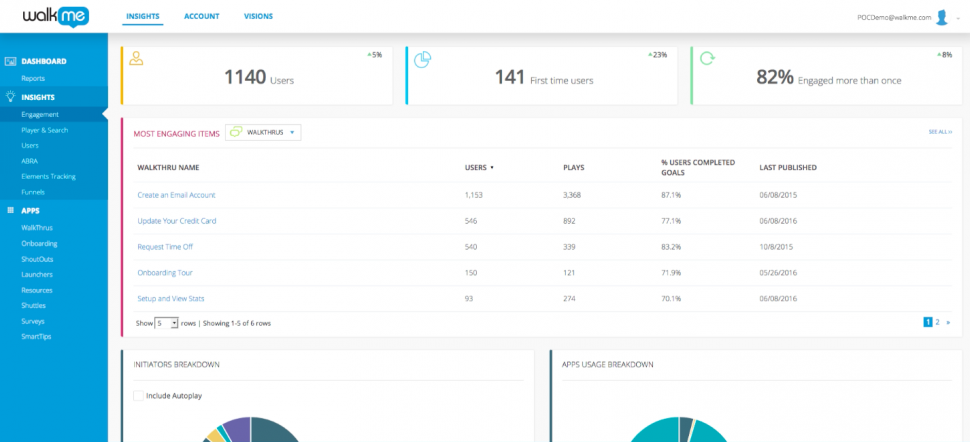
WalkMe is a powerful no-code Digital Adoption Platform (DAP) that helps companies guide their clients and users through software with step-by-step instructions shown directly on the screen. It’s mainly used by big companies to onboard clients, train employees, and make digital processes easier. WalkMe includes helpful tools like Walk-Thrus, onboarding task modules, user segmentation, tracking and testing options, CRM integrations, mobile support, and support for different languages. These features help users learn faster, lower the need for customer support, boost product usage, and keep clients happy.
Key Features
- Custom Onboarding - Businesses can create their own onboarding steps with checklists and progress bars. Clients can see what they’ve done and what’s next.
- SmartTips - This feature shows short tips or messages on buttons or fields to help clients understand what they need to do. It answers simple questions without needing extra help.
- ActionBot - WalkMe has a smart chatbot that clients can type to. It helps them do simple tasks or find answers, so they don’t have to search around or wait for someone to help.
- Automation Tools - The software can send messages and tips. This helps move clients forward without requiring the team to do everything manually.
- In-App Messaging - Companies can send welcome messages, tips, or updates right inside the software. Clients see them while they are using the product.
Pros
- Works well with many other software programs
- Let you customize the look and feel
- Has helpful customer support and training
Cons
- It can be expensive for small companies
- Takes time and skill to set up well
Price
-
Pricing is custom-based
8. GUIDEcx - Best Client Onboarding Tools for Finance

GUIDEcx is a helpful client onboarding software that makes the onboarding process easier and more organized. It shows real-time progress, lets teams and clients work together on tasks, and gives clients their own dashboard to see what’s going on. The software sends automatic reminders, offers ready-made templates, and works well with tools like Salesforce and Slack. GUIDEcx helps businesses finish onboarding faster, keeps teams on the same page, and makes clients feel confident and happy. It can be customized with your company’s brand and gives useful reports to improve the process.
Key Features
- Customer Portals - Clients get their own portals where they can see their onboarding progress, upcoming tasks, and deadlines, making the process clear and easy to follow.
- Automated Workflows - The software automatically assigns tasks and sends reminders, reducing manual work and keeping the onboarding process smooth.
- Project Tracking - GUIDEcx lets teams track onboarding projects live, so they can spot delays early and plan better.
- Integrations - The software connects with over 1,000 apps like CRMs and communication tools, so data moves easily between systems.
- Collaboration - The platform helps teams and clients work together with shared spaces and chat options, making communication clear and simple.
Pros
- Helps you work closely with clients through simple tools
- Saves time by automating tasks and tracking progress
- Has a mobile app to manage work anywhere
Cons
- Costs more than some other options
- Not great for managing tasks after onboarding ends
Price
- Starter - From $5,000/year
- Premium - Custom price
- Advanced - Custom price
9. Chameleon - Best Saas Onboarding Software
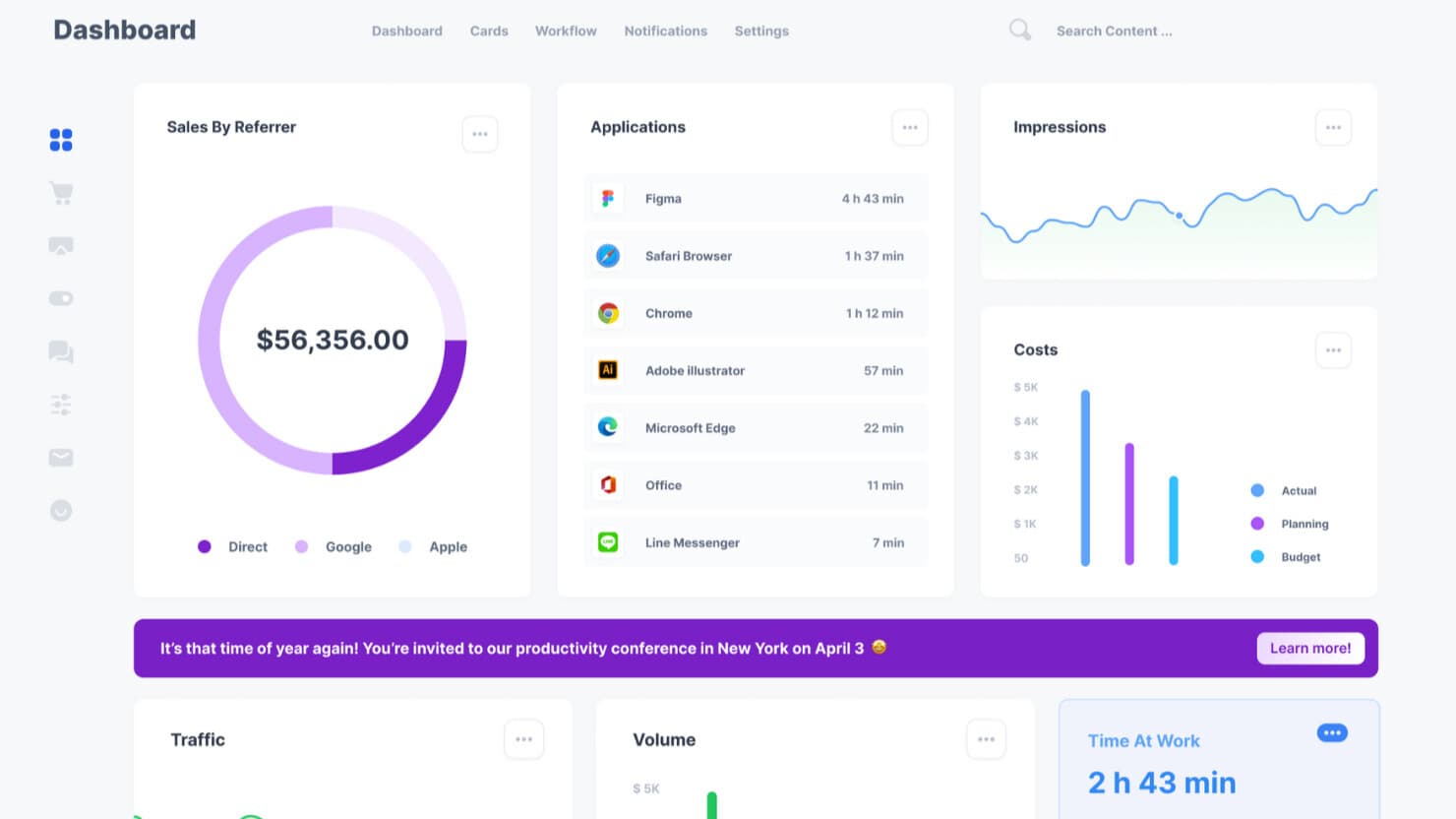
Chameleon is an easy-to-use client onboarding software that helps businesses, especially SaaS companies. It lets you create simple step-by-step guides and helpful tips inside your app to show users how to use important features. You can also add pop-up messages, checklists, and resource centers where users can find answers on their own. Chameleon includes tools to collect user feedback with short surveys and measure how happy users are. You can also group users based on how they use your app or other details, so you can show them personalized help. It integrates well with other popular tools, such as HubSpot and Salesforce.
Key Features
- Microsurveys - Short in-app surveys help companies collect feedback from users during onboarding. This feedback helps improve the experience over time.
- HelpBar - With the HelpBar feature, users can instantly search for resources, guides, and documentation inside the app using a keyboard shortcut or a click.
- A/B Testing - Teams can test different onboarding flows to see which one works better. The system tracks results and shows what’s more effective.
- Smart Targeting - Onboarding messages and guides can be shown to the right users at the right time based on what they do or who they are.
- Tracking & Reports - The platform tracks how users interact with the onboarding steps. Teams can see who completed what, where users drop off, and how to improve.
Pros
- Very easy to create onboarding steps without much coding
- You can show different messages to different types of users
- Works well with other tools like Intercom, HubSpot, and Mixpanel
Cons
- It’s pretty expensive, especially for small businesses
- Doesn’t work well if your app has many pages
Price
- Free plan available
- Start from $279 - $1500 monthly
10. Zendesk - Best Customer Onboarding Automation Tools
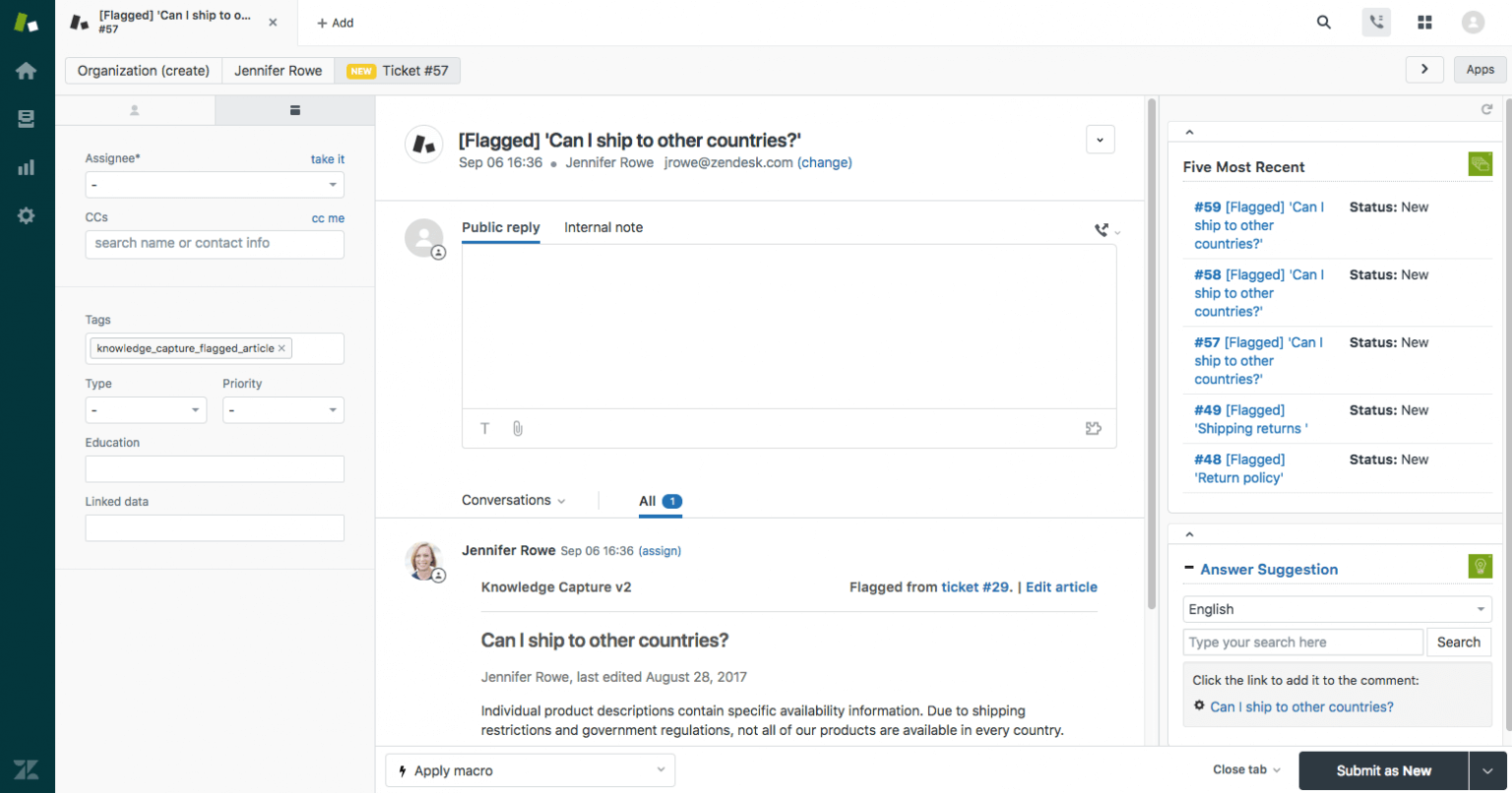
Zendesk is a powerful client onboarding tool that helps businesses make client onboarding easy and smooth. It lets clients communicate in many ways, like email, chat, phone, and social media, so they can use whatever they like best. The software helps businesses set up automatic steps and checklists to make sure nothing is missed during onboarding. It also has a helpful knowledge base where clients can find answers on their own, saving time for both sides. Zendesk uses smart AI to give quick answers to common questions, making support faster and better.
Key Features
- Customer Portals - Clients get their own portals where they can see how far along they are in the onboarding process, check upcoming tasks, and know important deadlines.
- Automated Workflows - The software automatically assigns tasks and sends reminders. This helps reduce manual work and keeps the onboarding process running smoothly.
- Multi-Channel Support - Clients can reach out for help through email, chat, phone, or social media. They can use whichever way they like best.
- Knowledge Base - Clients can find answers, guides, and FAQs on their own in a help center. This lets them solve common questions quickly without waiting for help.
- Task Management Integration - With SweetHawk, businesses can create checklists and assign tasks inside Zendesk to keep the onboarding process organized and easy to track.
Pros
- Automates repetitive tasks to speed up onboarding
- Gives useful analytics reports to track how things are going
- Integrates easily with many third-party apps and tools
Cons
- It can be tricky to learn at first
- Costs more if you add many features or users
Price
- Free plan available
- Start from $19 - $169 monthly
How to Choose the Best Client Onboarding Software
Choosing the right software for onboarding can feel tricky because there are so many options. You have to pick one that helps your team and makes the process smooth for your clients.
1. Know Your Onboarding Workflow First
Before trying any tool, look at how your current onboarding process works. What steps do you follow? Are you collecting documents, sending emails, booking calls, or guiding clients through setup?
Find out what takes too much time or causes problems. For example, if clients often don’t know what to do next, you’ll need software with an exact progress tracker. If your team spends hours writing the same emails, automation can help a lot.
2. Identify the Useful Features
Each tool offers different things. You need to focus on the features that matter most to your work. Look for software that includes:
- Custom Workflows
- Client Portals
- Automated Task Assignments & Notifications
- Document Sharing & E-Signatures
- In-App Messaging or Communication Tools
- Integrations
- Analytics and Reporting
3. Consider the Easy to Use
Even the most advanced client onboarding system is useless if your team or client doesn’t know how to use it.
Look for tools with:
- A clean and simple layout
- Drag-and-drop builders
- Easy-to-understand client portals
- Mobile-friendly design so clients can use it from their phones
Test drive the interface during the free trial. If it takes more than a day to figure out the basics, it’s probably too complicated.
4. Evaluate Pricing Flexibility
Think about how the software will work as your business grows.
Ask yourself:
- Will it become too expensive as you add more clients or team members?
- Are the best features only in the higher-priced plans?
- Does it charge per user, per project, or monthly?
Make sure the pricing plan makes sense for your business now and later when you have more clients.
5. Check for Strong Security and Compliance
If you’re handling personal or private information, such as financial, legal, or health information, security is very important.
Look for:
- Data encryption
- Two-step login (2FA)
- Secure online storage
- GDPR or HIPAA compliance
- User controls so you can decide who sees what
The software should explain clearly how it keeps your client data safe.
6. Analyze the Vendor’s Support
When something goes wrong or you need help, you should be able to reach someone.
Check if they offer:
- Live chat or phone support
- Helpful guides or tutorials
- Training for your team
- A support team that replies quickly
Some vendors even assign a success manager to help larger teams.
7. Use a Free Trial
Most customer onboarding solution tools offer a free trial or demo. Don’t skip it. Set up a small test project with real tasks.
In the trial, see:
- How long does it take to set everything up
- If your team can use it without help
- If your clients understand how to use it
- Whether it actually solves the problems you have
A trial is the best way to know if it’s a good match for your business.
Frequently Asked Questions
What is Onboarding Software?
Onboarding software is a digital tool that assists businesses in welcoming new clients and guiding them through the first steps of working together. It makes the process smooth by handling things like forms, documents, tasks, and messages. Instead of doing everything manually, the software helps you stay organized and saves time.
What is customer onboarding in CRM?
Customer onboarding in CRM means helping new customers get started using a Customer Relationship Management system. It includes sending follow-up emails, collecting their information, scheduling meetings, and tracking how they are doing, so everything goes smoothly and the customer feels supported.
What is the best onboarding software?
The best onboarding software depends on what your business needs. For small businesses, Clientary is easy to use and good for invoicing. For SaaS companies, ChurnZero offers great automation and tracks customer health. ClickUp works well if you want both project and client management. TechForing Customer is great for clear communication and all-in-one features.
How do I onboard a new client?
To onboard a new client:
- Send a welcome message or call to explain what will happen
- Get all the needed documents and information from them
- Share important resources and explain how your process works
- Give tasks and deadlines using onboarding tools
- Keep in touch with regular updates
- Ask for feedback to make the process better
- Make sure everything is done and the client is happy before moving on
What are the 7 steps of client process or client onboarding process?
The usual 7 steps are:
- First Contact & Welcome
- Collect Information & Documents
- Set Expectations & Agreements
- Set Up Account or Project
- Teach & Train the Client
- Regular Communication & Follow-up
- Get Feedback & Improve
What is the most affordable client onboarding software?
TechForing Customer offers a low-cost plan starting at $5 per user/month or $99 for 30 users, with core features like dashboards, automation, secure document storage, and built-in messaging.
Final Thought
In this blog, we looked at some of the best tools out there in 2025, each with its own strengths. But in the end, the best software is the one that fits your business needs and is easy for both your team and your clients to use.
If you want a tool that does everything in one place - from sending welcome messages to collecting documents and tracking progress - TechForing Customer is a great choice.
