
Category: Articles
Best Content Management Systems for Digital Marketing Teams in 2025
TABLE OF CONTENT :
Managing content is a big challenge for many digital marketing teams. They have blog posts to write, social media updates to schedule, and need to keep everything organized and on time. Without the right system, content gets posted late, and the team feels unproductive.
A useful Content Management System (CMS) can help your team stay organized, work together efficiently, and publish content more quickly.
According to DiviFlash, as of January 2025, more than 80 million active websites, around 68.7% of all websites, use content management systems (CMS).
In this blog, we’ll share the 8 best CMS platforms, along with their features, pros, cons, and prices, so that you can pick the best CMS for your team.
What is a Content Management System?
A Content Management System, or CMS, is a tool that helps you build and manage content on a website without needing to know the code. It works like a control panel where you can write blog posts, upload pictures, update pages, and publish everything with just a few clicks.
For digital marketing teams, a CMS makes work much easier. Everyone on the team can log in, write or edit content, schedule posts, and keep track of what’s going live and when. You don’t need a developer every time you want to make a small change.
Most CMS platforms also come with helpful tools for SEO, social media, and analytics, so you can manage everything from one place and grow your online presence more easily.
Why the Marketing Team Needs a Content Management System
A content management system software can assist your full digital marketing team to work better and faster. Here’s what a CMS can do for you:
Makes Creating Content Easy
Creating and formatting content can take a lot of time if you need coding skills or help from designers. A CMS gives you easy editors, like drag-and-drop or “what you see is what you get” tools. This lets your team add text, images, videos, and other media without needing technical skills. It helps you produce content faster and try new layouts easily. Additionally, many CMS platforms have ready-made templates and themes, so your content always looks good and matches your brand.
Keeps Your Work Organized
Keeping track of content and deadlines can be hard without a system. A CMS lets you plan and track your content by using calendars, task lists, and status updates. You can see what is ready, what needs review, and what is published all in one place. This stops missed deadlines and repeated work. It also makes sure everyone knows what they need to do.
Supports Team Collaboration
Digital marketing teams have many roles- writers, editors, SEO experts, designers, and managers. A CMS puts everyone on the same platform to work together. You can assign user roles and permissions, so each person can only access what they need. This lowers mistakes and keeps content secure. You can also track changes and see old versions, so no work gets lost. This helps teams communicate clearly and work smoothly.
Improves SEO and Marketing
Getting found on Google is important for bringing visitors to your site. Many CMS platforms come with SEO tools or support plugins that help you improve meta tags, keywords, URLs, and page speed. They also connect easily with email marketing, social media scheduling, and other marketing tools. You can run campaigns from one place and get reports and analytics to see how your content is doing and find ways to improve.
Keeps Your Website Updated
In fast-growing markets, you need to keep your website updated. A content management software lets your team make changes in real-time - like updating blog posts, changing banners, or fixing product info. You don’t have to wait for developers or know the code. This helps you respond quickly to trends or news and keeps your website interesting for visitors.
Improves Content Consistency and Branding
Keeping your brand’s look and voice the same across all content is really important to build trust with your audience. A website content management system helps by giving your team easy-to-use templates and style guides. This means every blog post, page, or social media update looks and sounds like it’s from the same brand, even if different people create them. Having this consistency makes your website look professional and reliable, which can help get more loyal customers and sales.
Enhances Security and Compliance
Security is very important, especially if your website collects user data. Many CMS platforms come with safety features like controlling who can see or edit what, regular backups, and protection against hackers. They also help you follow laws like GDPR or CCPA. These features keep your business and customers secure.
8 Best Content Management Systems for Marketing Teams
These are the best tools in 2025 that can help your marketing team create, manage, and publish content more easily.
- TechForing CMS
- WordPress
- HubSpot CMS Hub
- Webflow
- Contentful
- Wix (with Wix Studio)
- Joomla
- Sitecore
1. TechForing CMS - Best Content Management System (CMS) Software
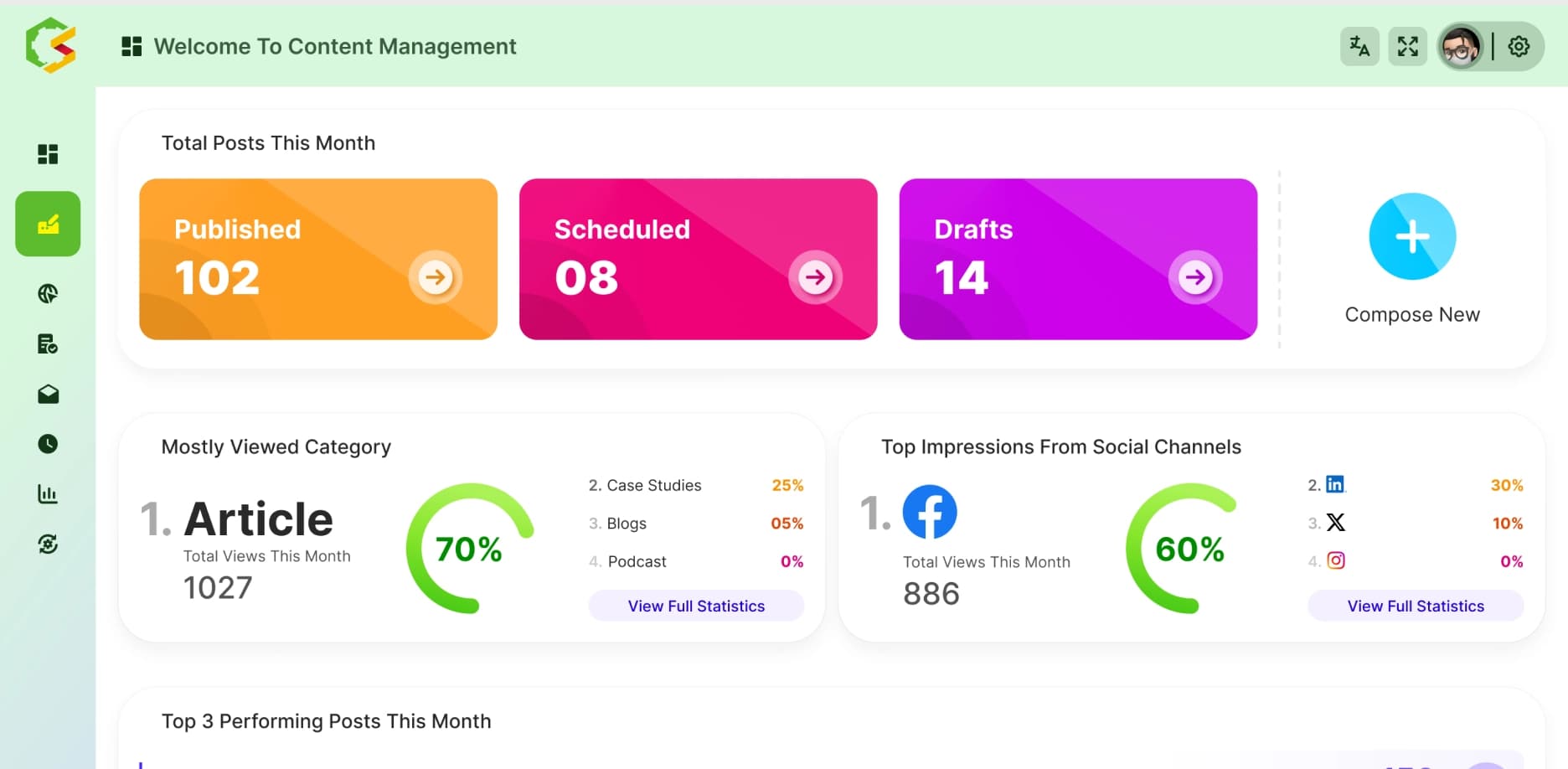
TechForing CMS is an easy-to-use platform that helps digital marketing teams create, approve, and schedule content all in one place. It has a clear dashboard where teams can manage their content, set roles so only the right people can make changes, and use templates to keep the brand’s look and feel the same. It also has tools to improve search engine rankings and shows reports to help teams see how their content is doing. This CMS is great for businesses that want a simple, secure way to manage their content.
Key Features
- Centralized content management dashboard
- Role-based access control
- Template-based design
- Built-in SEO optimization
- Integrated analytics and reporting
- Real-time content editing and scheduling
- Social media integration and post scheduling
- Compliance with regulations like GDPR
- Multi-user collaboration support
Pros
- Easy to use for beginners, experts, and the marketing team
- Helps keep your blog posts organized with tags and categories
- Let you change how your blog looks with simple themes
- Comes with tools to help your blog show up in Google searches
- Connects easily with social media and extra features
Price
- Free trial/demo available
- Flexible plans available (contact for a personalized quote)
2. WordPress - Popular CMS for All Types of Websites
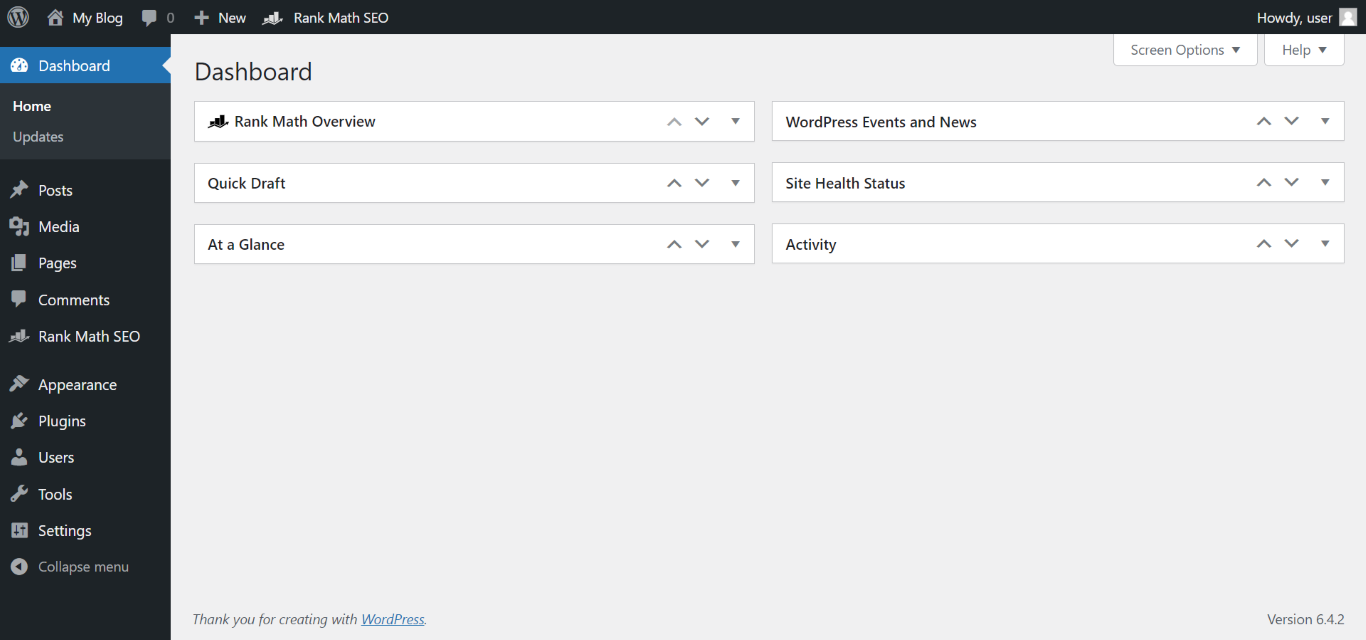
WordPress is the most famous CMS (Content Management System) in the world. It’s easy to use and works well for all kinds of websites, from small blogs to big business sites. Your marketing team can write posts, add pictures or videos, and manage pages without needing to know how to code. There are thousands of free and paid plugins that help with SEO, social media, and other marketing tasks. WordPress also gives you many design options, so your website can match your brand.
Key Features
- Block-based visual editor (Gutenberg)
- Thousands of plugins and themes
- Built-in media library and content scheduling
- Powerful SEO plugins (Yoast and Rank Math)
- User role management for team collaboration
- Integration with email and social tools
- WooCommerce support for eCommerce
- Multilingual support with plugins
- Regular updates and strong global community support
Pros
- Highly customizable with plugins, themes, and code
- Scales well from small blogs to large enterprise sites
- Easy to integrate with most marketing platforms
Cons
- It can get slow if you add too many plugins
- Needs regular updates to stay secure
Price
- Free trial available
- From $4 - $45
3. HubSpot CMS Hub - All-in-One Marketing CMS for Teams
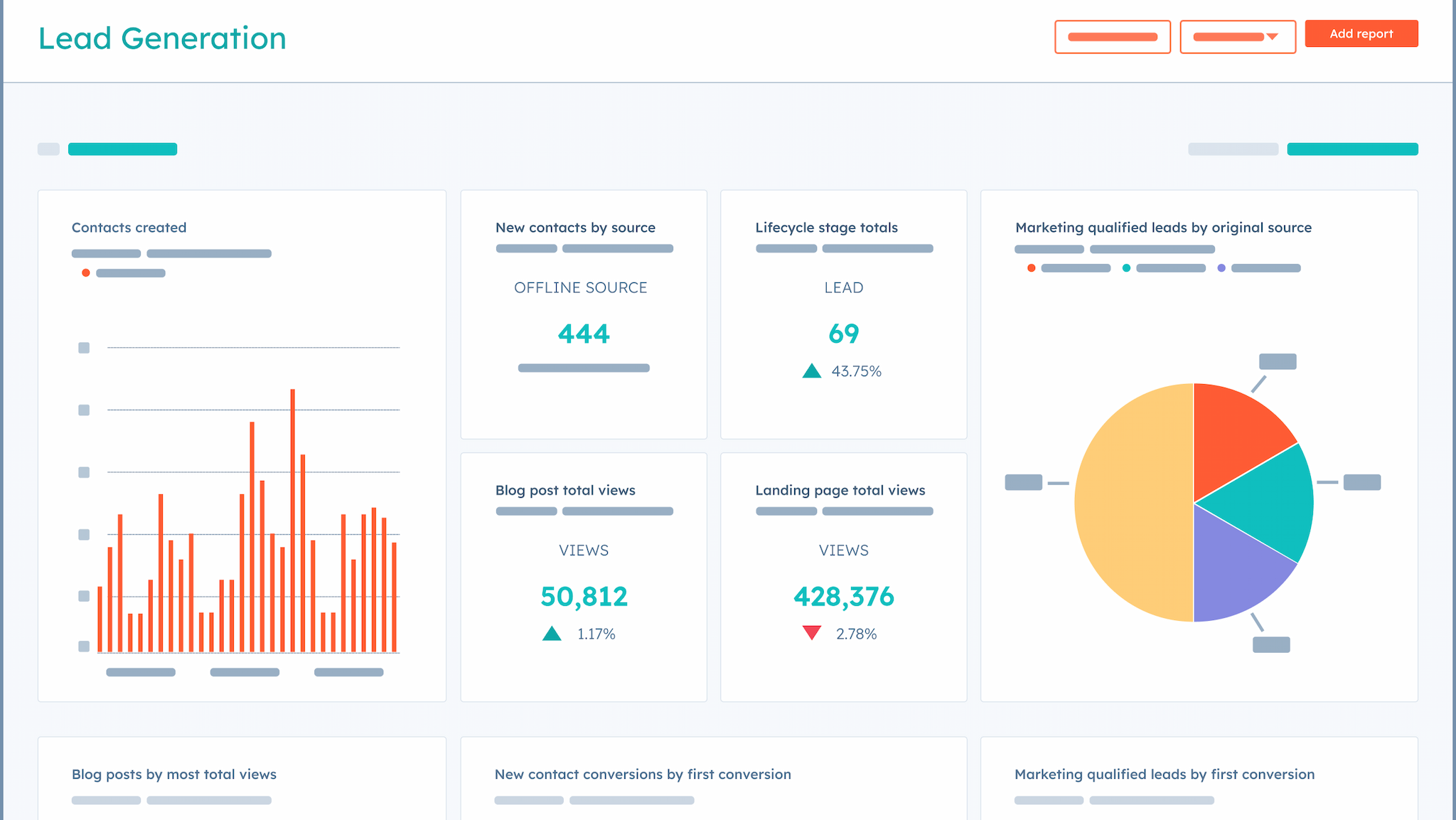
HubSpot CMS Hub is a web page content management system made for digital marketing teams. It allows you to build and manage your website while connecting smoothly with marketing tools like CRM and automation. With a drag-and-drop editor, you can create pages quickly, and smart features help show personalized content to your visitors. It also includes SEO tools to help your site rank better, and analytics to see how visitors interact with your content. HubSpot CMS Hub is great for teams who want to work closely together on marketing and sales.
Key Features
- Drag-and-drop editor
- Smart content personalization
- Built-in SEO tools
- Integrated CRM & marketing automation
- Advanced analytics
- Multi-language support
- Strong security & reliable hosting
- Content staging & preview
- Workflow automation
Pros
- Easy for marketing teams to use, even without tech skills
- Helps marketing and sales work together smoothly
- Good customer support and lots of learning resources
Cons
- Costs more than some other CMS options
- Some advanced features require extra learning or setup time
Price
- 14-day free trial available
- From $9 - $450
4. Webflow - Best CMS for Designers and Visual Creators
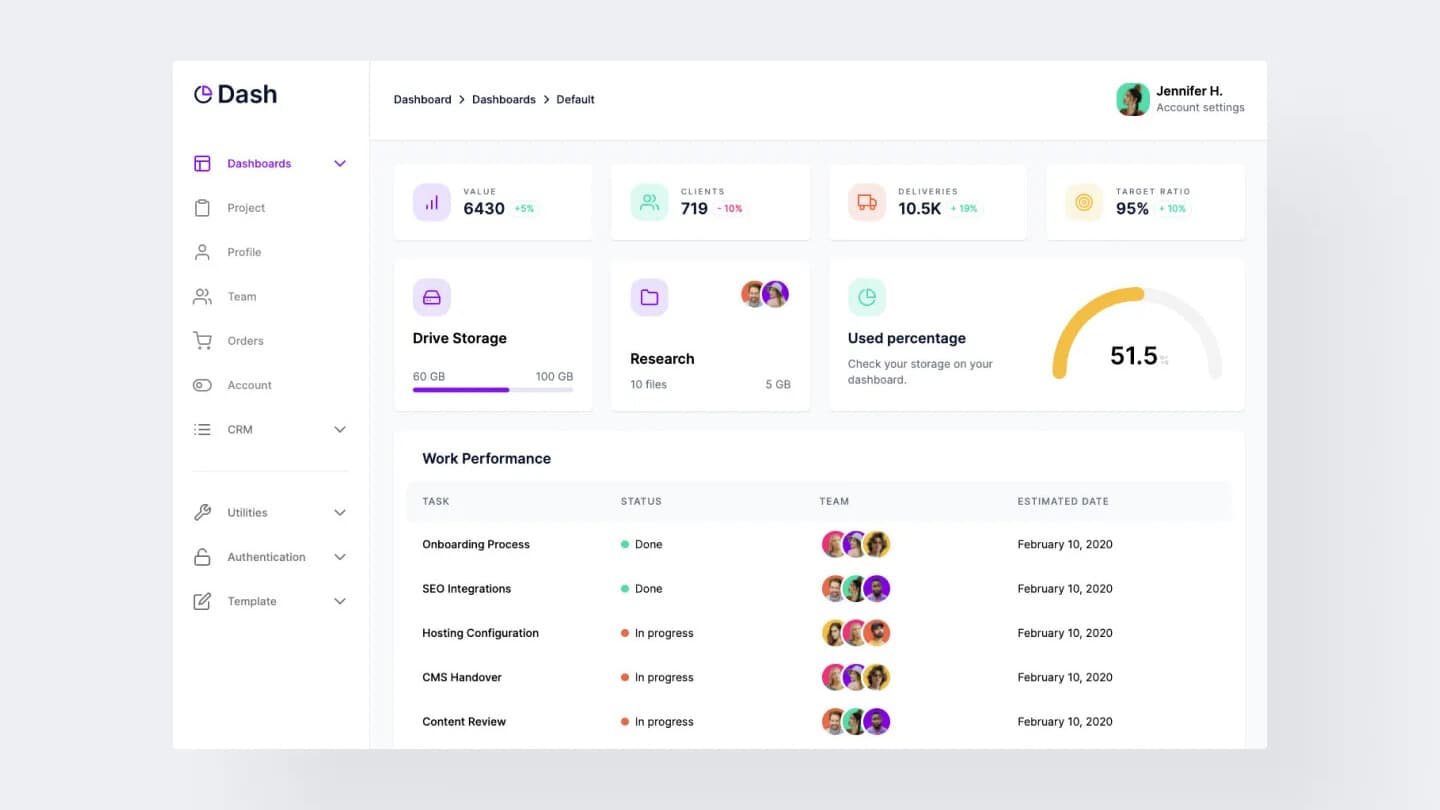
Webflow is a website content management software that helps marketing teams build and manage websites without needing to code. It has a visual editor where you can drag and drop features to create pages that match your brand. You can easily manage blog posts, product pages, and landing pages, all from one place. Webflow also includes fast hosting, built-in SEO tools, and the ability to set roles for your team. It functions well with tools like Google Analytics, Mailchimp, and Zapier, so your team can run marketing campaigns and track results without switching between platforms.
Key Features
- Visual drag-and-drop editor for custom designs
- Manage content with CMS Collections
- Fast hosting and page load speeds
- SEO tools built in
- Role-based access and team collaboration
- Version control and backups
- Integrations with tools like Zapier and Mailchimp
Pros
- Easy to design without coding
- All-in-one: hosting, SEO, and content tools included
- Perfect for building and updating marketing pages fast
Cons
- Doesn’t have as many plugins as WordPress
- Costs more for advanced features
Price
- Free trial available
- From $14 - $299
5. Contentful - Best CMS for Flexible Content Delivery
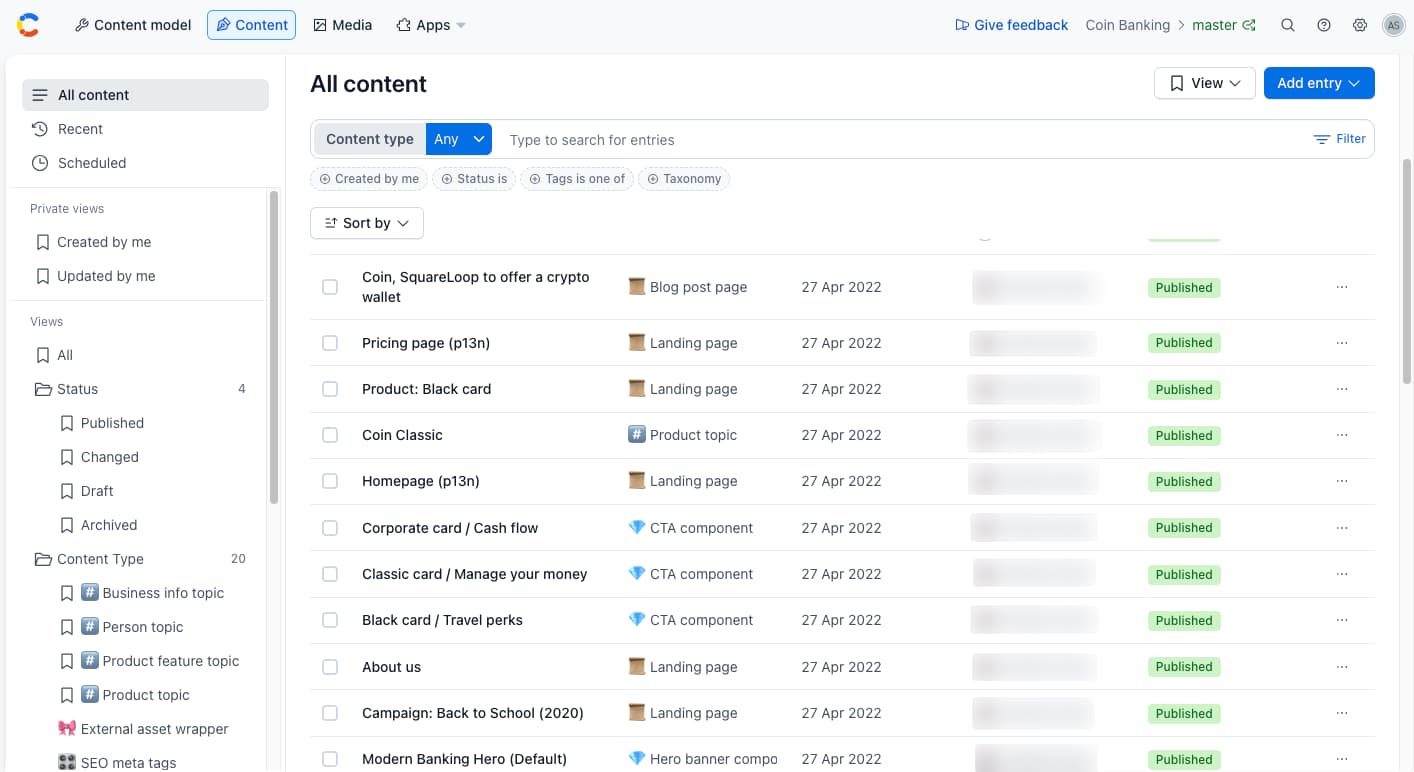
Contentful is a powerful, API-based web content management system that helps digital marketing teams create and manage content easily across different platforms like websites, apps, and smart devices. The tools keep the content separate from how it looks, so you can reuse and update the same content without having to redo it for each place. It’s great for teams working on big projects or using many channels. Contentful also has tools to organize content, manage different languages, and track changes. It helps marketers, developers, and designers work well together and deliver content faster.
Key Features
- API-first content delivery (REST & GraphQL)
- Custom content types and structured content modeling
- Multi-channel publishing (web, mobile, IoT)
- Role-based access control and user permissions
- Built-in localization and version history
- Visual content modeling interface
- Webhooks and third-party tool integrations
- Live preview and Inspector Mode
- AI-powered content assistance
- Media library with image editor and optimization
- Enterprise-grade scalability and security (SOC 2, audit logs)
Pros
- Great for complex or multi-platform projects
- Keeps content organized with custom content models
- Strong team collaboration features
Cons
- Needs technical skills to set up and manage
- It can be expensive for small teams or simple projects
Price
- Free trial available
- From $300
6. Wix (with Wix Studio) - Best CMS for Easy Website Building
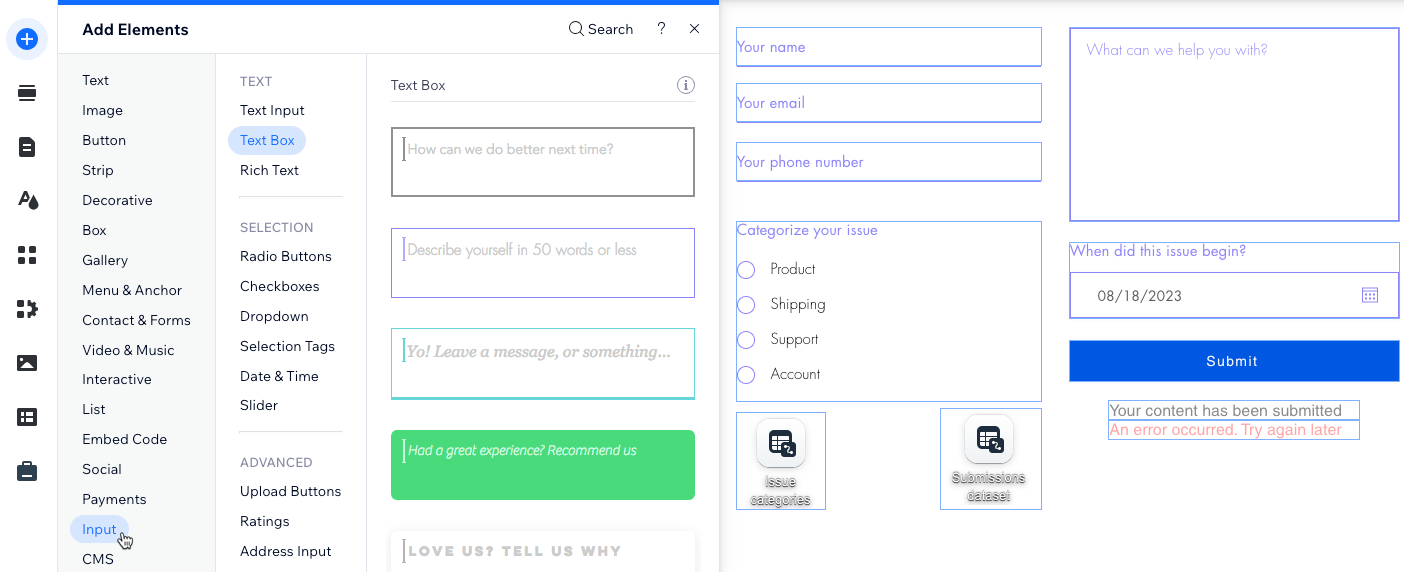
Wix, along with Wix Studio, is a very easy-to-use content management system cms platform that helps marketing teams build and manage websites. It comes with a drag-and-drop editor and over 900 ready-made templates, so you can quickly create a site that looks professional. You can easily add blog posts, landing pages, and online stores, all from one place. Wix also includes tools for SEO, website traffic reports, email campaigns, and social media posts. It comes with built-in hosting, a mobile-friendly design, and many apps to add extra features.
Key Features
- Drag-and-drop website builder
- 900+ ready-made templates
- Built-in SEO and analytics tools
- Blog, landing page, and store support
- Role-based access for teams
- App Market for extra features
- Hosting and domain included
- Mobile-friendly design
- Email and social media tools
Pros
- Very easy to use - great for beginners
- Fast setup with modern, professional templates
- Built-in tools for SEO, analytics, and marketing
Cons
- Advanced customizations may require third-party apps
- Limited content modeling compared to enterprise CMS
Price
-
Free plan available
7. Joomla - Best Open-Source CMS for Customization
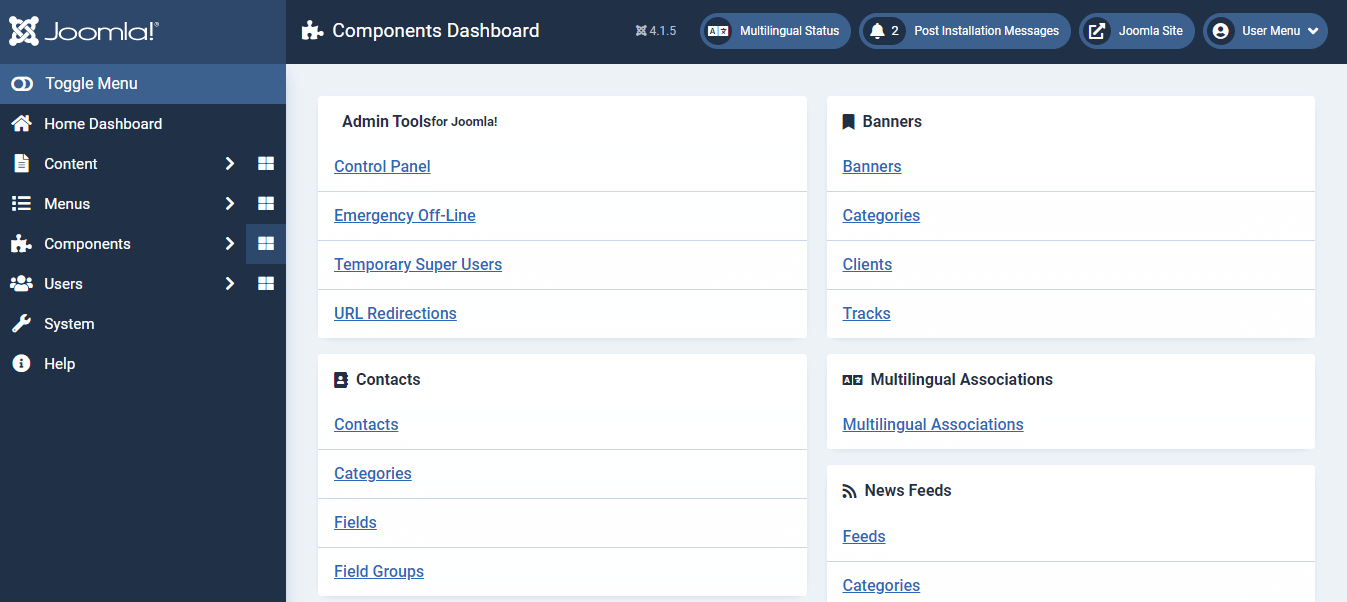
Joomla is a free website content management tool that helps marketing teams build and manage websites with more control and flexibility. It’s great for teams that need to handle a lot of content or run a website in different languages. Joomla comes with built-in tools for SEO, lets you organize your content easily, and allows you to give different team members different access levels. It’s not as simple to use as WordPress or Wix, but if someone on your team has a bit of tech knowledge, Joomla can be a strong and flexible option for growing websites.
Key Features
- Open-source and highly customizable
- Built-in SEO and multilingual support
- Flexible content structure with categories
- User roles and access control
- Extensions and templates available
- Content scheduling and version control
- Media manager for images and files
Pros
- Great for complex websites with many pages or users
- Supports multiple languages out of the box
- Strong control over site structure and user roles
Cons
- Smaller extension and template library than WordPress
- Requires regular maintenance and updates
Price
- Free to use (open-source)
- Costs may come from hosting, templates, or extensions
8. Sitecore - Best Enterprise Content Management System
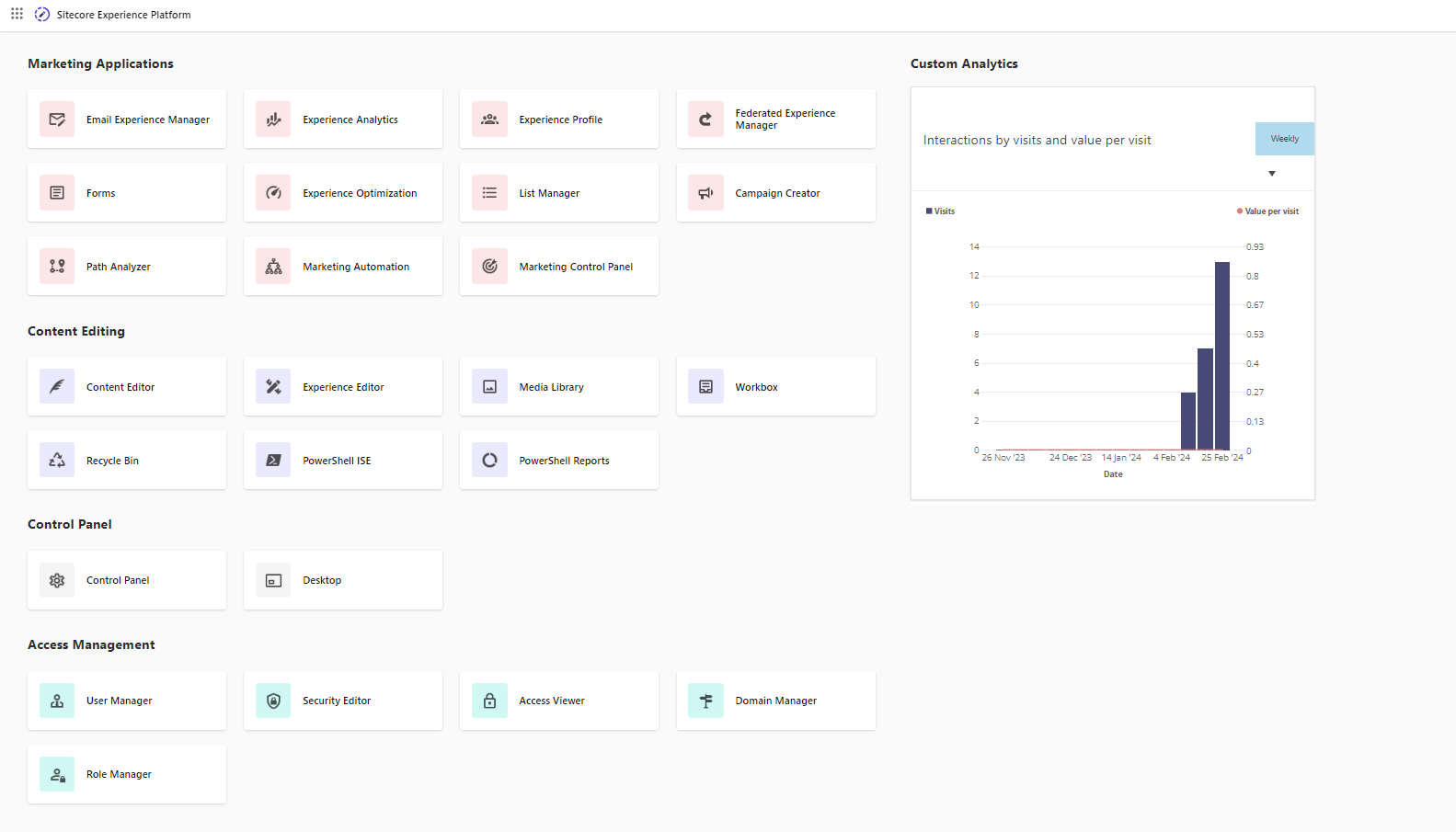
Sitecore is a digital content management system made for big companies that want to give their customers personalized and smooth experiences online. It combines managing website content with marketing tools, customer data, and easy-to-understand reports. This helps marketing teams create focused campaigns, manage content on many platforms like websites and apps, and see how well everything is working. Sitecore is very secure, can handle large websites, and is great for companies with many users and lots of content.
Key Features
- Marketing Automation
- AI-Powered Analytics and Insights
- Content Governance and Workflow Management
- Integration Capabilities
- Experience Editor (Real-time editing)
- Customer Data Platform (CDP) Integration
- Cloud-native Deployment
- Multilingual and Multisite Management
- Advanced Testing and Optimization
- Developer APIs and SDKs
Pros
- Combines content management with marketing tools
- Handles big, complex websites smoothly
- Very scalable and secure
Cons
- Expensive, mostly for large companies
- Can be too complex for small teams
Price
-
Custom pricing based on business
How to Choose a Content Management System
Picking the best content management system for a small business or marketing team is really important. But there are lots of options, and it can be confusing to know which one is best for you. In this part, we’ll explain this.
Define Your Strategy and Business Needs
Before picking a CMS, think about what kind of content you want to make, like blog posts, landing pages, or product updates. Make sure to know where this content will go and who on your team will handle it. If you're planning to grow or publish content in more than one language or country, your CMS needs to support that too.
Make Sure It’s Easy for Your Team to Use
Your CMS should be simple and easy for your team to use. If your writers, editors, and marketers can't figure it out, they’ll waste time or keep asking for help from developers. Look for a system that has a visual editor or drag-and-drop builder, so that your team can add text, images, or pages without touching any code.
Scalability and Future-Proofing
Maybe you’re starting with one website now, but later you’ll need more sites, languages, or mobile versions. The CMS you choose should be ready for that. Some platforms use what’s called a “headless” setup, which means your content is separated from how it looks, so you can use the same content across websites, apps, or other devices.
Integration with Your Marketing Stack
Your CMS should work well with other tools your marketing team uses. It should be able to connect with your CRM, email software, analytics tools, and social media schedulers. This way, you don’t need to copy and paste data or keep switching between systems. If it works with tools like Google Analytics, HubSpot, Zapier, or Mailchimp, your team can run marketing campaigns more smoothly.
SEO, Performance, and Content Structure
It’s important for people to find your content on search engines like Google. A content management system tool should let you easily add SEO titles, meta descriptions, image tags, and custom URLs. It should also help your site load fast and work well on mobile phones.
Security, Compliance, and Backup
Your CMS should help keep your website safe. That means only the right people can log in or make changes, and your work is backed up regularly. It should also protect against hackers and follow important rules like GDPR or CCPA if you collect visitor data. Some content management system features include tools to handle privacy settings, give cookie warnings, and track who changes what on your site.
Think About the Cost
Don’t just look at the price. Some content management tools are free or cheap to start, but once you add plugins, pay for hosting, hire developers, or need support, the costs add up. Think about the full cost, including setup, training, ongoing support, and how hard it is to switch to a different platform later.
Test It Before You Decide
Before making your final choice, let your team try out the CMS. Have your writers, editors, designers, and IT folks test the system by doing everyday tasks like writing an article and publishing it. This helps you see how well the system fits your actual workflow. Get feedback from everyone involved. A CMS might sound great on paper, but if your team finds it hard to use, it won’t help in the long run.
Frequently Asked Questions
What Is a Headless CMS?
A headless CMS is a system that holds your content but doesn’t decide how it looks on your website. Instead, it sends your content to different places like websites, apps, or other devices using special connections called APIs. This helps you use the same content in many places easily.
What are the 5 CMS platforms?
There are many CMS options, but these five are very popular in 2025:
- WordPress - Used for almost any type of website and has lots of add-ons.
- HubSpot CMS Hub - Good for marketing teams because it includes tools to help with sales and emails.
- Webflow - Great if you want to design your website without coding.
- Contentful - A smart system that works well if you want to show your content on many platforms, like apps and websites.
- Wix (with Wix Studio) - Easy to use and good for beginners and small businesses.
What is the most used CMS in 2025?
WordPress is still the most popular and best website content management system in 2025. It runs more than 40% of all websites worldwide because it’s easy to use and has many tools and themes.
What is the best CMS for a small business?
For small businesses, TechForing CMS, Wix, and WordPress are the best choices. Wix is very simple and includes hosting and templates. TechForing CMS and WordPress are a bit more flexible and better if you want to grow your site later.
Which CMS Platform Is Best for Blogging?
TechForing CMS and WordPress are the best choices for blogging. These were made for bloggers and have many helpful tools for writing, scheduling posts, SEO, and sharing on social media.
What features should I look for in a content management system?
Look for a CMS that lets you easily write and edit content, use ready templates, add images and videos, and manage SEO. It should also help your team work together and connect with other tools like email and analytics. For businesses, security and easy control over who can edit what are important too.
How much does a good content management system cost?
The cost depends on what you need. Some web page content management systems, like WordPress and Joomla, are free to use, but you will have to pay for website hosting and extra tools. Others like HubSpot CMS Hub, Webflow, or TechForing CMS charge monthly fees, usually between $10 and $300 or more.
Final Thought
Picking the top content management software is really important for any marketing team that wants to work better and grow online. TechForing CMS makes it easy to create and schedule content, improve your SEO, and work together as a team. It’s simple to use for everyone- writers, editors, and managers and keeps everything organized.
If you want a CMS made for marketing teams that helps you stay on track and grow your business, TechForing CMS is a great choice. Try it for free today or get in touch for a demo to see how it can help your team.
