
Category: Articles
20 Best Customer Onboarding Software in 2025
TABLE OF CONTENT :
Imagine: a new customer signs up for your product, excited to try it, but soon feels confused. That first experience can make them love your business or leave forever.
In fact, studies show that 80% of customers who have a bad onboarding experience never come back. This is why customer onboarding is so important.
In this guide, we’ll show the 20 best customer onboarding software in 2025, their main features, pricing, and why they are so helpful.
What Is Customer Onboarding Software?
Customer onboarding software helps new users learn and use your product or service quickly. It guides them step by step and automates tasks such as welcome messages, tutorials, checklists, and progress tracking. By making onboarding simple and reducing confusion, this software turns first-time customers into loyal long-term users.
Top Features to Check When Choosing Customer Onboarding Software
Let’s look at the most important features your software should have:
- Automated Workflows
- Personalized Onboarding Experience
- Analytics and Reporting
- Integration with Existing Tools
- Scalability for Growing Businesses
- In-App Guidance and Tutorials
- Multi-Channel Support (Email, Chat, SMS)
- Progress Tracking and Milestones
- Customer Feedback Collection
- Security and Data Privacy
- Customizable Templates and Checklists
- Onboarding Dashboards
- AI-Powered Recommendations
- Knowledge Base and Resource Library
- Mobile-Friendly Experience
- Automated Reminders and Notifications
- Collaboration Tools for Teams
20 Best Customer Onboarding Software in 2025
Here are the top 20 software in 2025 that make onboarding simple:
- TechForing Customer
- Synergy Learning
- Absorb LMS
- iSpring Learn
- Appcues
- Userpilot
- Rocketlane
- Dock
- ChurnZero
- GuideCX
- Intercom
- Clustdoc
- Motion.io
- Chameleon
- Onboard
- WalkMe
- Whatfix
- Trainual
- Tovuti
- EdApp
Now, we will share their main features, advantages, disadvantages, and costs so you can compare them side by side.
1. TechForing Customer - Best for Customer Onboarding
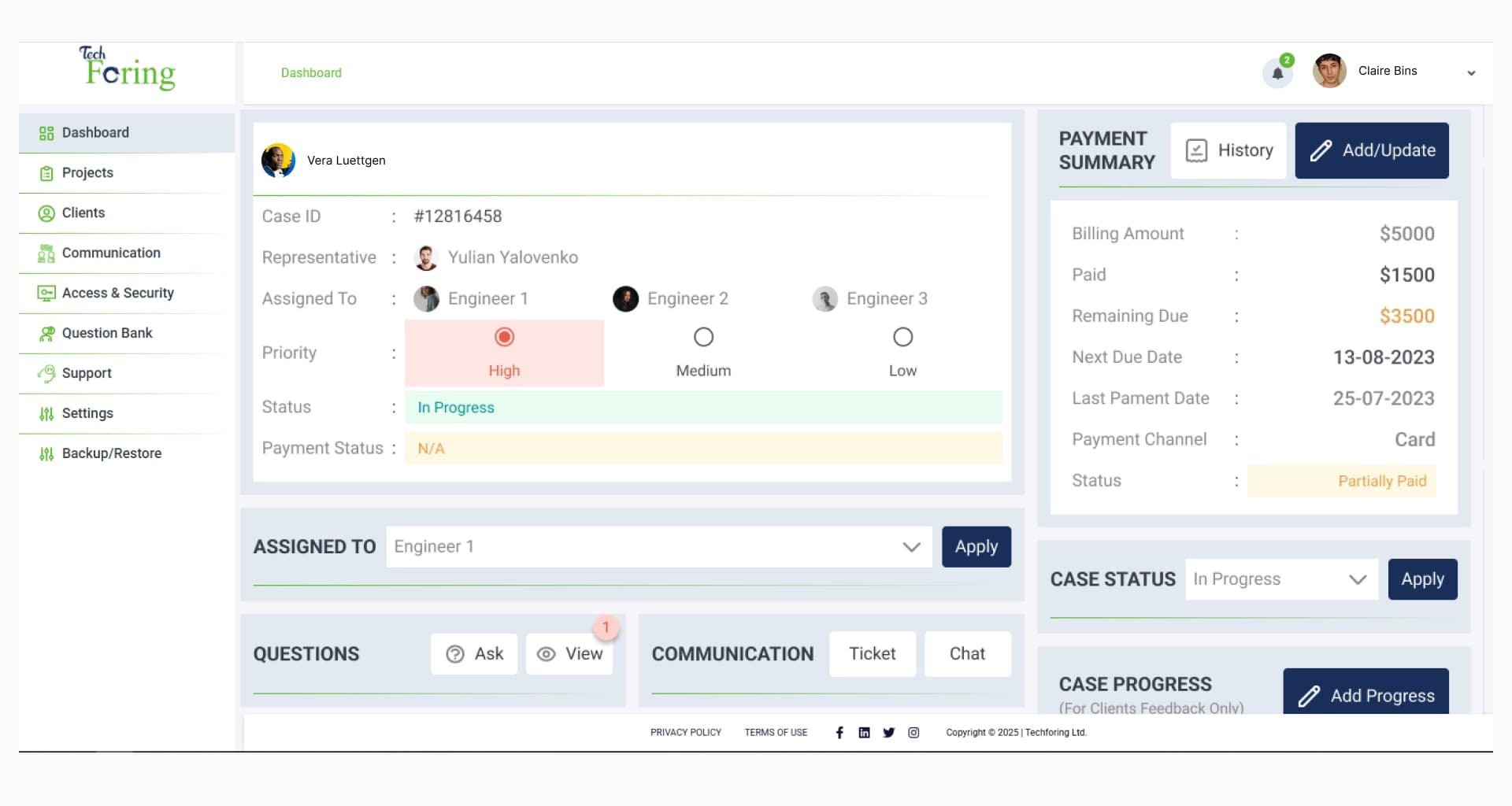
TechForing Customer is a customer onboarding platform that helps businesses give simple and engaging experiences from day one. It makes the onboarding process easy with step-by-step guidance, automatic workflows, and live progress tracking, so customers quickly learn the value of a product or service.
Key Features
Document & Compliance Workflow, Customizable Client Onboarding Pipelines, Branded Client Portals, AI-Powered Workflow Automation, Real-Time Dashboard & Analytics, Role-Based Access Control, Integration with TechForing Ecosystem, Centralized Document Management, Checklists & Milestone Tracking, and Built-In Communication Tools.
Pros
- Makes client onboarding quick and easy
- Let you communicate with clients by email or SMS
- Stores all client info in one place for your team
- Automates repetitive onboarding tasks to save time
- Works well with many other tools and apps
Price
- 30-day free trial available
- $5 per user/month
- $99 per month for 30 users
2. Synergy Learning - Best for LMS-Powered Onboarding
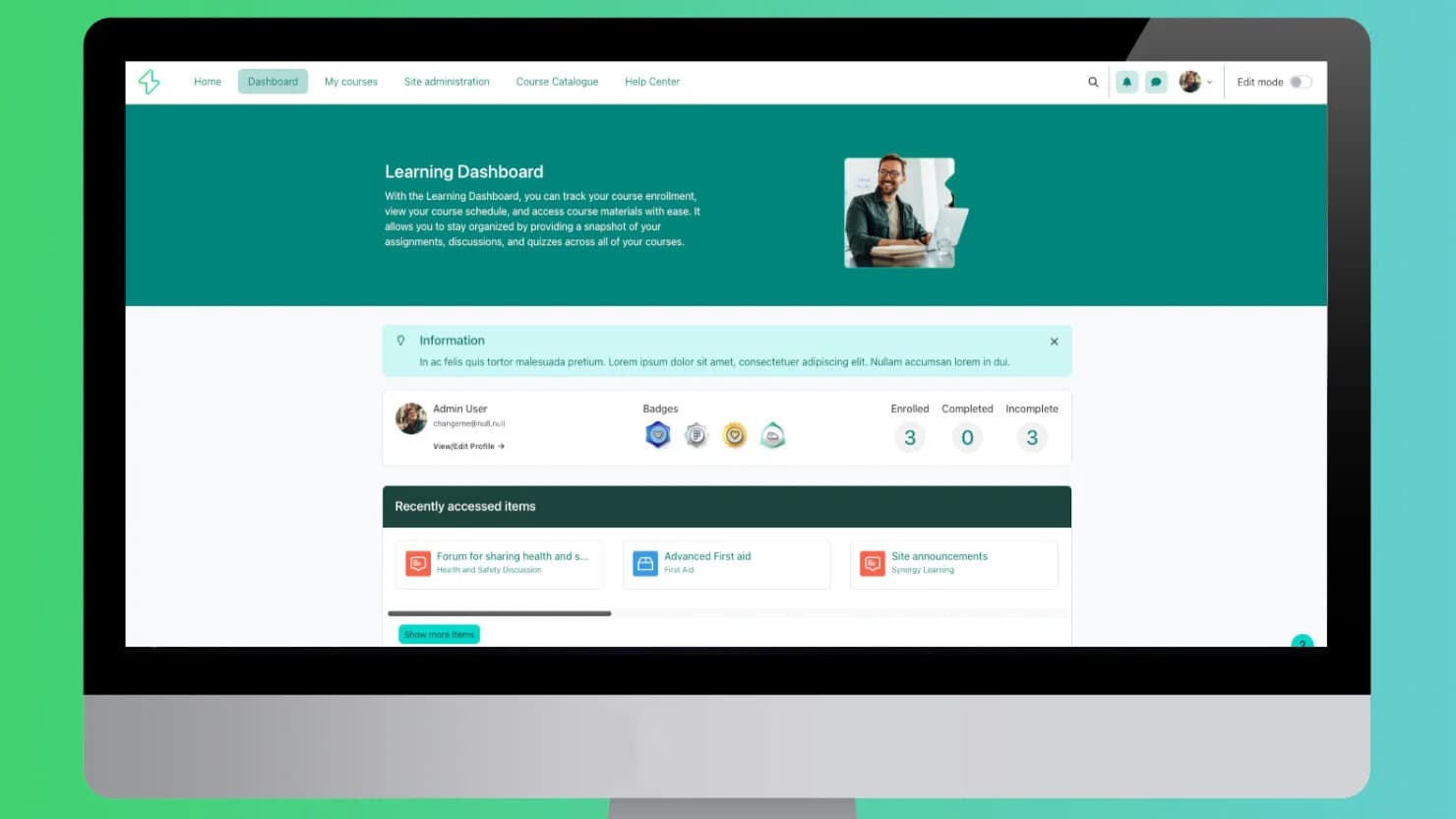
Synergy Learning is great for businesses that want to combine onboarding with learning. It uses LMS-powered learning paths to guide new users step by step, helping them understand all parts of your product or service. With easy-to-follow courses, progress tracking, and Synergy Learning keeps users interested, helps them remember what they learn, and makes them skilled quickly.
Key Features
Customizable Learning Paths, AI-Powered Tools, Course Creation & Management, Gamification Elements, Compliance Tracking, Mobile Accessibility, Integration Capabilities, Advanced Reporting, User Management, Multilingual Support, Virtual Classrooms, and Personalized Dashboards.
Pros
- Guides new users step by step
- Helps users learn your product
- Works well for both small and large teams
Cons
- Not good if you want a quick start
- Admin panel can be tricky
Price
- Free demo available
- Pricing upon request
3. Absorb LMS - Best for Personalized Learning Paths
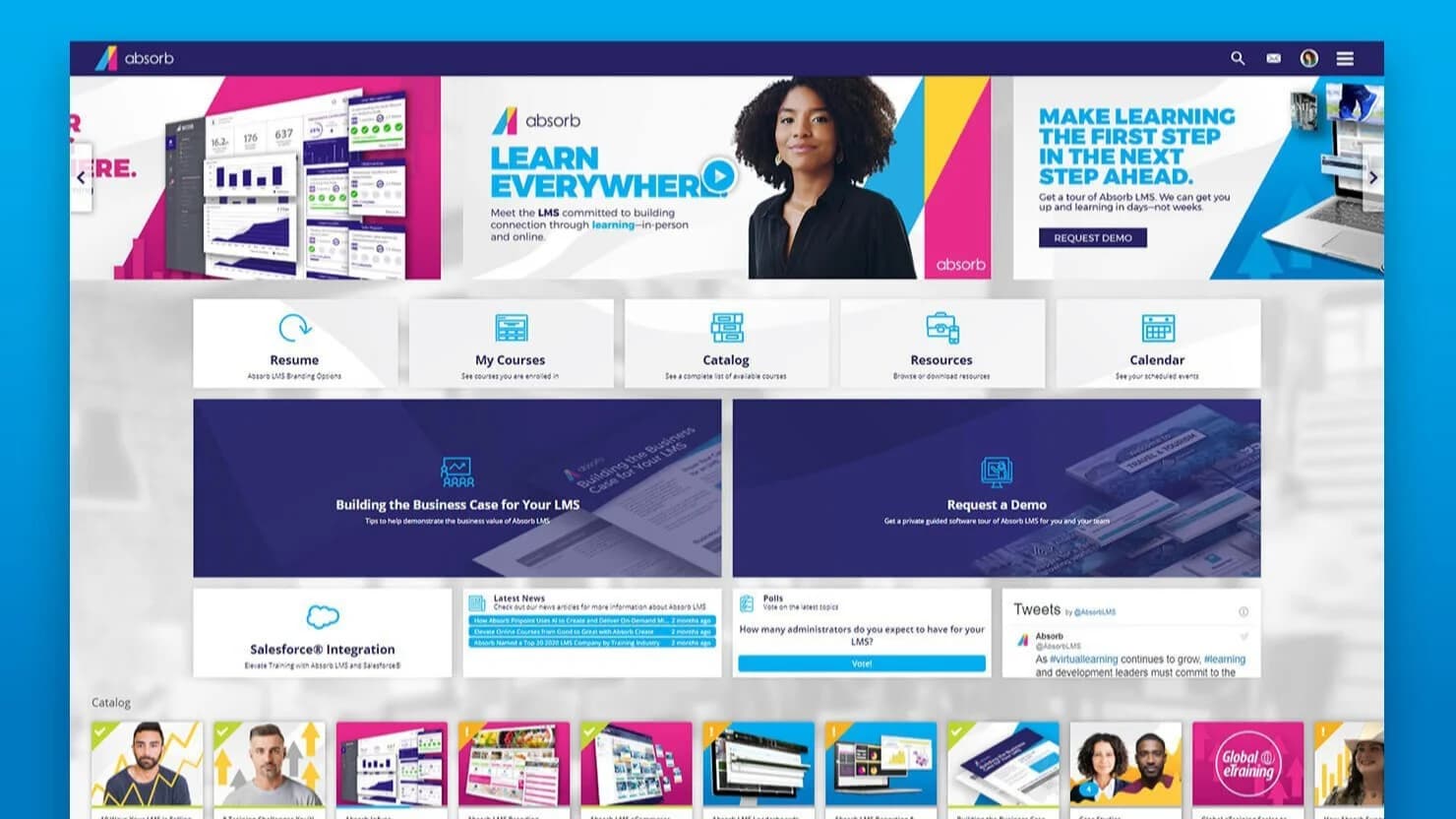
Absorb LMS makes onboarding and learning easy and practical by giving personalized experiences for each user. With customizable training modules and simple analytics, it helps businesses guide customers or employees step by step, track progress, and identify areas where extra help is needed.
Key Features
Personalized Learning Paths, AI-Powered Course Creation, Smart Administration, Real-Time Analytics, Reporting, Integrations, and Engaging Learner Experience.
Pros
- Easy-to-use interface, simple to navigate
- Helpful and quick customer support
- Good reporting and analytics to track progress
Cons
- Some areas have limited customization
- Some extra features cost more
Price
- Free demo available
- Pricing upon request
4. iSpring Learn - Best for Mobile-Friendly Client Training
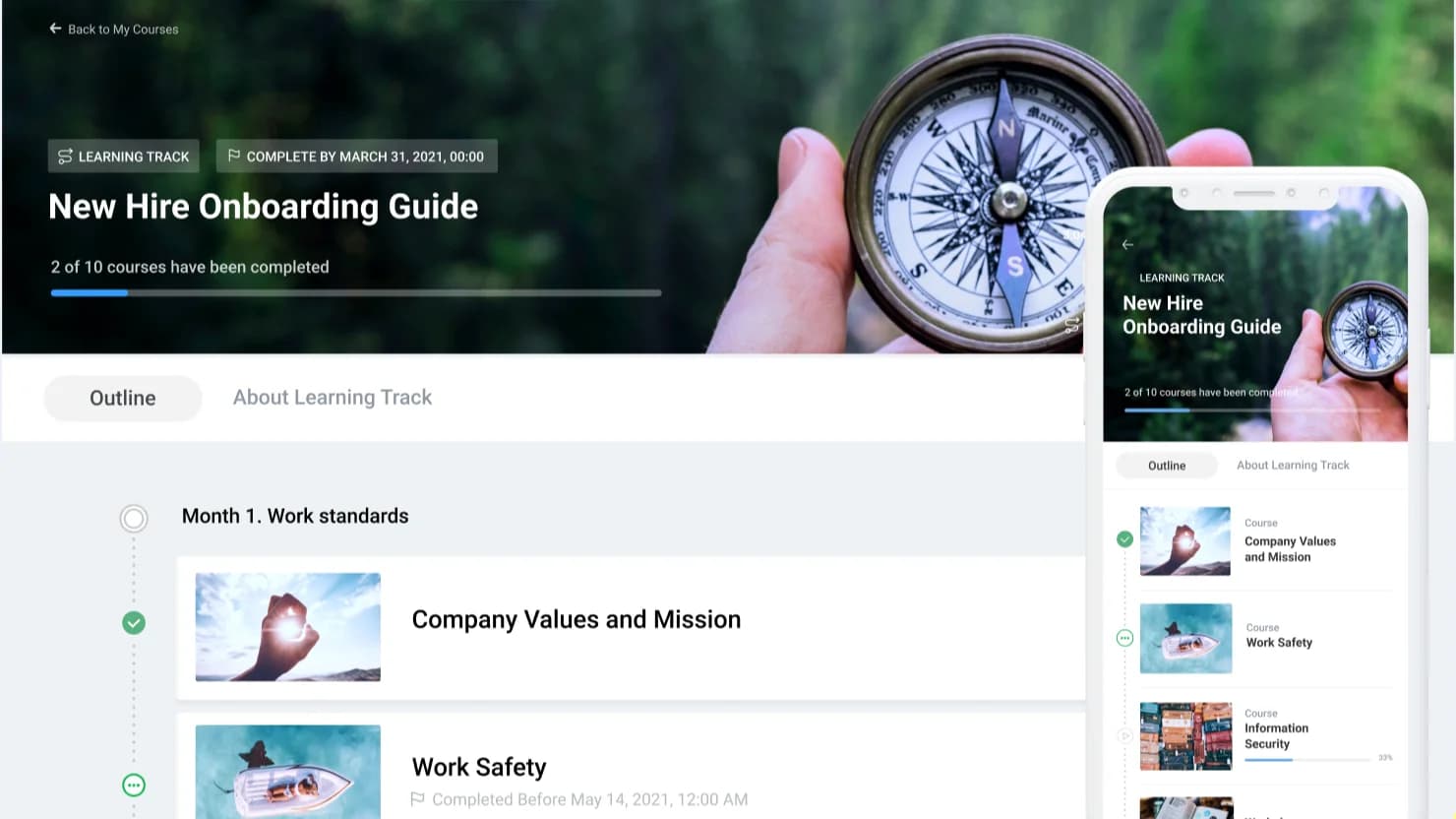
iSpring Learn is a cloud-based Learning Management System (LMS) that helps businesses onboard and train employees and clients easily. Its simple interface lets companies quickly set up training by uploading materials like PowerPoint slides, SCORM courses, videos, and documents.
Key Features
- Mobile Optimization
- Course Creation and Management
- User Management
- Reporting and Analytics
- Automation and Administration
- Integration Capabilities
Pros
- Works on mobile, so users can learn anytime
- Flexible learning paths for each user
- Supports many content types such as videos, quizzes and documents
Cons
- Not many advanced customization options
- Expensive for small businesses
Price
- Free 30-day trial available
- Start from $3.75 - $6.64 per user and month
5. Appcues - Best for User Onboarding Flows
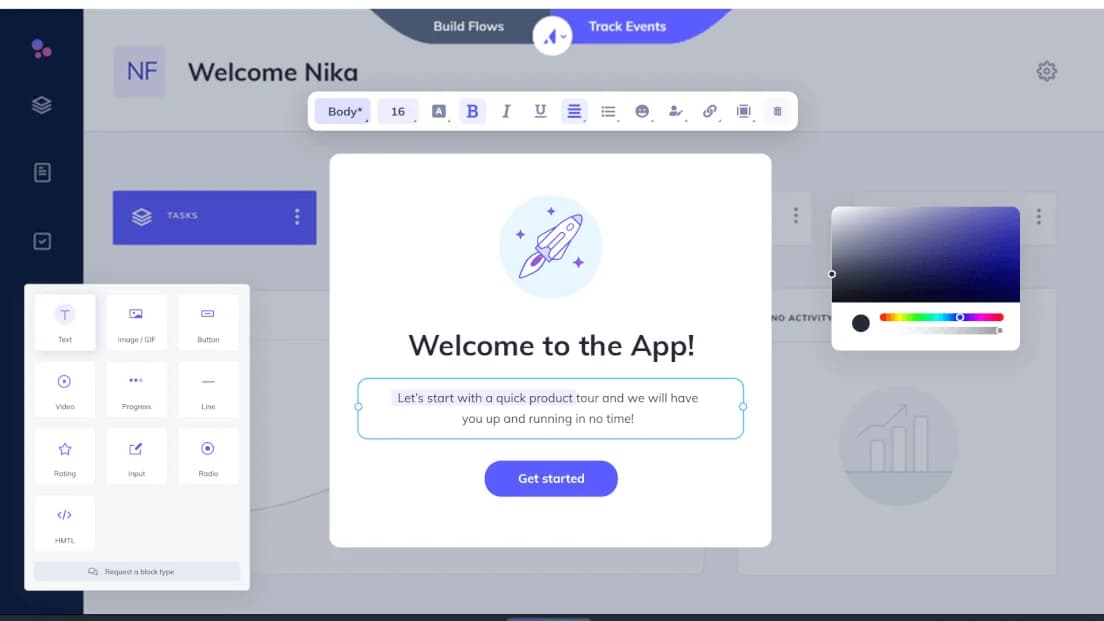
Appcues is a no-code client onboarding tool that helps teams create product walkthroughs, tooltips, checklists, and in-app surveys without developers. You can segment users and show the right tips to the right people at the right time. Appcues also has analytics and NPS tracking, so you can see how users interact and improve adoption.
Key Features
No-Code Builder, Behavioral Targeting, In-App Messaging, Email Flows, Analytics & Insights, A/B Testing, Integrations, User Segmentation, Onboarding Checklists, Tooltips & Modals, and Progress Tracking.
Pros
- Anyone can build onboarding flows
- Drag-and-drop builder makes setup easy and quick
- Good user segmentation for personal onboarding
Cons
- Some advanced features take time to learn
- Best for SaaS, not all types of business
Price
- 14-day free trial available
- From $249/month (billed annually)
6. Userpilot - Best for Personalized In-App User Guidance
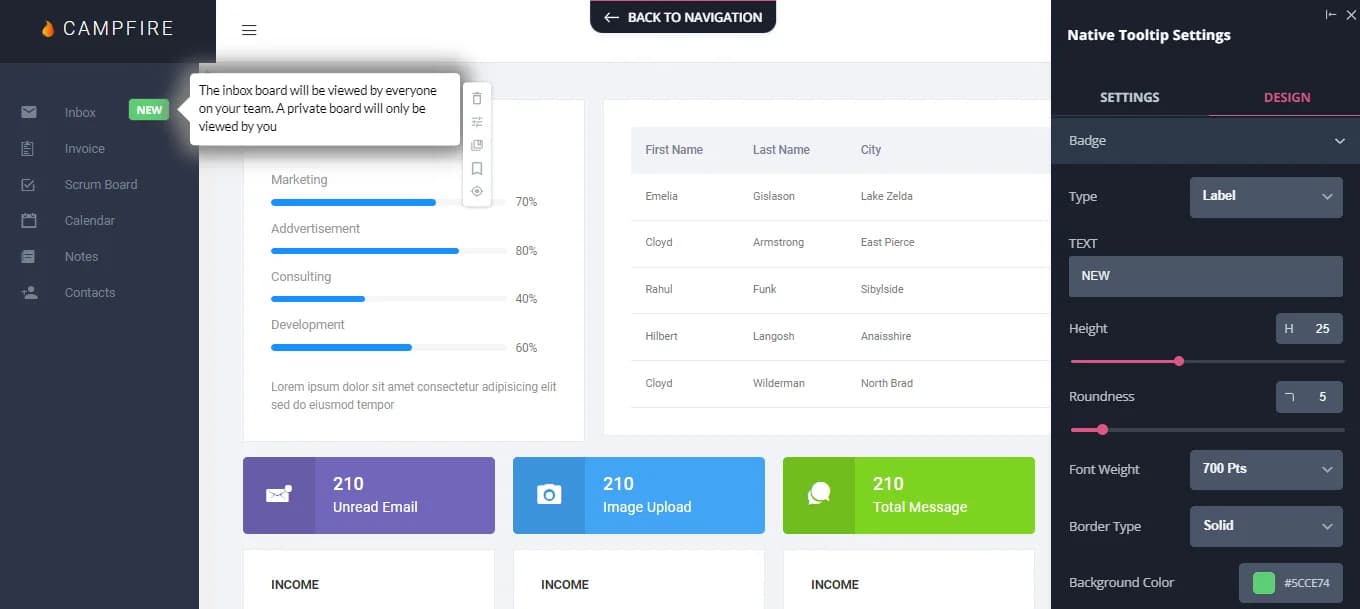
Userpilot is a no-code client onboarding platform that helps teams give personalized in-app guidance to new users. It lets you create interactive onboarding flows like tooltips, modals, slideouts, and checklists without coding. You can target users based on their actions, behavior, or profile, so everyone sees guidance that fits them. It works well on mobile devices, too.
Key Features
No-Code Experience Builder, Advanced User Segmentation, Funnel Analytics, Session Replays, In-App Surveys, Mobile Engagement, Resource Center, A/B Testing, Localization Support, and Integration Capabilities.
Pros
- Show the right messages to the right users based on their behavior
- Quick and helpful customer support when you need help
- Onboarding works smoothly on both web and mobile
Cons
- Only paid plans are available, which may not suit small businesses
- Some features may not work well on certain browsers, like Firefox
Price
- 14-day free trial available
- From $249/user/month
7. Rocketlane - Best for Collaborative Onboarding
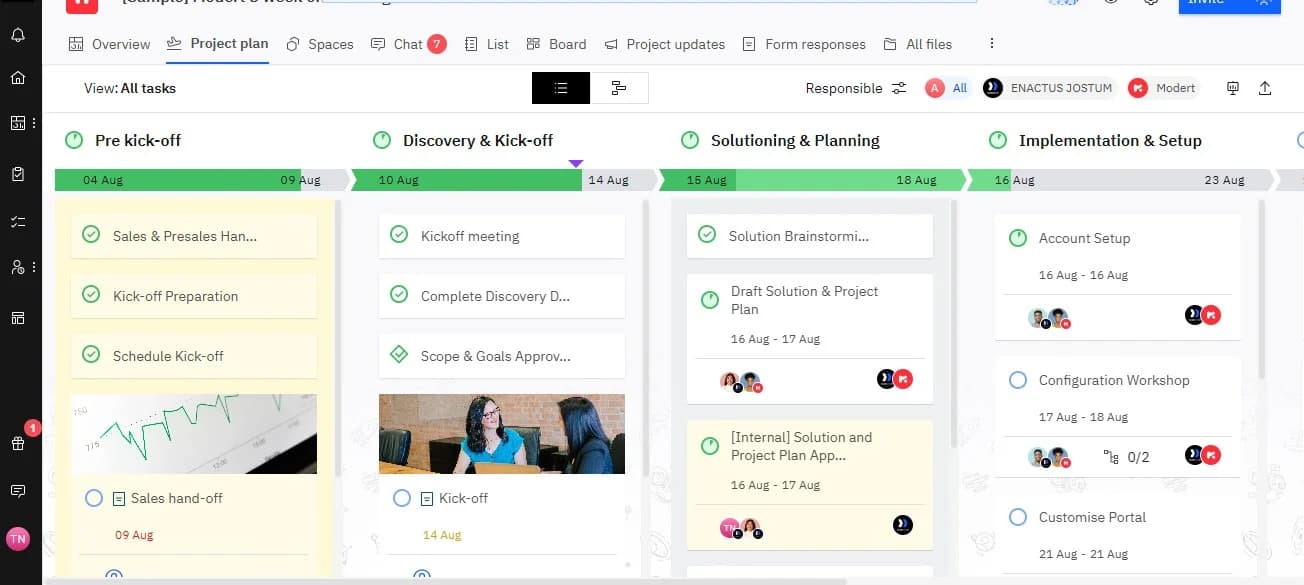
Rocketlane is a Professional Services Automation and customer onboarding tool that helps make customer onboarding easy and collaborative. It offers branded client portals, real-time task collaboration, automated workflows, and central communication. This keeps everyone on the same page and involved.
Key Features
Branded Client Portals, Real-Time Collaboration, Automated Workflows, Integrated Communication, and Feedback Mechanisms.
Pros
- Easy real-time teamwork with clients and teams
- Branded client portals to track progress and access files
- All messages and communication in one place
Cons
- Not as flexible for non-standard projects
- Complex automation settings
Price
- 14-day free trial available
- From $19/user/month
8. Intercom - Best for Conversational Onboarding
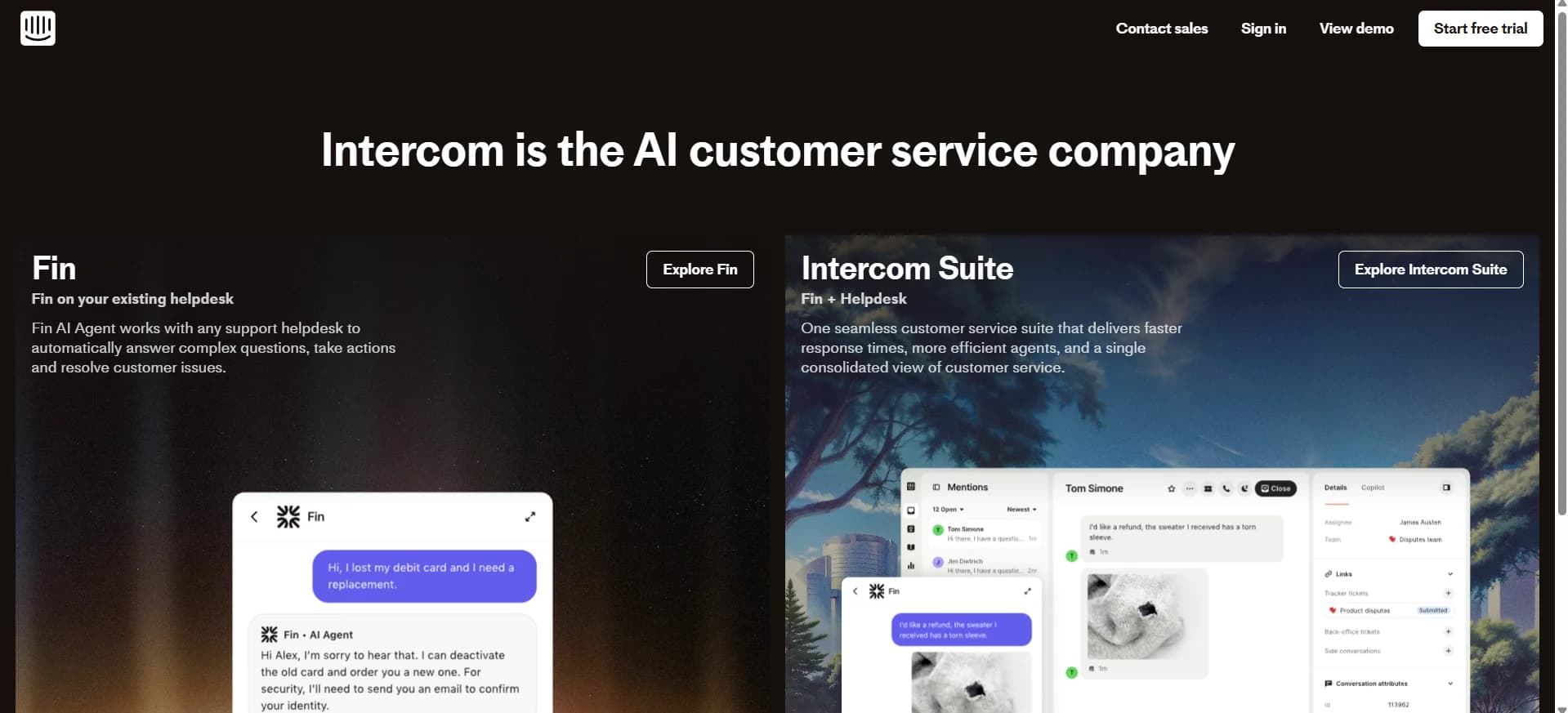
Intercom is a customer onboarding automation tool that uses AI-powered bots, interactive product tours, and messages across different channels to guide users step by step. Its custom bots talk to users in a friendly way, and in-app messages, emails, and resolution bots provide help whenever it’s needed.
Key Features
Custom Bots, Product Tours, Multi-Channel Messaging, Resolution Bot, Segmentation & Targeting, Analytics & Insights.
Pros
- Talks to users like a real person using chatbots
- Sends messages in the app, by email, or other channels
- Shows users exactly how to use features
Cons
- Costs more than some other tools
- Some features only work well if connected to other tools
Price
- 14-day free trial available
- From $29/user/month (billed annually)
9. Clustdoc - Best for Document Collection and Management
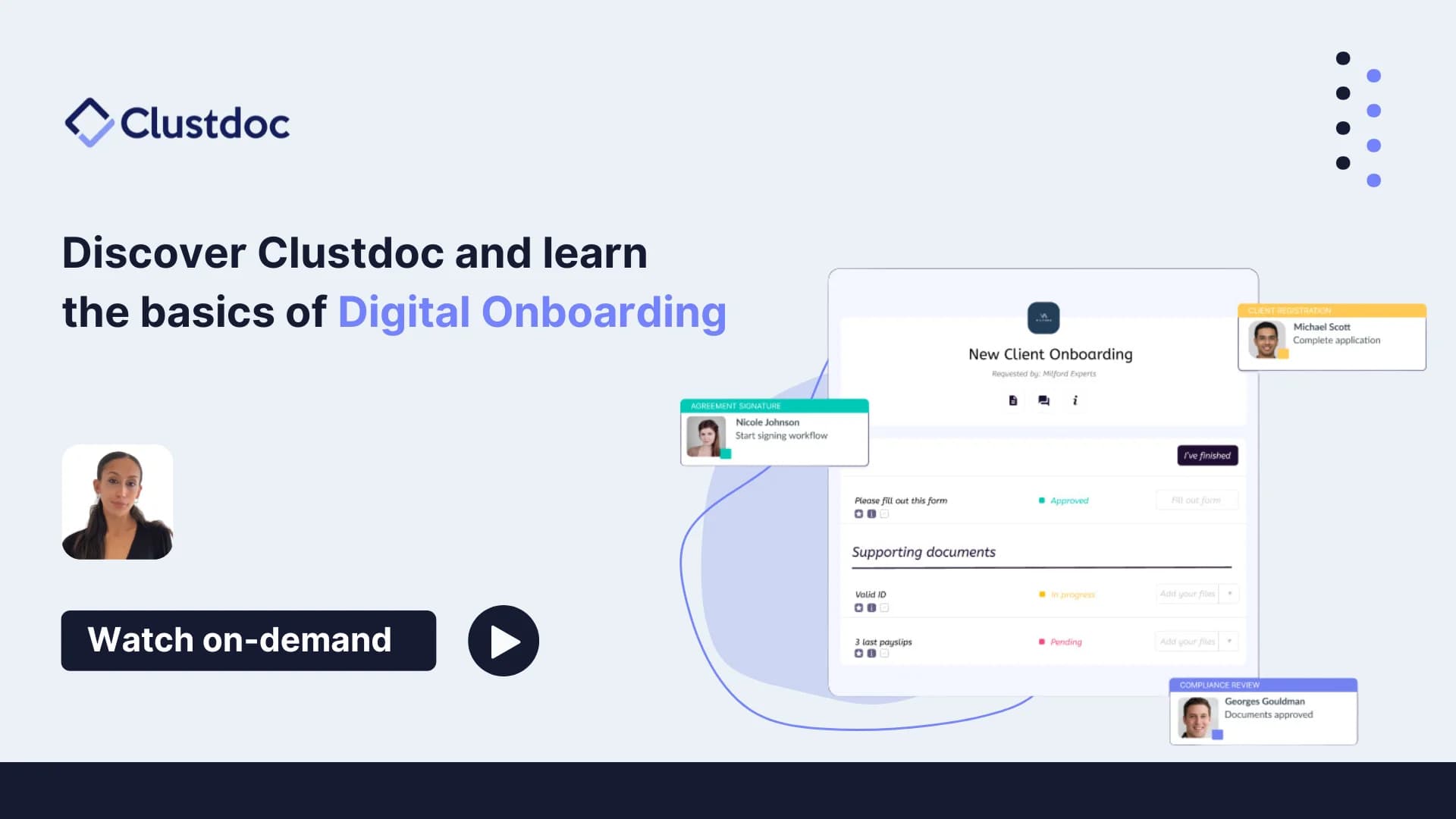
Clustdoc is a powerful client onboarding software that makes collecting and managing client documents easy. It gives a safe and simple place for clients to upload files, while businesses can check, review, and approve them quickly. The tool works well for industries like legal services, finance, real estate, and HR, where handling documents is important.
Key Features
Customizable Document Requests, Secure File Uploads, Automated Reminders, Approval Workflows, eSignature Integration, Centralized Document Management, Client Status Tracking and Multi-Platform Access.
Pros
- Let you create custom forms and workflows
- Keeps documents safe and secure
- Sends automatic reminders to clients
Cons
- Can take time to learn at first
- Customization options are limited
Price
- 14-day free trial available
- From $190/month
10. Onboard - Best for Client Onboarding
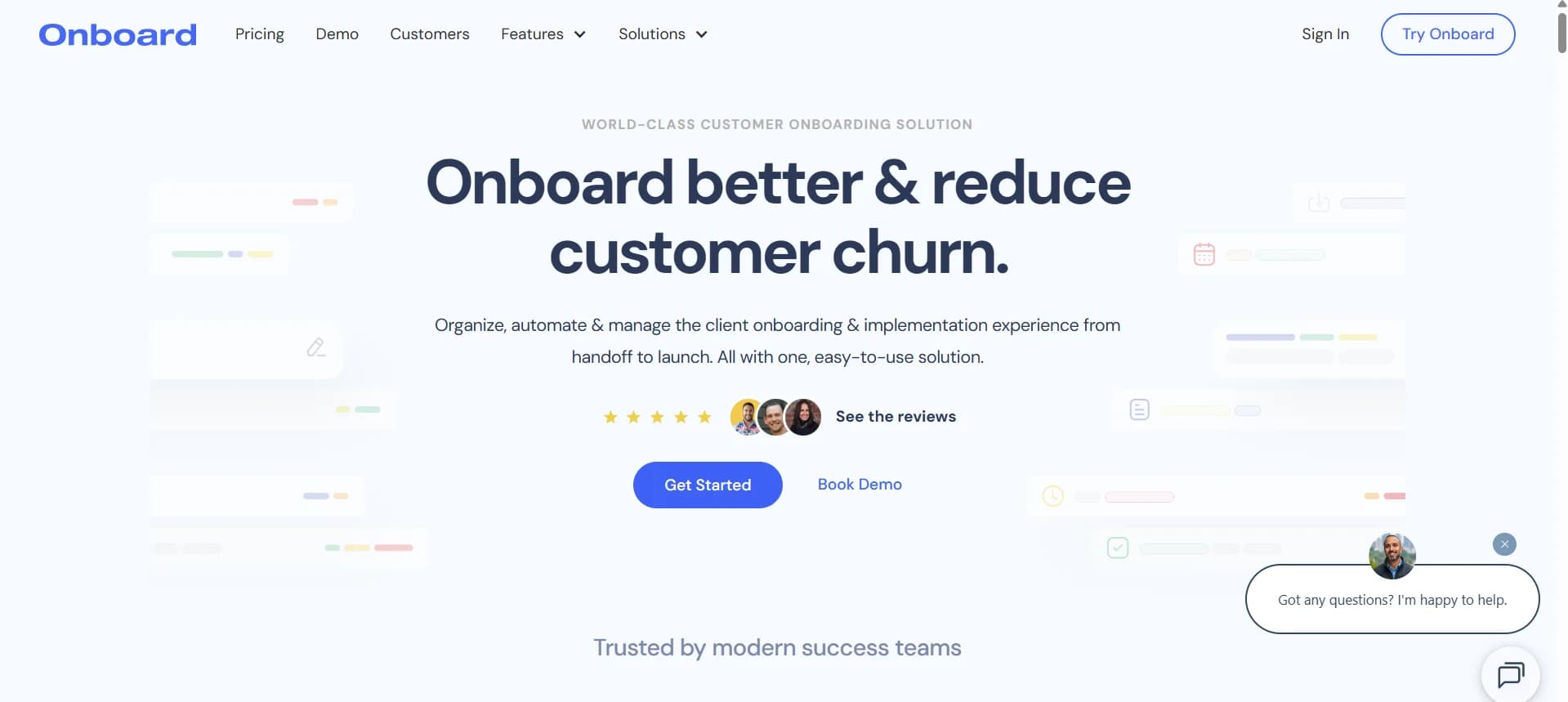
Onboard is a customer onboarding system platform that turns complex tasks into clear, automated, and shared workflows. You can create custom launch plans for each client and track tasks in real time. Clients get their own portal to see their plan and communicate easily. Onboard works with tools like Salesforce, HubSpot, and Slack.
Key Features
Dynamic Launch Plans (MAPs), 360° Stakeholder Visibility, Automated Workflows, Collaborative Client Portal, and Integration Capabilities.
Pros
- Let you create personalized onboarding plans
- Clients get their own portal for easy collaboration
- Simple and easy-to-use interface
Cons
- Sometimes has minor glitches
- Fewer options for extra app integrations
Price
- 7-day free trial available
- From $499 - $1199 /month
The other 10 Best Customer Onboarding Software List
- Dock – Best for Branded Client Portals
- ChurnZero - Best for Customer Success Management
- GuideCX - Best for Client Onboarding Projects
- Motion.io - Best for Interactive Onboarding Experiences
- Chameleon - Best for In-App User Guidance
- WalkMe - Best for Digital Adoption
- Whatfix - Best for Employee Training
- Trainual - Best for Standard Operating Procedures
- Tovuti - Best for Learning Management
- EdApp - Best for Microlearning
How to Choose Customer Onboarding Software
There are so many options, long feature lists, and complex pricing models. It’s easy to get lost in all the details.
Here’s a guide to help you make the right choice.
1. Identify the Problems You’re Trying to Solve
First, figure out the challenges your onboarding process has right now. Are your onboarding resources spread out across different locations, making it hard for new hires or clients to find information? Are your processes slow, paper-based, or inconsistent across teams? Do you have trouble tracking compliance or making sure all tasks are done?
Knowing these problems clearly will help you decide which features your software really needs. This way, you’re solving real issues instead of paying for things you don’t need.
2. Know Your Main Users and Licenses Needed
Think about who will use the software and how many people will need access. Will it just be your product team, HR, or will the whole organization need it? Rank the needs of different users - power users, managers, employees, or clients - so everyone gets what they need.
This also affects cost. When you know how many people will use it, you can figure out the subscription fees.
3. Define Your Desired Outcomes
Be clear about what you want the software to help you do. For example, do you want to:
- Make your onboarding fully digital with a consistent experience for everyone, including remote and office-based users?
- Have all onboarding tasks in one platform to make things easier for new hires or clients?
- Get better visibility into how users are doing and how engaged they are.
- Track compliance and completion in real time?
Focusing on outcomes makes sure the software you choose actually gives you value, not only features.
4. Check Integrations and How It Fits With Your Workflows
Your client onboarding software has to work with your other tools.
Check if it connects with:
- CRM, analytics, or accounting tools
- HR or learning management systems
- Corporate workspace platforms like Google Workspace or Microsoft SharePoint
You also need to decide:
- Can this customer onboarding system replace multiple tools and lower your costs
- Can it integrate with everything you need using APIs
- Does it fit with your current workflows and solve existing problems
5. Evaluate Scalability and Customizability
You want the best client onboarding software that grows with your business. It should handle more users, more complex tasks, and changing processes without slowing down.
It should also let you make changes to fit your needs. Look for software that allows you to adjust workflows, branding, user roles, and templates. Avoid tools that force you to follow rigid rules that don’t match your business.
6. Make Sure It’s Easy to Use and Implement
No matter how strong a tool is, if it’s hard to use, your team won’t adopt it. Choose customer onboarding software that’s easy to learn and doesn’t need a lot of training.
Check if the vendor offers:
- Guided onboarding and setup
- Training materials or tutorials
- Support to help your team start using it smoothly
7. Budget and Costs
You should examine the total cost, not only the subscription fee. Some customer onboarding solution also has extra charges for add-ons, integrations, and setup. The estimated costs are based on the number of users you expect in the next few years.
8. Security and Support
Your customer and employee data is important. Make sure the software has strong security features like:
- Encryption and access controls
- Two-factor authentication (2FA)
- Compliance with industry standards
Support is necessary too. Check if they offer 24/7 help, live chat, or dedicated account managers. You will need someone to help when you face technical issues.
Benefits of Customer Onboarding Software
Here are the main benefits you can get:
Improved Customer Retention
A smooth onboarding process can help keep your customers for the long term. When your customers understand your product quickly and see its value, they are less likely to leave. Onboarding software uses interactive walkthroughs, tips, and guided tours to make everything clear and easy, helping customers feel confident from the very beginning.
Increased Efficiency for Teams
Manual onboarding can take a lot of time and effort. Customer onboarding software automates repetitive tasks like sending welcome emails, creating accounts, and scheduling training. This saves your team time and lets them focus on more important work, like helping customers succeed and building better relationships.
Enhanced Customer Engagement
Good onboarding doesn’t stop after the first login. Modern client onboarding system software keeps your customers engaged with feature highlights, helpful emails, and small reminders that show them how to use your product better. The ongoing support helps turn casual users into loyal customers who love your product.
Personalized Experiences
Every customer is different. Automated customer onboarding software adjusts to each person’s needs by offering guided paths, product tours, and useful resources that match their behavior. This personal touch makes your customers feel understood, supported, and valued.
Better Data Insights & Reporting
Customer onboarding software also gives you important data. It shows how your customers use your product, where they get stuck, and what helps them succeed. These insights help you improve your onboarding process and make better decisions for your business.
Streamlined and Consistent Processes
Onboarding software works with other tools like CRMs and messaging platforms to create a smooth process. This makes sure every customer gets the same high-quality experience, no matter who they work with or which product they use.
Ongoing Product Adoption
Onboarding is not only a one-time process- it should continue over time. The best customer onboarding tools remind customers about features, guide them through new updates, and help them come back if they stop using the product. This keeps customers active, engaged, and happy in the long run.
Customer Onboarding Trends to Watch in 2025
In 2025, you need to keep up with trends that make onboarding simple, personal, and secure. Here are the top trends to watch:
AI-Driven Personalization
AI is changing onboarding by making the experience personal for each user. It can predict what users need, give the right guidance, and suggest content that fits them. This makes onboarding faster, more engaging, and helps users feel valued from the start.
Interactive Onboarding Tools
Old-style tutorials are being replaced by interactive and gamified tools. Games, quizzes, simulations, and step-by-step guides make onboarding fun and help users remember information better. Gamification keeps users interested and encourages them to complete the process.
Integration Capabilities
Modern customer onboarding software works smoothly with CRMs, helpdesks, marketing tools, and other business systems. This allows data to move easily between tools and gives users a smooth, consistent experience. It also helps teams manage onboarding faster and without problems.
Enhanced Analytics and Reporting
Analytics, session recordings, and heatmaps are now key parts of onboarding. They show how users behave, where they get stuck, and which parts they like most. Companies can use this information to improve onboarding continuously and make it easier for users to adopt the product.
Self-Service Resource Centers
Many users want to learn on their own. Knowledge bases, forums, and automated ticket systems give users the ability to find answers quickly. Self-service reduces problems, saves support team time, and makes onboarding more flexible and user-friendly.
Frequently Asked Questions
How can onboarding software make communication better?
Customer onboarding software improves communication by keeping messages, emails, and alerts in one place. It lets you send welcome messages, updates, and reminders automatically so customers always know what to do next.
How does onboarding software make clients happier?
Onboarding software helps clients feel confident and supported from day one. It provides step-by-step guidance, interactive tutorials, and personalized experiences so customers quickly understand your product’s value.
What key numbers should I track to see if onboarding is working?
Track metrics like completion rates, time to first success, feature adoption, and user engagement. Onboarding dashboards in software like TechForing Customer, Intercom, or Userpilot show where users get stuck and which parts of your onboarding are most effective.
How can project managers use software to automate onboarding tasks?
Project managers can automate repetitive tasks like sending welcome emails, assigning training modules, and scheduling follow-ups. Software like TechForing Customer creates workflows that run automatically, and keeps the onboarding process consistent.
How do I check onboarding success using software reports or dashboards?
Most onboarding tools provide dashboards and analytics that show progress tracking, completion rates, and user engagement. You can see how many users finish tutorials, which features they use, and where they face difficulties.
Can onboarding software help reduce customer support tickets?
Yes. Onboarding software can reduce support requests by guiding users through common questions and setup tasks.
What are the types of onboarding software?
- Customer Onboarding Software
- Employee Onboarding Software
- Product Onboarding Software
- Client Onboarding Software
- Partner Onboarding Software
- SaaS Onboarding Software
- Remote Onboarding Software
- Training Onboarding Software
- Mobile Onboarding Software
- Learning Management Systems (LMS)
What are the average setup times for customer onboarding platforms?
Setup times for onboarding software usually range from a few hours to weeks. It depends on how much customization you need and how many integrations you want.
Final Thought
A smooth onboarding experience is very important. The best customer onboarding software helps your users feel guided and confident from the start. With step-by-step guidance, automated workflows, and progress tracking, you can turn new users into loyal customers.
If you want to make onboarding easy and enjoyable for your clients, TechForing Customer is the way to go. Start your free trial today and see how TechForing Customer can improve your onboarding and grow your business.
