
Category: Articles
10 Best Employee Management Software in 2025
TABLE OF CONTENT :
Managing a team becomes a headache, especially when you spend too much time tracking employee data manually. These tasks sometimes lead to mistakes that can damage your team’s productivity.
That’s why smart business owners choose an employee management application to fix these problems.
A good staff management app helps you track time and attendance, schedule shifts, manage training, assign work, monitor performance, and keep your team productive.
In this guide, we’ll share the 10 best employee management software options in 2025 so you can stop stressing over HR tasks and confidently run your team.
What is Employee Management Software?
Employee management tools help organizations automate various HR tasks such as time and attendance tracking, recruitment and onboarding, performance management, shift scheduling, leave and absence management, payroll processing, and benefits administration. By automating these processes, employee monitoring software reduces manual administrative work and allows HR teams to focus on strategic initiatives that grow employee engagement.
10 Top Employee Management Software
- TechForing Human
- Homebase
- Leapsome
- Trinet
- Peoplebox.ai
- Paylocity
- Express Evaluations
- Rippling
- BambooHR
- Deel
1. TechForing Human
TechForing Human is the best employment management software that helps businesses handle daily HR tasks easily. You can manage employee details, keep track of attendance, and approve leave requests all in one place. It lets you set goals, review performance, and reward your best workers without hassle. The built-in noticeboard keeps everyone updated, and you can collect feedback from your team quickly. It also takes care of funds like medical, provident, and gratuity, so you stay organized and follow the rules. By automating these tasks, this employee management software saves you time, avoids mistakes, and helps you focus on growing your business.
Key Features
Employee Management: Centralizes all employee data and automates things like tracking training, conducting performance reviews, and department-level analytics.
Attendance Management: Monitors attendance records, manages shift schedules, and handles leave approvals, minimizing errors and lightening the HR team’s burden.
Performance Management: Enables the monitoring of KPIs, promotion workflow, assessing performance, and rewarding bonuses to encourage employees.
Noticeboard Management: Allows you to share company updates and events, take in employee feedback, and conduct exit processes effectively.
Fund Management: Automatically calculates contributions to provident fund, gratuity, and medical funds through complete payroll integration.
Document Management: Manages and archives contracts, certifications, and expenses, minimizes paper usage, and supports legal requirements.
Employee Self-Service Portal: Allows staff to update their profiles, apply for leave, submit expenses, monitor commissions, and access essential documents independently.
Reporting & Analytics: Produces detailed reports on performance, attendance, payroll, and expenditures to help leaders make data-driven decisions.
Pros
- Automates attendance and shift management
- Tracks employee performance with KPIs and bonuses
- Centralized communication through a noticeboard
- Manages provident, medical, and gratuity funds easily
- Handles employee lifecycle from onboarding to offboarding
Price
- Starter: 20 users, $99/month
- Basic: 21-50 users, $199/month
- Premium: 51-100 users, $249/month

2. Homebase
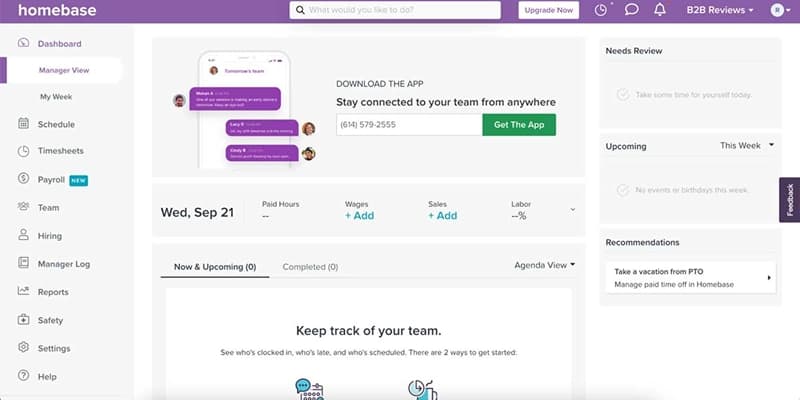
Homebase is an easy-to-use remote employee management software for small business owners who want to manage their hourly workers without hassle. It helps small businesses like restaurants, shops, salons, and clinics with scheduling, tracking time, payroll, hiring, onboarding, and team communication in one online platform. Employees can clock in and out utilizing their phones, and managers can see work hours and schedules in real time to avoid mix-ups. Homebase also connects with popular apps like QuickBooks, ADP, Gusto, Shopify, and Restaurant365. It works great for small businesses to handle HR tasks, but doesn’t suit larger companies with complex needs.
Key Features
Employee Scheduling: Homebase creates and adjusts schedules, auto-generates shifts, and notifies employees instantly of any schedule changes.
Time Tracking: Employees clock in/out easily, and Homebase calculates hours, breaks, and overtime, helping managers monitor labor costs.
Payroll Management: Converts timesheets into payroll, handles tax filings automatically, and exports payroll data to accounting software.
Team Communication: Enables messaging, shift reminders, and task assignments to keep teams connected and accountable.
HR & Compliance: Homebase manages employee records, approves time-off requests, and alerts managers to labor law changes.
Pros
- Employees use the mobile app to clock in and out
- Managers track labor costs with detailed reports
- Small businesses get a free basic plan
Cons
- Scheduling templates have limited customization
- Support can be slow during busy times
Price
- Free demo available
- From $24 - $96/user/month (billed annually)
3. Leapsome
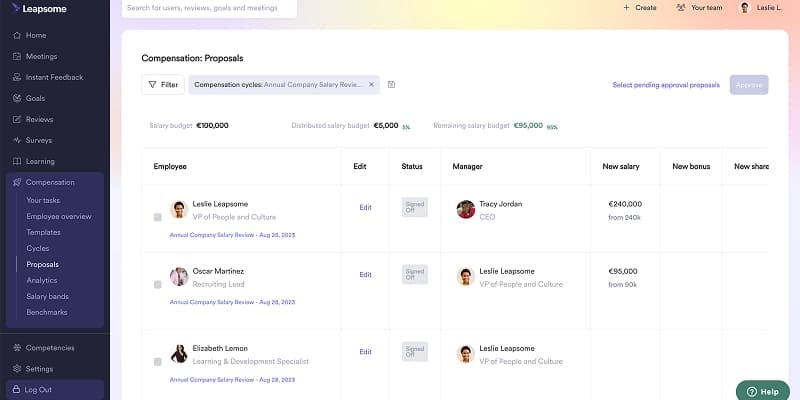
Leapsome is an employee management solution that helps companies improve employee growth with one easy-to-use platform. HR teams can use Leapsome to create a culture of regular feedback through real-time comments, clear goal setting, 360-degree reviews, and leadership feedback. The software lets teams build custom learning paths, use ready-made courses, track progress with simple dashboards, and check knowledge with quizzes. Leapsome also automates review cycles and measures key skills to find gaps and guide training. This employee data management software connects easily with over 15 popular HR tools like BambooHR, Workday, Slack, and G Suite.
Key Features
Performance Reviews: Customizable templates for annual, 360-degree, project, and anonymous reviews to suit team needs.
Continuous Feedback: Enable instant feedback and structured review cycles to promote open communication and ongoing growth.
Development Tracking: Monitor real-time insights and send notifications to the support team for learning and development.
360-Degree Feedback: Collect anonymous, multi-source feedback to provide a complete and unbiased view of performance.
Analytics and Reporting: Delivers detailed analytics to reveal trends and improve HR decisions and processes.
Pros
- Leapsome helps you track employee growth with clear insights
- You can customize performance review templates to fit your team
- The platform encourages continuous feedback with easy-to-use tools
Cons
- Offers limited customization for large enterprises
- Your team needs time to learn all the features
Price
- Free demo available
- Pricing upon request
4. Trinet
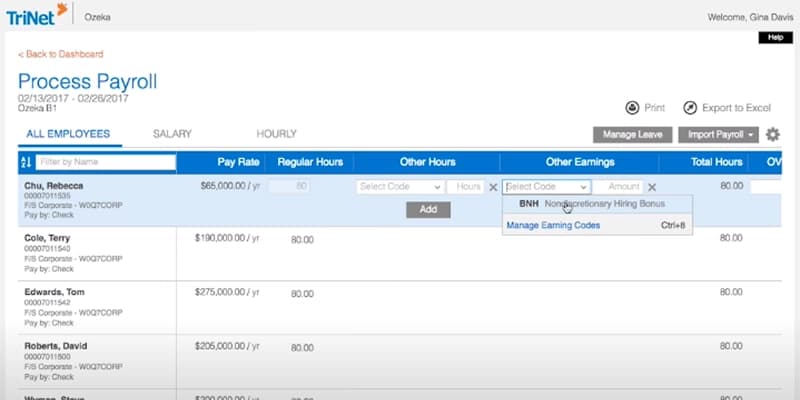
TriNet is a cloud-based software for employee management that helps small and medium businesses handle all HR tasks smoothly. You can send digital offer letters, do background checks, and let new hires complete onboarding online. The software helps you keep employee info up to date, automate promotions and transfers, and track goals with real-time feedback. You can also manage time tracking, scheduling, and payroll with support for multiple pay rates, direct deposits, contractor payments, and global tax filings. This staff management software shows you key data like turnover and pay with simple dashboards and helps you follow HR rules. It also integrates well with popular tools like BambooHR and QuickBooks.
Key Features
Employee Management: Manage the entire employee lifecycle with automated workflows and real-time data syncing across HR functions.
Time Off Tracking: Create custom PTO policies, approve leave requests, and track balances automatically via web or mobile.
Document Management: Securely store, auto-generate, and control access to employee and company documents.
Compliance Support: Automate tasks and comply with payroll, HR, benefits, and regulatory requirements.
Payroll Processing: Run payroll in three clicks with automated deductions, tax filings, and integrations.
Pros
- End-to-end HR platform covering learning, training, performance, and recruiting
- Industry-specific customer support with local contacts
- Helpful for managing multi-state compliance in remote setups
Cons
- One of the most expensive PEOs
- Customer support is often slow and lacks consistency
Price
- Free demo available
- Pricing upon request
5. Peoplebox.ai
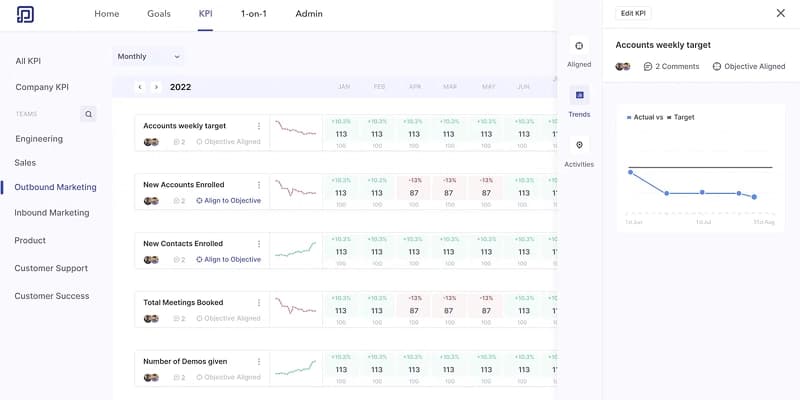
Peoplebox.ai is an AI-driven software for employee management system that helps organizations align their people with strategic business goals. It integrates with over 50 popular tools like Jira, Asana, Slack, Microsoft Teams, HubSpot, Salesforce, and BambooHR to track real-time performance. Peoplebox powers AI-guided 1:1 meetings where managers set agendas, document discussions, and track action items efficiently. Peoplebox employee record-keeping software automates performance reviews, supports anonymous messaging between employees and leadership, and integrates with communication and HRIS systems to reduce administrative tasks.
Key Features
1:1 Meetings: Peoplebox helps you run focused one-on-one meetings by setting agendas, documenting discussions, and tracking action items efficiently.
Employee Engagement Survey: Gather employee feedback to improve workplace culture, job satisfaction, management effectiveness, and boost overall team retention.
OKR and Goal Management: Set clear OKRs aligned with company goals, helping you see how your team contributes to success.
Performance Review and Tracking: Track performance in real time and give continuous feedback to promote growth and development.
360-Degree Feedback: Collect feedback from peers, managers, and reports with customizable reviews tailored to your company’s culture and values.
Pros
- Easy to use and quick to deploy
- Strong 360-degree feedback feature
- Customizations are available based on user needs
Cons
- Some features can be confusing to use
- Not all operations are clearly explained
Price
- Free demo available
- From $7 - $15/user/month
6. Paylocity
Paylocity is a cloud-based people management system for small and midsize businesses that combines payroll, HR, time tracking, benefits, and talent management. The system automates payroll and tax calculations, stores employee records digitally, and lets employees update their information or request time off through a self-service portal. Paylocity helps boost employee engagement with tools for peer recognition and community shoutouts. Its performance management features allow managers and employees to set goals, provide continuous feedback, conduct 360-degree reviews, and track career growth. Additionally, Paylocity includes scheduling tools to organize shifts and monitor attendance, and it integrates well with popular apps like Slack, Salesforce, and Google Workspace.
Key Features
Self-Service Portal: Employees can access pay stubs and tax forms, request time off, and update info securely anytime.
Time Management: Managers can track time, attendance, and schedules with mobile clock-in/out and geofencing features.
Talent Management: Paylocity helps you recruit, onboard, review performance, set goals, and plan succession effectively.
Document Management: You can automate HR tasks and securely store employee documents for quick access and compliance.
Analytics & Reporting: Paylocity delivers real-time dashboards and reports, helping you monitor HR metrics and decide strategically.
Pros
- All-in-one HR and payroll platform
- Easy-to-use interface with intuitive design
- Scales well for growing businesses
Cons
- Customer support quality is sometimes inconsistent
- Mobile app lacks full desktop features
Price
- Free demo available
- Pricing upon request
7. Express Evaluations
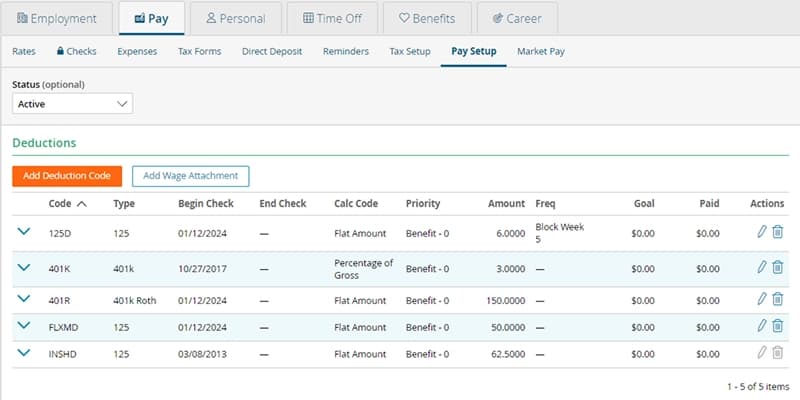
Express Evaluations is one of the best employee performance management software programs that helps you create custom review templates for your company. The software automatically schedules reviews and sends reminders to both employees and managers. It supports real-time feedback and 360° reviews, allowing everyone to share their thoughts. You can set goals and track progress, keep notes on employees throughout the year, and create personal development plans. This employee management software also offers quick surveys to check how engaged your team feels. It provides easy-to-understand reports to spot trends and areas for improvement, and integrates smoothly with HR systems like Employee Navigator to keep everything organized.
Key Features
360-Degree Feedback: Collect feedback from peers, managers, and subordinates for a balanced employee performance view.
Scheduling and Notifications: Automatically schedule evaluations and send reminders to complete on time so you don't have to interrupt your admin flow.
Real-Time Feedback: Provide managers and employees with the ability to give and receive immediate feedback for ongoing development and prompt issue resolution.
Reporting and Analytics: Generate detailed reports to identify trends, recognize top performers, and improve strategies.
Manager and Employee Check-Ins: Encourage regular check-ins where managers track progress and give constructive feedback.
Pros
- Provides a user-friendly interface with quick setup
- Sends automatic reminders and schedules evaluations
- Delivers detailed reports on team and individual performance
Cons
- Lacks integration with the major HR and project tools
- Doesn’t offer mobile or desktop app versions
Price
- Free demo available
- From $2.25 - $3.50/user/month
8. Rippling
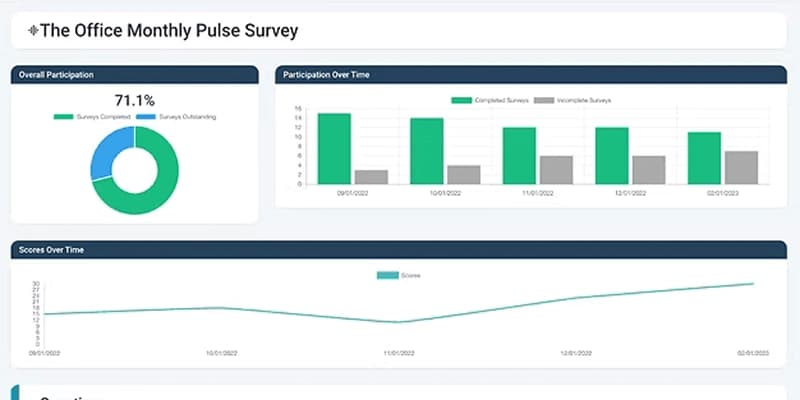
Rippling is one of the best workforce management software solutions that integrates HR, payroll, IT, and finance operations into a single, easy-to-use system. It helps businesses automate key processes like employee onboarding, payroll processing, benefits administration, device provisioning, and expense management, reducing errors. Rippling supports remote and global teams with features such as Employer of Record (EOR), international payroll, and compliance management tailored to local regulations. With over 600 integrations- including Slack, Google Workspace, QuickBooks, and Zoom- Rippling gives organizations clear visibility over their workforce.
Key Features
Onboarding and Offboarding: Quickly sets up or removes payroll, benefits, and app access for new hires and exits automatically.
Payroll and Benefits: Handles payroll taxes, multi-country payments, and employee benefits such as health insurance and retirement plans in one system.
Time and Attendance: Tracks employee hours, attendance, and PTO, syncing directly with payroll for accurate payment and leave management.
Performance Management: Supports goal setting, reviews, and feedback to align employee performance with company objectives.
Employee Access: Enables employees to clock in, request time off, and view schedules via a mobile app anytime.
Pros
- Integrates with 600+ apps like Slack and QuickBooks
- Supports global payroll and compliance in 185+ countries
- Built-in device and IT management for remote teams
Cons
- Advanced features require learning and training
- Limited language support (mainly English and French)
Price
- Free demo available
- Pricing upon request
9. BambooHR
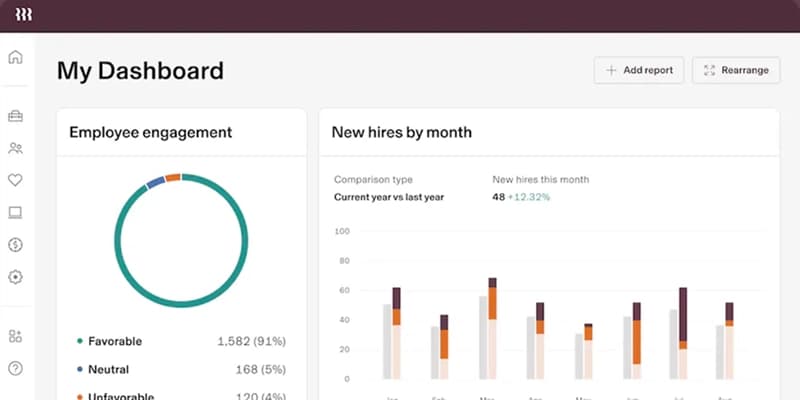
BambooHR is the top employee management software for small businesses that helps with hiring, onboarding, payroll, benefits management, and performance reviews. You can easily track employee hours, handle different pay rates, and process payroll accurately. It also assists employees in signing up for benefits, so the company can stay in compliance with laws. The personnel management software simplifies goal setting, performance reviews, and feedback to keep everyone on track. BambooHR provides valuable reports and dashboards so managers can quickly access essential data. It also lets you connect with over 125 popular third-party apps like Slack, Deel, and Zapier, making HR tasks more efficient.
Key Features
Applicant Tracking System: Track job applicants, schedule interviews, and manage hiring workflows from one centralized, easy-to-use platform.
Database Management: Store, access, and update all employee records securely in one organized and searchable location.
Time Off Tracking: Let employees request time off and automatically update calendars and balances upon manager approval.
Performance Management: Conduct regular performance reviews and gather feedback to support employee development and goal achievement.
Payroll Integration: Sync employee data with payroll systems to ensure accurate and timely compensation without manual entry.
Pros
- Easy-to-use interface for HR and employees
- Smooth onboarding and offboarding workflows
- Helpful setup support from the implementation team
Cons
- Limited customization for reports
- Some third-party integrations don’t work well
Price
- Free demo available
- Pricing upon request
10. Deel
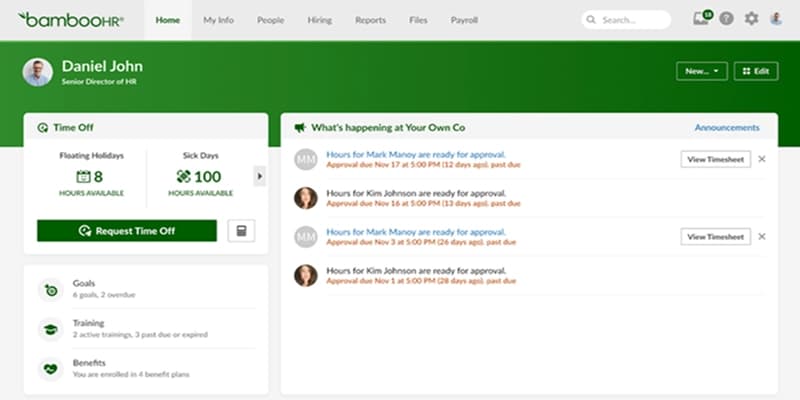
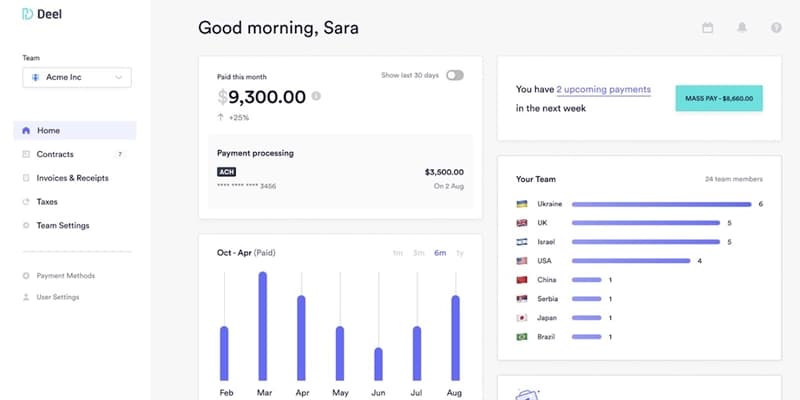
Deel is one of the best employee management software for companies that manage people worldwide. With Deel, you can hire full-time employees or contractors in over 150 countries- without opening a local office. It also offers helpful features like contract management, expense tracking, off-cycle payments, and a self-service portal where employees can update their details or request time off. Deel works well with popular HR and accounting tools like BambooHR, QuickBooks, and Workday, and you can even build custom connections using their API. Deel follows top security standards like SOC2 and ISO 27001, so your data will stay safe.
Key Features
Built-in HRIS: Centralize employee data, time-off tracking, and organizational charts in one system for smooth HR management.
Compliance Management: Stay apprised of local labor laws, taxes, and contracts, reducing legal risks for your international workforce.
Employee Self-Service: Employees are able to view pay stubs, update information, request time off, and upload documents through a secure portal.
Time Tracking: Track hours, absences, and holidays with automatic integration into payroll and performance.
Workflow Automation: Automate approvals for expenses and leave requests, reducing manual HR work.
Pros
- Global payroll and compliance in over 150 countries
- Automated workflows for contracts and employee management
- 24/7 customer support via chat, phone, and video
Cons
- Higher pricing, especially for small teams
- Limited customization options, especially in reports and workflows
Price
- Free demo available
- From $15 - $599/user/month
Benefits of Employee Management Software
Employee management software allows businesses to do HR jobs quickly and efficiently by automating everyday tasks and by storing employee data in easily accessible files. Here are the primary advantages of this software:
Increased Efficiency
The employee management app helps you track attendance, handle payroll, schedule shifts, and keep employee information up to date. This saves your HR team from doing repetitive manual work and lets them focus on important projects that help the company grow.
Protect Employee Information
Storing employee data on paper or spreadsheets puts it at risk. Employee monitor software protects this information with strong security tools like encryption and multi-factor authentication. This keeps sensitive data safe and helps you follow data protection rules.
Better Employee Experience
Your workforce can conveniently edit their own information, request time off, monitor schedules, and performance using easy-to-use self-service portals. These tools are often mobile-friendly and customizable, in turn helping to make work life easier and the workforce happier.
Improve Communication and Teamwork
By keeping all employee information in one place, the software helps managers and employees communicate clearly. Everyone can stay on the same page, feedback flows easily, and teams can collaborate more effectively.
Improved Data Accuracy
Typing in data by hand commonly results in errors, particularly in large companies. The staff management software enters data into the system for you and will even sync the information across platforms, so your HR data can remain accurate and dependable.
Stay Compliant
The people management software helps HR teams manage legal requirements by tracking training, certifications, and essential documents. This reduces the risk of breaking laws and avoids costly penalties.
Make Smarter Decisions
With pre-built reports and analytics, HR leaders can monitor required trends such as employee turnover, engagement, and productivity. They can then apply these insights to make better decisions that benefit the entire company.
How to Pick the Best Employee Management Software
With so many tools on the market, how do you choose the one that actually fits your business? You don’t need the most popular platform- you need the one that solves your specific problems.
Let’s break down the steps that will help you find and choose the best workforce management software for your organization.
1. Identify the Problems You Want to Solve
Start by pinpointing the challenges your HR team faces. Are you spending too much time updating spreadsheets? Do scheduling conflicts or onboarding delays slow you down? Are performance reviews inconsistent?
Common problems include:
- Disorganized employee records
- Manual and error-prone time tracking
- Disconnected payroll and benefits systems
- Inconsistent or outdated performance management
- Poor onboarding, especially for remote teams
Once you know the problems, you can look for payroll and HR software to solve them directly.
2. Set Clear Goals and Outcomes
Determine what success looks like for your team. Do you want to reduce scheduling conflicts? Save time on payroll? Give employees better access to their information?
Some key goals might include:
- Automating repetitive HR tasks
- Increasing employee engagement
- Reducing HR admin time by 30% or more
- Improving compliance and reducing manual errors
- Boosting performance through data-backed feedback
When you set clear goals, you can make it easier to measure the software’s success after implementation.
3. Know Who Will Use the Software
Figure out who needs access to the system. Will only HR use the software? Or do you want your whole team to log in?
Make sure the system works for everyone:
- HR needs full access to records and reports
- Managers need to approve time-off and check schedules
- Employees should be able to update their info and request shifts easily
Pick a platform that offers the right features for each type of user. Everyone should find the system easy to use, not just your HR professionals.
4. Look for Important Features
Strong employee management HR software for small companies should give you:
- Employee record management
- Time and attendance tracking
- Scheduling tools
- Self-service portals
- Performance tracking
- Payroll and benefits integration
- Learning and development tools
- Analytics and reporting
These features help simplify operations and create a better experience for everyone.
5. Check for Integration Options
Ensure your new employee management systems software works with the tools you already use. Can it connect to your payroll system? Your time-tracking app? Your communication tools?
Choose HR management system software that integrates smoothly with:
- Payroll platforms
- Recruiting systems
- Time-tracking tools
- Communication platforms (Slack or Microsoft Teams)
- Learning management systems
Good integration eliminates double data entry, reduces errors, and saves time.
6. Consider Your Budget
Check how much the software costs and how that cost may grow with your business. Most platforms charge per employee per month, so calculate based on your current team size and future hiring plans.
Choose the best employee management system that fits your budget. Don’t settle for the cheapest option if it won’t grow with your team.
7. Make Security a Priority
Employee data is sensitive, and you must ensure it’s protected. Choose employee database management software that includes:
- Two-factor authentication (2FA)
- Role-based access controls
- Secure cloud hosting
- Mobile security features
Also, make sure the employee management system for small businesses works for remote teams and offers a reliable mobile app.
8. Try a User-Friendly Option Like TechForing Human
If you want a simple, all-in-one tool, check out TechForing Human. It’s easy to use and comes with helpful features like:
- A clean dashboard that feels like social media
- Time-off tracking and approval in just a few clicks
- Built-in tools for performance reviews
- Payroll and benefits features
- Data reports to help with decisions
Frequently Asked Questions
What is an HRIS?
A Human Resource Information System (HRIS) is a tool that stores and organizes all your employee information in one place and helps track information such as job roles, pay, benefits, and departments.
Why should I use an employee management system for a small business?
Employee activity monitoring software helps you monitor performance, track work hours, and ensure accurate, timely pay. If payroll is a major concern, consider adding a dedicated tool like TechForing Human.
How much does employee management software cost?
Many employee management tools offer basic employee management tools for free. However, if you want advanced features like AI and automation, expect to pay around $5 per user each month. Contact for TechForing Human pricing.
What are the challenges of managing remote or hybrid teams?
Remote and hybrid teams come with their own set of challenges. It's harder to communicate, track work, and keep everyone connected. If teams are in different time zones or don’t talk regularly, it can cause confusion and lower morale.
People from different cultures and backgrounds may work or communicate differently. Without the right tools, this can lead to misunderstandings. Good employee management software makes it easier for everyone to stay connected and work fairly, no matter where they are.
What is the best employee management software?
We recommend TechForing Human as the best employee management software. This payroll management software solution lets you manage every part of the employee journey- from development and benefits to payroll- in one centralized platform.
