
Category: Articles
10 Best HR Automation Software That Can Help Your HR Operations in 2025
TABLE OF CONTENT :
The demand for HR automation software is growing fast. Now, businesses need innovative ways to manage HR tasks, reduce manual work, and gain helpful insights.
The right software does more than handle paperwork- it helps improve employee experience and supports better decision-making.
With so many options, it’s easy to get lost in the details.
That is why we have listed here the 10 Best HR automation software to facilitate your HR work and enable you to focus on what is most important.
What is HR Automation?
HR automation uses technology to handle repetitive HR tasks, making the process faster and more efficient. Instead of manually managing payroll, benefits, resume screening, recruitment, onboarding, and training schedules, HR teams can rely on digital systems.
This reduces errors, saves time, boosts productivity, and allows them to focus on bigger goals. Instead of spending hours searching for keywords in resumes, they can work on hiring better talent and improving employee experience.
Key Features of HR Automation Software
To help you choose the right HR software, here are the key elements you should be on the lookout for:
Employee Self-Service: This feature allows your employees to manage their own personal information. It reduces the number of simple admin requests your HR staff handles on a daily basis.
Payroll Processing: This feature allows you to manage payroll data, calculate taxes, handle deductions, process payroll, and complete direct deposits- all in one place.
Recruiting & Applicant Tracking: This helps you screen candidates, schedule interviews, and send job offers. It also includes an integrated onboarding workflow that streamlines the process for new hires, reducing administrative tasks.
Analytics & Reporting: Advanced reporting tools let you analyze your HR data, uncover workforce trends, and improve strategic planning.
Compliance Monitoring: These features help you minimize legal risks by ensuring you comply with labor laws and employment standards, including payroll and monitoring employee work hours.
Attendance & Time-Tracking: Track your employees' hours, including overtime, and monitor absences. Some tools also allow employees to swap shifts, improving flexibility.
Leave Management: Keep track of paid time off (PTO) and other leave requests, separate from attendance and time-tracking features.
Talent Management: These features help you develop your team, from performance evaluations and learning management systems (LMS) to internal training. Some systems also support succession planning.
Employee Lifecycle Management: Lets you manage the entire employee journey, from recruitment and onboarding to supporting offboarding when employees leave.
Communication and Collaboration Tools: Stay connected with in-app chat, task assignments, file sharing, and colleague tagging using @ mentions.
Software Integrations: Make your team more efficient by integrating the software with other tools, such as email providers, digital calendars, job boards, and project management platforms.
User-Friendly Interface: The HR software should be easy to operate both for HR staff and staff. A user-friendly interface enhances user experience as well as performance.
Benefits of HR Automation Tools
There are many benefits of employing HR automation software in the workplace. Some of the key advantages are:
- You save time and increase productivity by using HR automation tools for recruitment, streamlining information gathering, and improving processes.
- Employee morale improves with tools like pulse surveys, peer recognition apps, and gamification for benefits.
- You can enhance employee development and retention by using HR software for recruiting, onboarding, and performance management.
- Automating payroll and benefits administration helps you cut costs, negotiate better rates, and track employee health data more effectively.
- You reduce errors and avoid costly tax withholding mistakes by automating payroll processes.
- HR systems help you stay compliant with regulations by monitoring labor laws and cybersecurity requirements, minimizing compliance risks.
- You prevent attendance fraud by using time-tracking systems that require ID swipes and manager approval.
- Benefits administration becomes more efficient as HR software automates eligibility calculations and integrates with payroll for better accuracy.
- You strengthen data security by controlling access with role-based permissions and keeping policies updated.
- HR systems give you the metrics needed to track performance, engagement, and costs, aligning HR goals with business objectives.
- By automating tasks, you allow HR professionals to focus on improving employee experience and morale, not just administrative work.
List of 10 Best HR Automation Tools for Your Company
- TechForing Human
- Deel
- BambooHR
- Paycor
- Paylocity
- Workable HR
- Rippling
- ADP
- Gusto
- Paychex Flex
1. TechForing Human
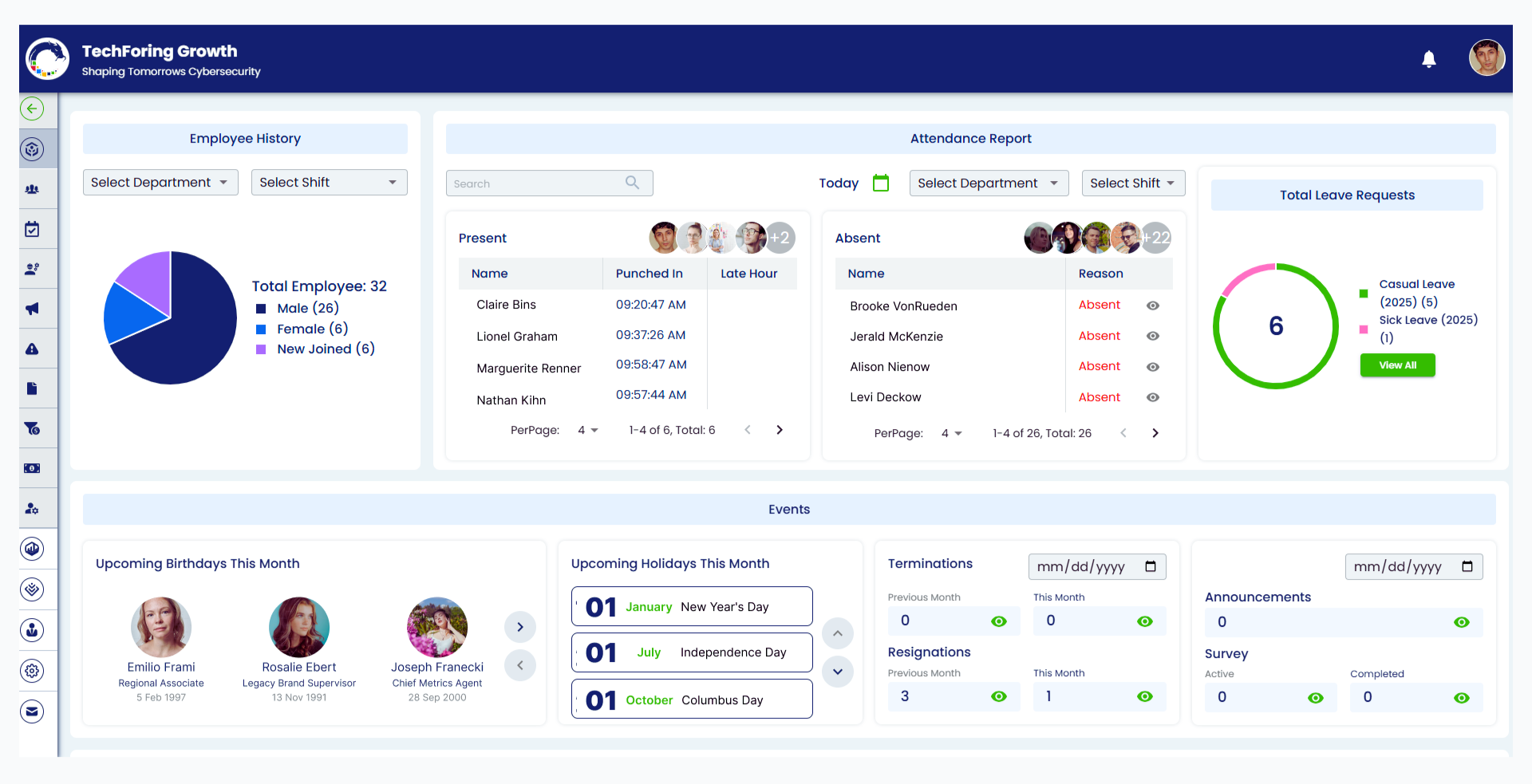
TechForing Human HR solution is a powerful All-in-One HR management system that gets your human resource operations running efficiently. This gives the businesses the ability to manage the employee data, attendance, performance, communication, documentation, and financial operations in an easier way. TechForing Human solutions based on the cloud enable HR experts to manage complex tasks around payroll, performance, funds management & compliance with the utmost ease.
It is perfect for businesses looking to increase operational efficiency and employee engagement. TechForing Human streamlines day-to-day HR tasks so organizations can focus on fostering strategic growth. Although it works for very specialized or niche HR requirements, its general features and scalability are excellent for most growing organizations. It also provides powerful integration features to connect with multiple systems.
Key Features
- Employee Management: Centralizes employee records and automates administrative tasks, streamlining operations and boosting efficiency.
- Attendance Management: Tracks attendance in real time and integrates seamlessly with payroll systems for accurate compensation and reporting.
- Performance Management: Helps businesses set goals, conduct performance reviews, and foster continuous improvement through structured feedback.
- Noticeboard Management: Enables businesses to manage internal communications with centralized noticeboards, ensuring timely updates.
- Report Management: Automates data collection, analysis, and reporting, providing actionable insights that support informed decision-making.
- Document Management: Stores and organizes employee records and important documents securely, offering easy access for businesses and employees.
- Fund Management: This simplifies the management of employee fund contributions, offering transparency for both administrators and employees.
Pros
- An easy-to-navigate platform designed to reduce administrative burdens and improve HR workflow automation.
- Streamlines core HR functions like payroll, attendance, and performance management to save time.
- Adaptable to suit businesses of various sizes and easily scalable as your organization grows.
Price
- Starter ($99/mo): Up to 20 users, basic HR features.
- Basic ($199/mo): 21-50 users, adds KPI management and reports.
- Premium ($249/mo): 51-100 users, adds advanced features like sales commission and automated bonuses.
2. Deel
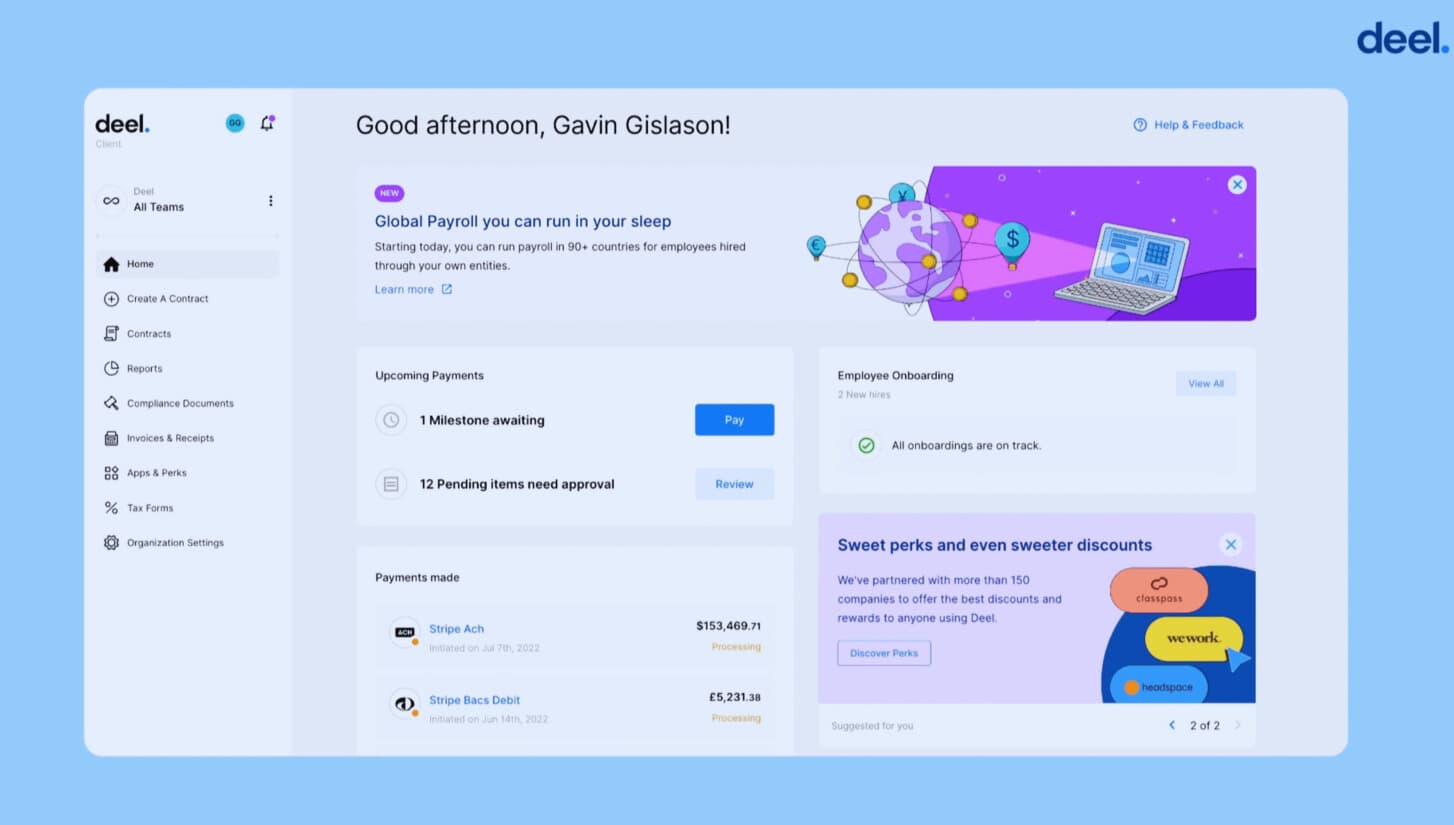
Deel is an HR system that allows businesses to recruit and administer remote teams globally, from small businesses to corporations. It simplifies the hiring process across over 150 countries by doing away with the complexities of local regulations, tax codes, and payroll.
Deel's automated solutions simplify onboarding, make it easier to comply with legal processes, and ease processing paperwork, background checks, and tax returns. The platform's global payroll, managed by in-house experts, provides faster, more efficient service across multiple time zones without the need for local partners.
Key Features
- Salary and Benefits Insights: Deel provides global salary data and benefits tools, helping companies build competitive compensation packages.
- Equity Tracking: Deel simplifies equity incentive management with electronic signatures and automated vesting schedule tracking.
- Security and Support: Deel ensures enterprise-level security and offers dedicated support for complex global HR needs.
- AI-powered Compliance: Deel’s tools track regulations and classify workers, helping businesses stay compliant with global labor laws.
- Global Hiring and Management: Deel helps companies hire employees and contractors worldwide without needing local legal entities, reducing hiring risks and complexities.
Pros
- Offers advanced employer of record (EOR) services
- Allows payments in over 150 currencies, including cryptocurrencies
- Enables global hiring for teams
Cons
- It may be too complicated for small businesses
- The onboarding process was frustrating
Price
- Deel HRIS is Free
- Deel Engage - $20 per employee per month
- Deel Global Payroll - Starting at $29 per employee per month
3. BambooHR
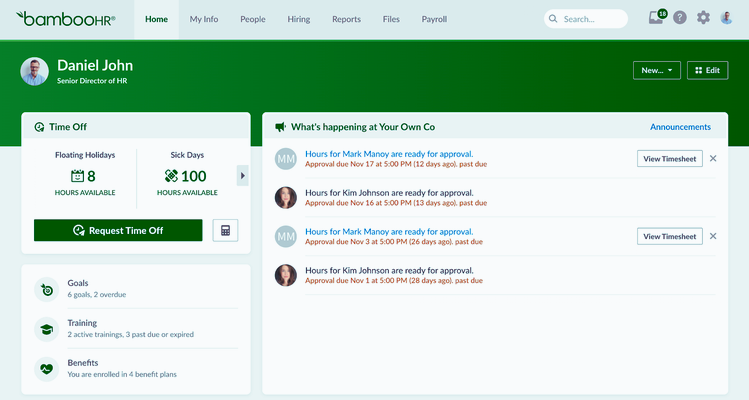
BambooHR is an HR software for small to medium-sized businesses. It helps track work hours, manage payroll, handle benefits, and store employee data. Employees can update personal details, request time off, and access documents without HR assistance. The applicant tracking system simplifies hiring, while advanced reports provide insights on employee turnover, retention, and headcount.
BambooHR will not grow for companies with over 150 workers. It also doesn't support automatic compliance tracking in all 50 states, which would be an issue. However, it's a great choice for companies that need to concentrate on worker engagement and simplified HR management. It has integration support for Gusto, Slack, and QuickBooks, so it's easy to use.
Key Features
- Mobile App - Employees can access HR tools and information on the go using BambooHR’s mobile app for iPhone and Android.
- Talent Management - It supports talent development through performance tracking, succession planning, and employee growth initiatives.
- Employee Self-Service - Employees can update personal details, track benefits, and access relevant HR information independently.
- Performance Management - It enables employee evaluations, goal setting, and continuous performance improvement through structured feedback tools.
- Payroll and Benefits - BambooHR simplifies payroll and benefits management by reducing manual data entry and consolidating tasks into a single platform.
Pros
- User-friendly interface that’s easy to navigate
- Packed with various HR features to streamline management
- Provides data analytics and reporting tools for performance tracking
Cons
- Payroll functionalities do not fully support all geographic regions
- Some advanced features are limited to large companies
Price
- 7-day free trial available
- Starting at $6 per employee per month, with custom plans
4. Paycor
Paycor is an HR and payroll software used by businesses to streamline hiring, employee payments, and workforce operations. It includes payroll automation, tax compliance, employee self-service portals, time tracking, and reporting tools. Where many one-size-fits-all solutions abound, Paycor customizes its platform to industries like healthcare, retail, manufacturing, and non-profits.
It also offers general ledger integration, onboarding tools, and advanced analytics for its upper-tier plans. Businesses can scale their system as required with over 200 app integrations and an API for custom connections. It covers basic HR tasks but is missing much of the advanced reporting and automation offered by other platforms.
Key Features
- Scheduling and Time Management - Paycor reduces labor costs and ensures payroll accuracy by helping leaders manage employee schedules and accurately track time.
- Recruitment Process - Paycor Automates recruitment from job posting to hire, simplifying the process and enabling businesses to take advantage of efficient applicant tracking.
- Talent Development - Paycor’s talent development tools enable leaders to monitor growth, facilitate training, and develop tailored development plans, all of which increase retention.
- Time and Attendance Tracking - Paycor provides exact time and attendance tracking services and then integrates data into payroll calculations to make payments easy.
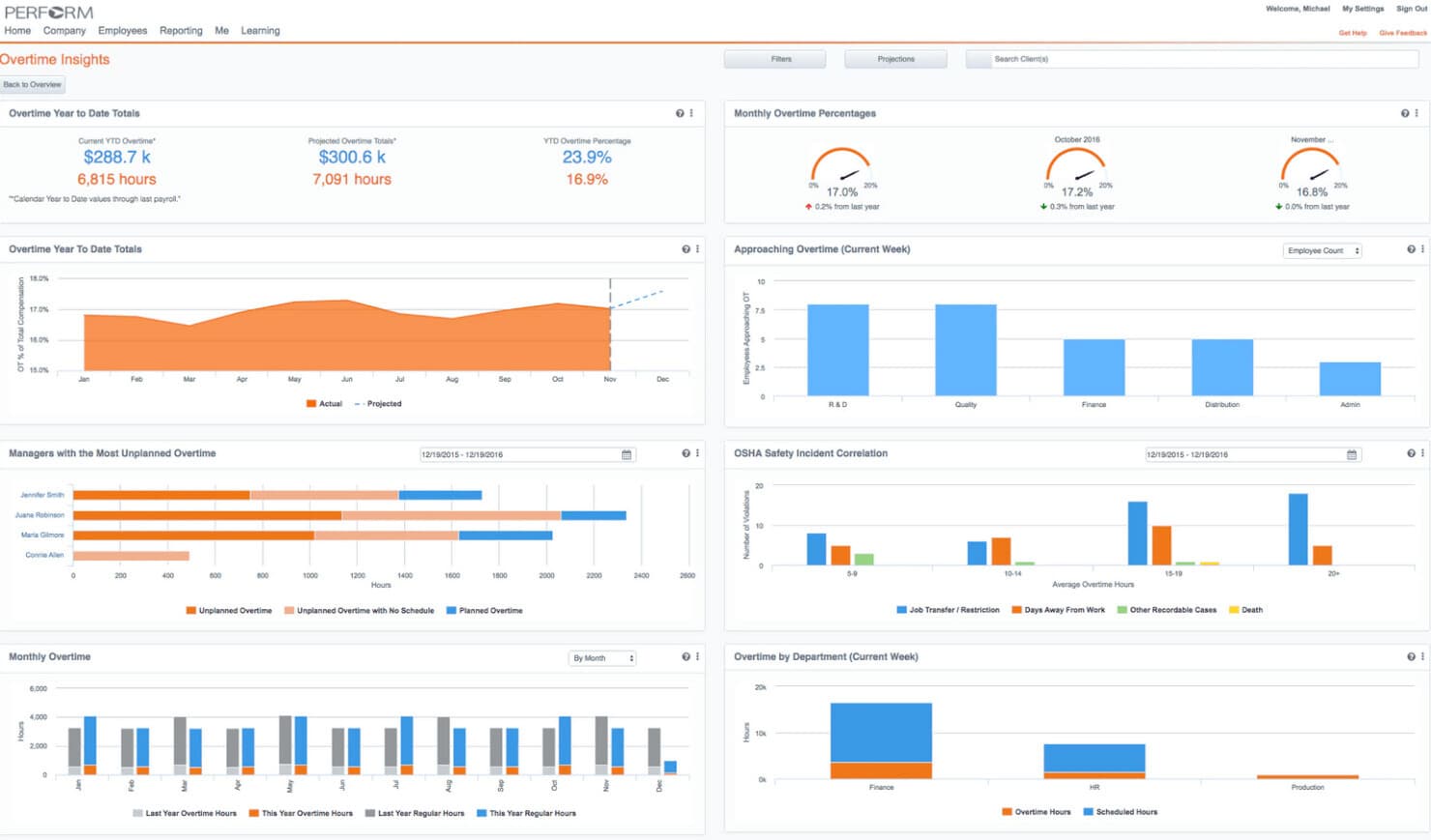
- Analytics and Reporting - Paycor’s analytics tools offer visibility into employee performance, labor costs, and HR operations, enabling leaders to make decisions based on data.
Pros
- Self-service portal that is easy to use
- Efficient reporting tools with strong reporting capabilities for seamless integration of HR processes
- Mobile app with ESS portals and great customer service
Cons
- It is costly software for small businesses or start-ups
- Basic and Essential plans may have slow/difficult to reach customer support at times
Price
-
Paycor does not have direct pricing information, but you can test the HCM solution for free for one month.
5. Paylocity
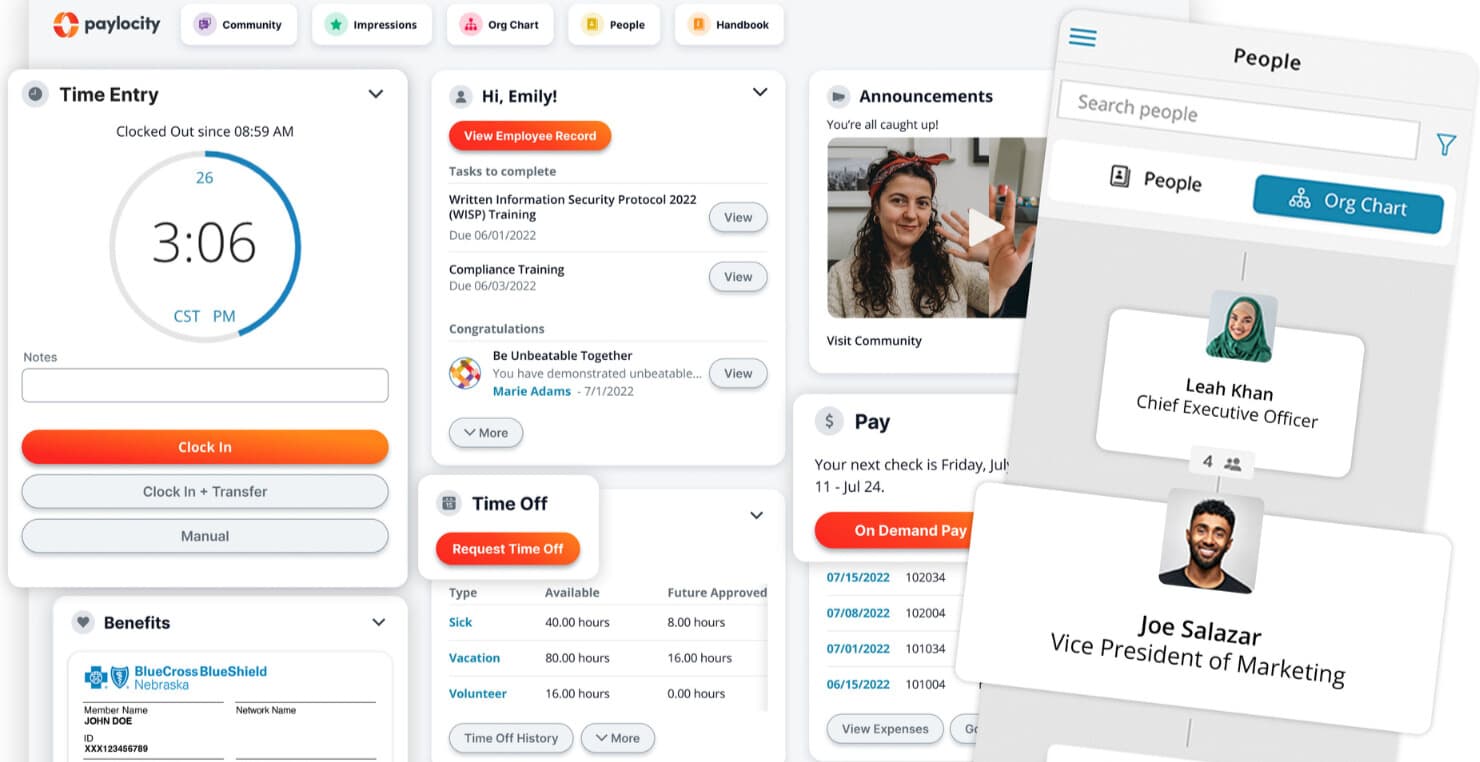
Paylocity is a cloud-based HR software for midsized companies looking to scale efficiently. It streamlines payroll, benefits, and workforce management while helping businesses increase employee engagement. The platform automates essential HR tasks such as tracking employment records, promotions and raises, and monitoring compliance with employment laws. By having the tools to monitor time-off requests, absences, and performance metrics, HR teams can manage workforce data better.
With tools like surveys, document storage, and compliance tracking, Paylocity improves the employee experience. The software also includes benefits administration features, which make it easy for employees to review plan offerings and enroll. Paylocity has several integrations with popular tools, including Slack, Google Workspace, and Salesforce. However, it offers fewer third-party connections than some competitors.
Key Features
- Talent Management - Offers recruiting, onboarding, performance management, and succession planning tools, helping organisations attract, develop, and retain top talent.
- Time and Labor Management - Facilitates time tracking, attendance management, scheduling to enhance workflows, and ensuring precise payroll calculations.
- Employee Self-Service - This offers employees a portal to view payroll information, benefits information, time-off requests, and other HR-related information, allowing them to manage their own information.
- HR Workflows Software Management - Allows you to automate routine HR operations with configurable workflows and templates to reduce manual effort and improve compliance.
- Compliance - Displays Automated processes for organizations to stay compliant with labor laws and labor law compliance tools.
Pros
- Offers benefits administration, time and labor management, and onboarding on a single platform
- Employees can access pay stubs, request time off, and update info without HR approval
- Provides automated tax filing and compliance tracking
Cons
- Mobile app is more limited than the desktop version
- New users can find advanced features hard to learn
- Some modules for third-party integrations may not work well
Price
-
Has a free demo, and pricing is available upon request
6. Workable HR
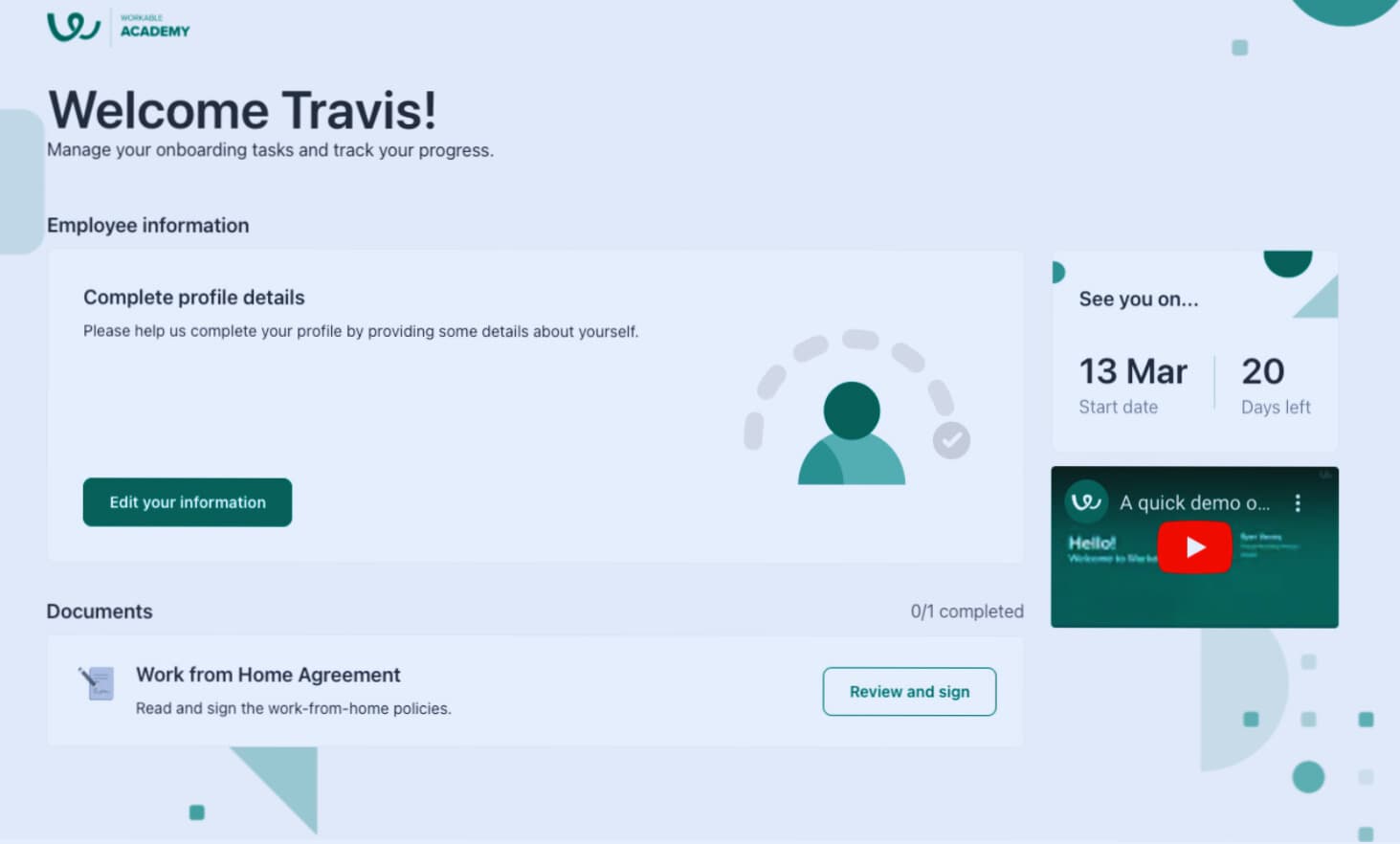
Workable HR is a full-featured platform designed to help recruit, onboard, and manage employees. It assists HR teams in managing documents, collecting signatures, and organizing workflows. It also has AI sourcing for more effortless job posting and candidate attraction. To ease the onboarding process for new employees, the platform also allows the HR teams to store employee data safely and in a regulatory-compliant manner.
Workable HR also provides powerful employee management features in addition to recruitment and onboarding. HRIS manages payroll reports and organisational charting to visualise the company structure. It features a time-off management system that allows employees to request time off while allowing managers to approve or reject requests. Workable HR is super flexible and can integrate with popular tools like ADP, Xero, and BambooHR to enhance the overall HR efficiency.
Key Features
- Applicant Tracking System - An ATS is a software application that automates the hiring process by managing job postings, resume screening, and applicant tracking.
- Candidate Sourcing with AI - The platform uses artificial intelligence to match candidates with job descriptions, making the sourcing process more efficient and reducing time-to-hire.
- Job Posting Distribution - Workable gives access to more than 200 job boards and social media platforms to post job openings more broadly, which increases visibility and attracts a diverse talent pool.
- Tracking Progress - By centralising candidate information and tracking progress, an effective applicant tracking system simplifies the hiring process with customisable workflows and automation.
- Collaborative Hiring - The platform enables shared notes, comments, and interview sheets, making sure everyone is on the same page and helping people make decisions quickly.
Pros
- Workable’s LinkedIn integration and sourcing features help expand the talent pipeline
- Candidate matching, requisition building, and salary insights streamline recruitment
- Localisation and multilingual support make it ideal for international hiring
Cons
- Does not have strong CRM for managing candidate relationships
- Limited customisation for complex hiring
Price
- Free trial available
- Plans start at $99/month
7. Rippling
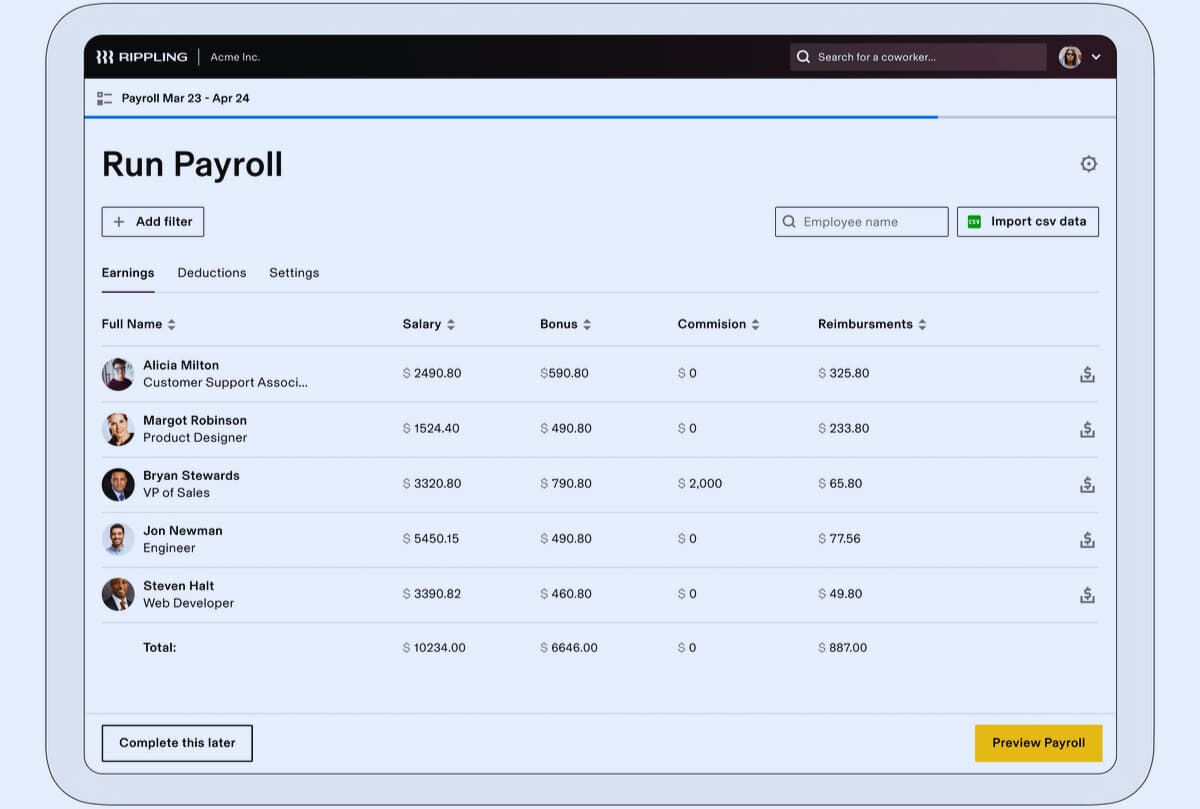
Rippling is an all-in-one HR, IT, and finance management platform that takes over and simplifies tasks such as payroll, benefits enrollment, and employee time tracking. It also provides device and app management that allows businesses to secure employees' devices remotely and access productivity tools such as Google Workspace and Slack. It makes Rippling the all-in-one solution for the modern business.
Rippling streamlines time and resources by automating the payroll tax calculation process and by managing employee data. It integrates across 500+ apps so businesses can manage everything in one place. Rippling provides customisable onboarding and offboarding processes, along with powerful reporting tools to help businesses improve efficiency and gain valuable insights into key metrics.
Key Features
- Automated Payroll - Rippling automates payroll so you can pay your employees accurately and on time, guarantee tax compliance, and create various reports effortlessly.
- International Compliance - The software comes with built-in tools that help businesses remain compliant with labor and tax laws in different countries.
- IT Management - With Rippling, device management and software provisioning are seamless, right alongside employee management.
- Finance Integration - This integrates with various expense management and accounting software, providing a unified view of the company’s financial health.
- Easy Configurable Workflows - The workflows can be customised in case a company has a specific process to follow according to its business.
Pros
- User-friendly with smart navigation and integration features
- Handy automations to ease your onboarding for new hires
- Automatically highlights potential data errors
Cons
- It is reported that non-Chrome browsers have had issues
- The mobile app has the omission of some features (desktop and browser)
Price
- Free demo available
- Starting at $8/User/Month (Billed Annually)
8. ADP
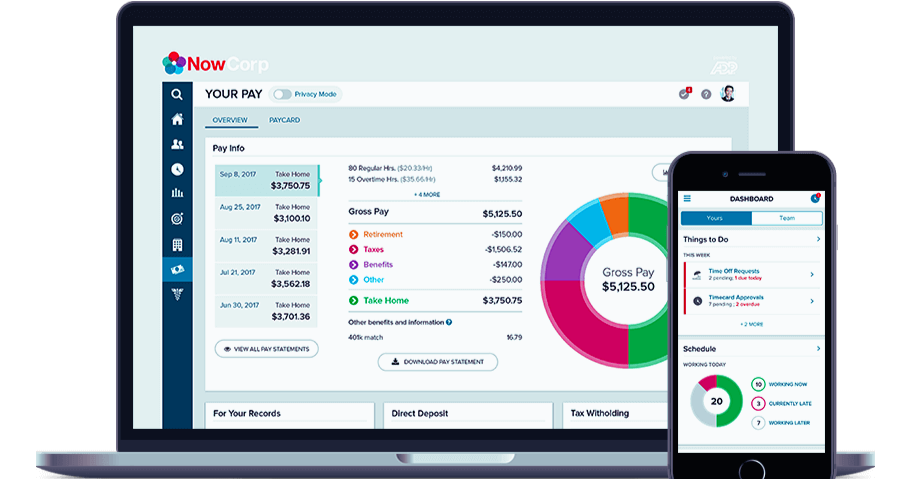
ADP is an adaptable HR and payroll system for startups and expanding firms. It starts with basic payroll functions but can rise as a business scales. Businesses can integrate add-ons such as benefits administration, time tracking, talent management, and others. It also integrates well with third-party apps so teams can set their workflows without switching between environments.
ADP's scalability is one of its biggest strengths. Businesses here will begin with a basic plan, which they can build on later without needing to migrate to a different platform. It also accommodates businesses of all sizes, including small startups and large enterprises. While it has many tools, some users find the reporting options limited and customer support slow.
Key Features
- Talent Management - ADP's full talent management suite includes strong recruitment tools, effective onboarding, performance management, and learning management.
- Time & Attendance Tracking - ADP’s easy-to-use time and attendance tracking features make it simple to track work hours, manage leave requests, and schedule shifts.
- Integrated HR Management - The HR management system centralizes employee records, guarantees HR compliance, and provides an insight-driven view of your workforce.
- Reporting & Analytics - It provides detailed reports and analytics for payroll data, performance metrics, and other HR elements for data-driven decisions.
- Mobile Access - ADP’s mobile app allows managers and employees to perform essential functions wherever they are, ensuring managers can manage the workflow anywhere.
Pros
- Allows 24/7 access to payroll data via mobile apps or online.
- Gives access to assistance with payroll processing, tax filing, and troubleshooting.
- Enhance employee experience with intuitive digital tools that simplify payroll interactions.
Cons
- ADP can be expensive, especially for small businesses on tight budgets.
- Small businesses may find it too complex for basic payroll needs.
Price
- Essential: $79/month base fee + $4/employee per month
- ADP Roll: $39/month base fee + $5/employee per month
- ADP Workforce Now: $18-$27 per employee per month
9. Gusto
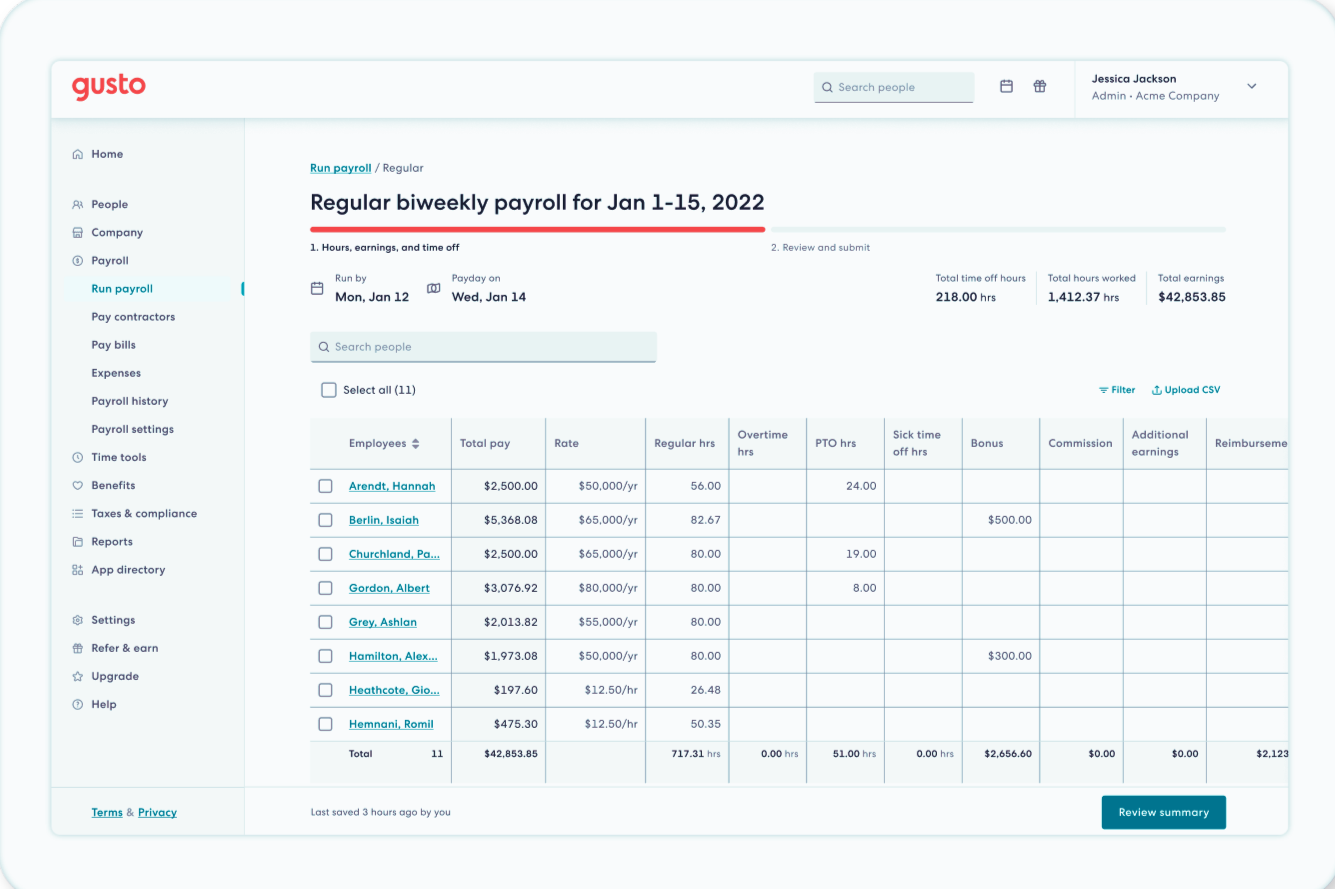
Gusto is an all-in-one automated human resources tool system to help small businesses easily manage their employees. Its features include automated payroll, benefits administration, and time tracking, which syncs flawlessly with tax calculations and compliance filings. The platform also offers tools for hiring, onboarding, and performance management across the employee lifecycle.
Gusto scales with growing businesses by offering productivity and project-tracking tools. Employees can request time off, track hours, and check balances, while managers can easily approve requests. AI-powered reporting optimizes labor costs, and seamless integrations with scheduling tools help manage shifts. With transparent pricing and a powerful feature set, Gusto provides an efficient HR solution for businesses of all sizes.
Key Features
- Automated Payroll: Gusto automates payroll calculations, tax filings, and direct deposits, minimizing manual processes and administrative burdens for businesses.
- Tax Compliance: Automated tax filings and payments help businesses comply with federal, state, and local tax laws.
- Employee Benefits: Gusto makes employee benefits management easy with enrollment, maintenance, and communication integrated into the system.
- Timesheet: It allows businesses to monitor employee working hours, leave, and the absconding process, which makes payroll calculations accurate and timely.
- Employee Self-Service: An easy-to-use portal that allows employees to see their own pay stubs, benefits information, and HR information.
Pros
- Gusto provides flexible plans with various add-ons to suit different business needs
- The platform can be set up quickly, usually within a week
- You can explore an interactive demo to try out the features before committing
Cons
- Adding Gusto's extra features can quickly raise the per-employee cost.
- It also lacks some performance management features found in other HR solutions.
Price
-
The Basic plan is $49/month + $6 per person, the Standard plan is $60/month + $9 per person, the Advanced plan is $135/month + $16.50 per person, and the Contractor Only plan is $35/month + $6 per contractor.
10. Paychex Flex
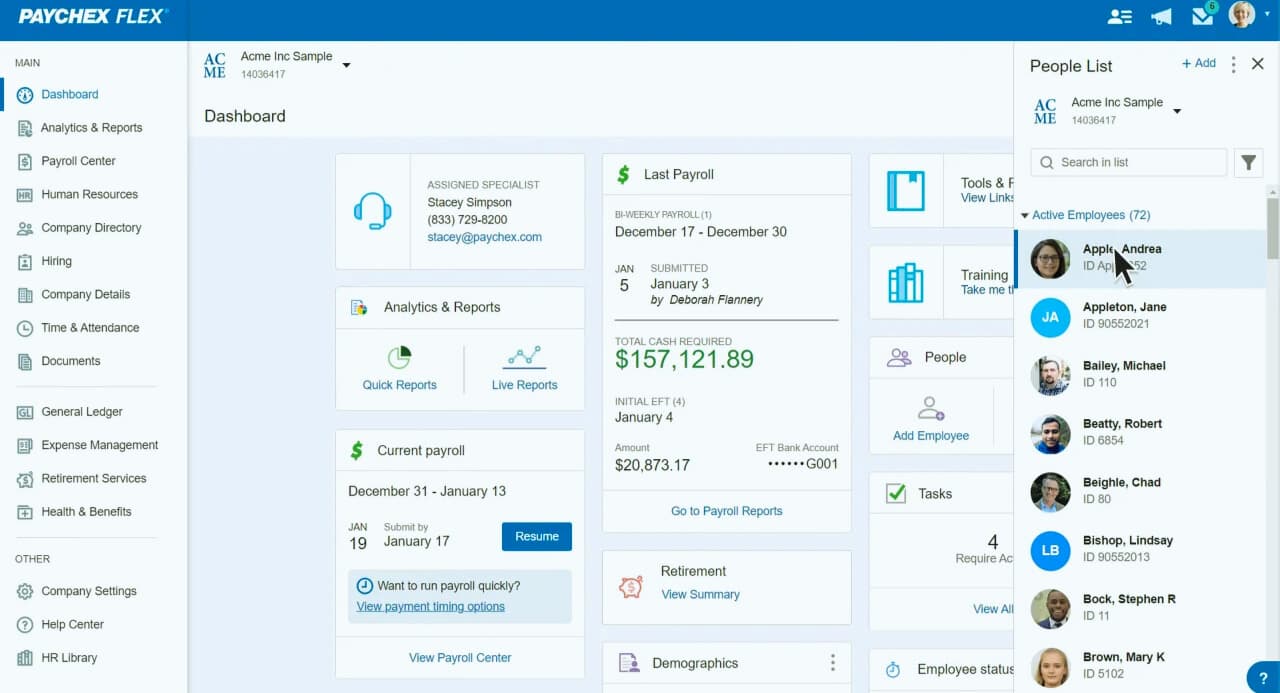
Paychex Flex's innovative HR workforce solution helps streamline business operations and payroll processing, which is just one feature of its HR functionality. It also offers benefits management, recruiting, and onboarding, all in one platform. Paychex Flex connects payroll and HR systems to automate time tracking, payroll preparation, and tax submission.
Although Paychex Flex is a good fit for startups and small businesses. The tools provide some basic HR functionality but lack the advanced capabilities and integrations seen in more modern HRIS solutions. Paychex Flex remains a reliable choice for companies seeking a specific, payroll-first solution.
Key Features
- Payroll - Paychex Flex offers easy-to-use online payroll software that ensures employees are paid accurately and on time while maintaining compliance with regulations.
- Automating Human Resources - Paychex Flex offers scalable solutions and expert guidance to help businesses attract and retain talent, streamline HR functions, and stay compliant.
- Employee Benefits - Paychex enables businesses to offer a comprehensive benefits package, helping them attract top talent and reduce administrative burdens.
- Time and Attendance - Paychex Flex Time integrates with the platform, simplifying time tracking and connecting employees with the necessary information across devices.
- Services (PEO) - Paychex's PEO services allow businesses to outsource HR functions like payroll and benefits, freeing up time to focus on core operations.
Pros
- Healthy security with multi-factor authentication.
- Quick and efficient payroll processing
- User-friendly design that's easy to navigate
Cons
- Customer support is not always responsive or helpful
- For some users, the interface seems a bit dated
Price
-
Essentials: $39 per month plus $5 per employee
How Do I Know What HR Software Is Best for My Business
Here is a simple four-step process to help you find the best HR software solution for your organization.
Understand what you need
You should ask yourself the following questions: What difficulties or pains is your HR team facing at this moment? Which processes do you spend the majority of time on? What software do you use already, and what gaps do you need that you currently do not have?
Do some research on vendors
Get your specialty HR software lists well. We have already set up many different specific HR software niches. Ask yourself: Does this software connect to the tools I’m already using? Does this software have everything on my wish list? Is this software well-received by consumers?
Create a shortlist
Create a shortlist of the software you like and share it with other team members for their input. Keep in mind that every member of your team is likely to have their own list of green and red flags when it comes to features, depending on their role. So, try to involve as many of your HR team members as possible.
Try a free trial
This is the crucial step because a free trial can offer you a first-hand experience of how a software system works. A free trial is better than a free demo. You need your own test drive to see how it might actually play for your particular business context.
FAQs
What’s the difference between HRIS and HRMS?
A human resource management system is a more complex HRIS, with features built above the database that is stored in the HRIS. An HRIS is focused on storing employee data and enables employees and HR users to view/edit employee data and run simple reports based on that data. HRMS expands on the HRIS by maintaining a wider variety of data sets. These data sets drive further functionality, including an applicant tracking system and a performance management module.
When should you get an HR system for a startup?
Generally speaking, all companies should invest in some form of HR software as soon as they start to hire people (employees or contractors) in the early stages of company life. Being an early adopter helps you automate and create efficient workflows early on.
Which HR Automation Software is the Best?
There are different options available in the market for choosing the suitable type of HR automation tools. TechForing Human is one of the best HR solutions for all types of businesses.
