
Category: Articles
10 Best Recruiting Software for Small Businesses in 2025
TABLE OF CONTENT :
Small business owners spend a lot of time hiring every few months. That’s why using recruiting software is like having an expert on your team.
With the right recruiting software, you can speed up 90% of your hiring process, reduce manual work, and find better candidates faster.
In this guide, we’ll help you pick the best recruiting software for small businesses so that you can hire candidates easily and quickly.
What is recruiting software?
Recruiting software for small businesses is a digital tool that helps make hiring faster and easier. Instead of spending hours sorting through paper applications, scheduling interviews, and tracking candidates, the software automates many of these tasks. It gives you one place to manage the entire hiring process from start to finish.
With recruiting software, small business owners and hiring managers can save time and reduce mistakes. It helps you find the right candidates quickly and keeps communication smooth, giving applicants a better experience. This means you can focus on growing your business while the software handles the busywork.
Using recruiting software gives small businesses access to tools usually found in big companies. You can compete for top talent, hire faster, cut costs, and make better hiring decisions - all without needing a large HR team.
10 Top Recruitment Software for Small Businesses
- TechForing Talent
- Manatal
- AvaHR
- Freshteam
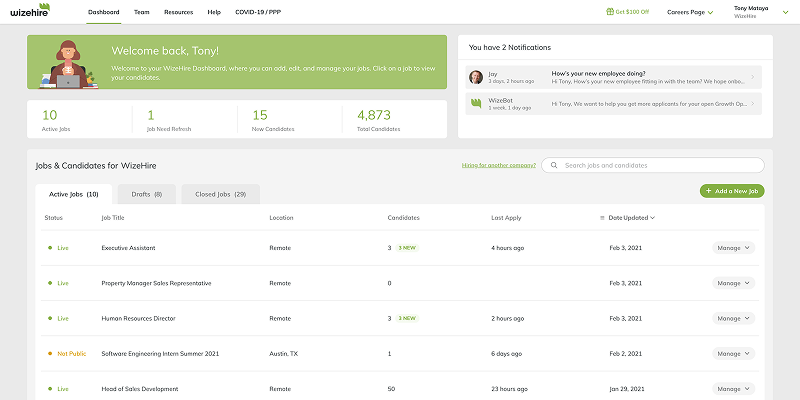
- Wizehire
- Recruitee
- JazzHR
- TalentReef
- GoHire
- Breezy HR
1. TechForing Talent
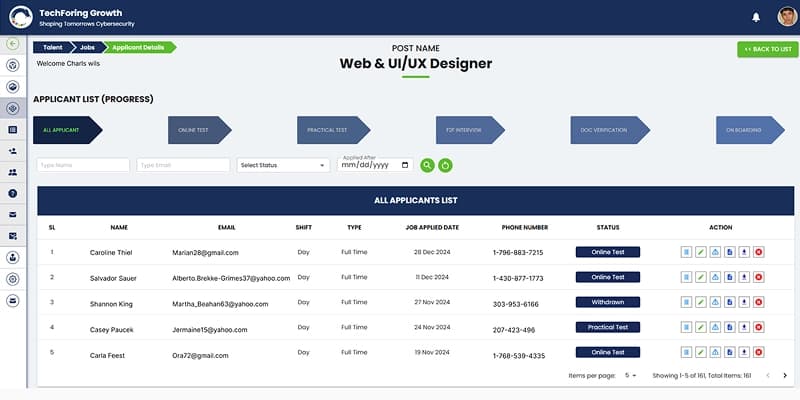
TechForing Talent is an easy-to-use hiring software for small businesses that helps you speed up your entire recruitment process using AI. It lets you post jobs, screen candidates, schedule interviews, and onboard new hires- all in one place. You can manage applicant data easily, send out tests automatically, and handle document verification without the usual hassle. The platform also gives you clear insights through detailed analytics, so you can make better hiring decisions faster. With TechForing Talent, you can stay in control, save time, cut costs, and hire the right people more efficiently.
Key Features
Dynamic Job Board: TechForing Talent posts jobs automatically across multiple platforms, increasing reach and attracting more qualified candidates.
Applicant Management: The software centralizes all applicant information, enabling recruiters to track and manage candidates easily throughout every stage of recruitment.
Candidate Filtering: The software filters candidates using AI-driven questions, so recruiters focus only on the most suitable applicants.
Interview Scheduling: Coordinates interview times between candidates and hiring managers, saving time and avoiding scheduling conflicts.
Built-in Communication: Sends automated emails and SMS messages to keep candidates updated and ensures timely communication.
Analytics and Reporting: The platform provides reports and insights that help HR teams spot problems and improve hiring processes.
Support Center: The software includes a support center that assists candidates throughout their application journey, enhancing their experience and engagement.
Verification and Onboarding: Generates offer letters and manages document submission and verification, helping new hires onboard quickly and smoothly.
Pros
- Centralizes candidate data for easy management
- Provides data insights for better hiring decisions
- Scales easily and integrates with multiple job platforms
Price
- Starter: Up to 10,000 CVs, $99/mo
- Basic: Up to 50,000 CVs, $199/mo
- Premium: Up to 100,000 CVs, $249/mo
2. Manatal
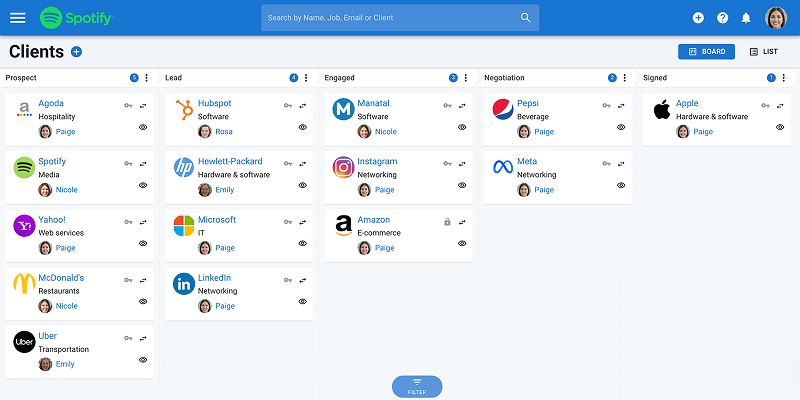
Manatal is an easy-to-use talent acquisition software designed to help small businesses find the right people faster. It uses AI to match candidates to your job openings, saving you time in screening and shortlisting. You can manage everything in one place with a simple drag-and-drop system that gives you a clear view of your hiring process. Manatal also helps you post jobs across many free and paid platforms and gives you access to a huge database of over 600 million candidates. It connects smoothly with tools like Codility, Flexjobs, Indeed, and LinkedIn, making your hiring process even easier.
Key Features
Applicant Tracking System: Manatal makes it easy for you to track applicants through the hiring process with its Applicant Tracking System (ATS).
Onboarding: You can simplify new hire integration with Manatal’s Employee Onboarding feature, which provides a structured way to welcome and train your team.
Job Posting: Manatal lets you post jobs on multiple platforms at once, saving you time and helping you reach more candidates.
Candidate Sourcing: Advanced AI and social media tools help you find and attract the right candidates quickly with Candidate Sourcing.
Interview Management: You can simplify interview scheduling using Manatal’s Interview Management, giving a smooth experience for both interviewers and candidates.
Pros
- User-friendly interface for quick adoption
- Helps maintain compliance and reduce risks
- AI-powered candidate sourcing and social media recruitment
Cons
- Limited workflow customization
- Integration with some HR tools can be incomplete
Price
- 14-day Free demo available
- From $15 - $55/user/month (billed annually)
3. AvaHR
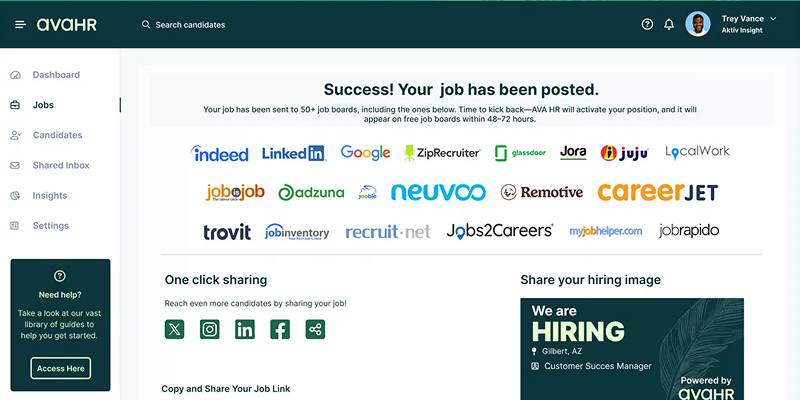
AvaHR is a recruitment management software for small businesses that helps you with your hiring process. With a few clicks, you can post jobs to over 50 major job boards like LinkedIn, Indeed, and ZipRecruiter. The system automatically screens and organizes resumes, so you can focus on the most qualified candidates. You can manage applicants through a custom recruiting pipeline, collaborate with your team by sharing notes, scheduling interviews, and sending text updates. AvaHR gives you real-time analytics and performance reports. It integrates with apps, including CRM tools like Twilio, Salesforce, and HubSpot, as well as work platforms like Google Workspace and Microsoft Office 365.
Key Features
Sourcing: AvaHR lets you source candidates from various sources, such as well-known job boards and social media, to expand your outreach.
Social Job Sharing: Easily share your job postings on various social media platforms to connect with a wider audience quickly.
Job Boards: Post your job on over 50 of the best free job boards with a single click to gain maximum exposure.
Applicant-friendly Applications: The platform provides an easy-to-use application process that candidates can access on any device.
Resume Upload: Candidates can drag and drop their resumes directly into your database, making it simple to collect and review applications.
Pros
- Easy-to-use interface for small businesses
- Responsive and helpful customer support
- Great for hiring in trade, hospitality, and healthcare
Cons
- The starter plan has limited features
- Fewer job board integrations than competitors
Price
- Free demo available
- From $83 - $299/month
4. Freshteam
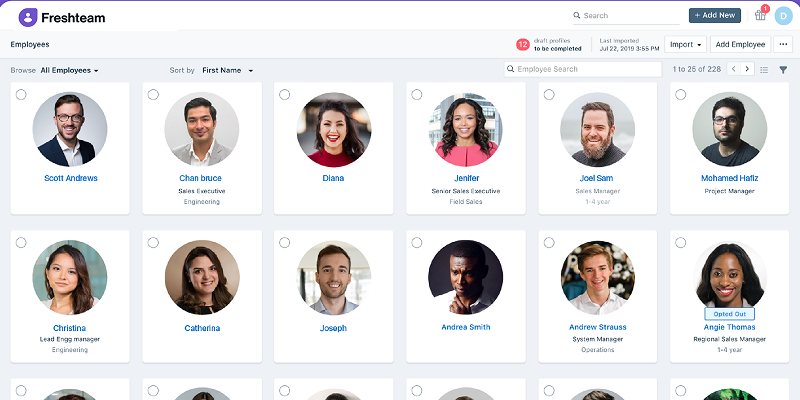
Freshteam is innovative HR software for recruitment that helps small businesses with hiring, onboarding, and employee data management all in one place. You can post jobs to multiple boards with one click, create a branded career page, and automatically pull in candidates from job boards, email, or social media. You can easily screen resumes, schedule interviews, share feedback, and make faster hiring decisions. You can also onboard new hires before their first day by sending documents, assigning tasks, and setting up employee profiles. With mobile apps and seamless collaboration, Freshteam gives you everything you need to run your HR processes efficiently.
Key Features
Job Requisition: Enables users to understand the requisition process, create new requisitions, customize forms, and set up approval rules.
Job Setup: Users add custom application forms, configure hiring processes, create job postings, and publish them across multiple job boards seamlessly.
Candidate Sourcing: The software allows the use of a hiring panel, source/referrals, and candidate application through multiple channels.
Candidate Management: Users manage candidate stages, statuses, and actions, including resume parsing and leveraging the talent pool effectively.
Candidate Interviews: The system allows users to create interview scorecards, schedule and edit interviews, enable candidate self-scheduling, and submit interview feedback.
Pros
- Comprehensive HR features (ATS, onboarding, time-off)
- Integrates well with popular tools (Google Calendar, Zoom)
- Automates routine tasks like interview scheduling
Cons
- No built-in payroll management
- Occasional performance glitches and slow loading
Price
- Free demo available
- From $19 - $99/month
5. Wizehire
Wizehire is a hiring manager software that helps you post your job ads to more than 100 job sites at the same time, so that you can find better candidates faster. You can use ready-made job templates or make your own, then add custom questions, skill tests, and a personality test to pick candidates who mostly fit your job and company. During interviews, you will get help with interview guides, secure messaging, and scheduling tools to stay organized. When you hire, Wizehire connects you to payroll, background checks, and tax credit services with easy links to popular tools like Gusto, ADP, QuickBooks, Checkr, LinkedIn, Dropbox Sign, Zapier, Salesforce, and HubSpot.
Key Features
Job Posting: Wizehire lets users post job openings to over 100 job boards- including Indeed, LinkedIn, and ZipRecruiter- with a single click.
Job Templates: Provides over 350 customizable job templates tailored to different industries to help create compelling job descriptions.
Applicant Tracking System (ATS): Track candidates through a customizable hiring pipeline with drag-and-drop project management and data-driven recommendations.
Communication: Wizehire integrates email and SMS communication in one platform to simplify candidate engagement.
Onboarding: Streamlines onboarding by providing e-signature offer letters, payroll integration, and background checks to ensure compliance.
Pros
- Offers expert coaching to improve hiring strategies
- Includes DISC assessments to evaluate candidate compatibility better
- Allows posting job ads across multiple job boards
Cons
- Assessment customization options are limited
- Several integrations are only available on premium plans
Price
- Free demo available
- From $249 - $449/month
6. Recruitee
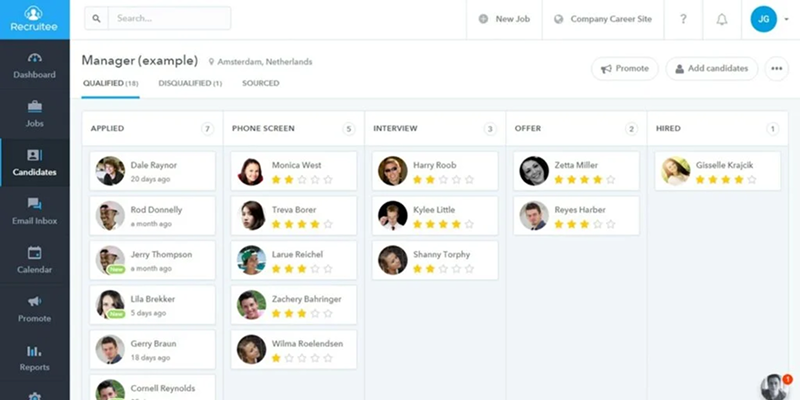
Recruitee is a collaborative hiring software for small business teams that makes finding and hiring the right people easier. You can connect it with popular tools like BambooHR, Checkr, and DevSkiller to work smarter. Recruitee helps your team get involved with features like social sharing, referrals, and clear roles. You can manage job openings, create talent pools, and quickly add candidates using a Chrome extension. With interview templates, notes, tags, and mentions, you can stay organized throughout the process. The drag-and-drop design and e-signature feature help you move candidates faster. Recruitee is easy to use and helps small businesses hire better as a team.
Key Features
Applicant Tracking: The system manages job postings, processes applications, and tracks candidate statuses throughout the hiring process.
Resume Parsing: It automatically identifies common resume details and transfers them to the database.
Interview Scheduling: It schedules interviews with candidates and hiring teams in an easy way using calendar tools.
Reporting and Analytics: The system provides insights and metrics on recruitment activities and results.
Job Posting Distribution: It shares job postings to several job sites and social links, including social networks.
Pros
- Intuitive drag-and-drop interface for easy pipeline management
- Highly customizable workflows to fit hiring needs and branding
- Advanced analytics for data-driven decisions and candidate insights
Cons
- Customer support can be slow sometimes
- The mobile app is severely limited compared with the desktop
Price
- Free demo available
- From €216 ($244) - €274 ($310) /month
7. JazzHR
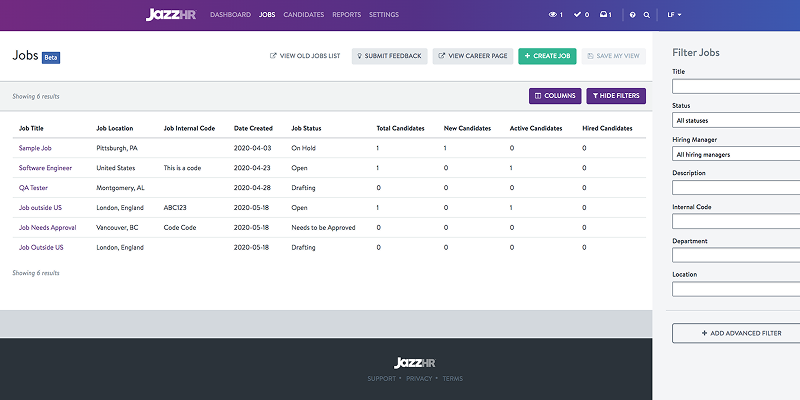
JazzHR is a smart human resources recruiting software tool that lets you add unlimited users and job postings without extra costs. You can start using it quickly or set up custom workflows to keep your hiring team organized. You can also add your own branding to emails and career pages, giving candidates a consistent experience. JazzHR helps you filter out unqualified applicants, manage many candidates at once, and prepare for interviews with helpful tools. You can send offers and complete onboarding using digital eSignatures. It integrates smoothly with popular platforms like ADP Workforce Now, BambooHR, and LinkedIn.
Key Features
Employer Branding: Let's employers customize their careers page, share open roles on multiple social media channels, and automatically send personalized emails to candidates.
Candidate Sourcing: Enables posting jobs to job boards with a single click and supports referral programs to gather candidate recommendations from current employees.
Applicant Tracking: Tracks candidates' progress through customizable recruiting stages and triggers automatic email notifications when applications move to the next stage.
E-signatures: Employers can generate personalized offer letters using pre-filled templates and automate the process of sending e-signature requests.
Candidate Scorecard: JazzHR offers a rating system that lets teams assess candidates collaboratively by aggregating feedback into a single team score.
Pros
- Sends real-time alerts to keep team communication quick
- Easy to use with a clean and simple dashboard
- Let you manage job postings on many job boards in one place
Cons
- Doesn’t connect well with advanced HR systems
- Customer support response times are sometimes slow
Price
- Free demo available
- From $75 - $420/month
8. TalentReef
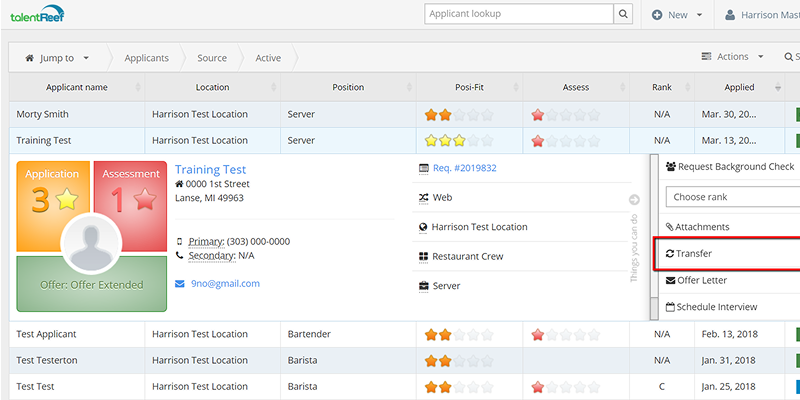
TalentReef is one of the best recruitment software programs that helps you hire hourly workers quickly and manage them in one place. It’s built for small businesses that hire people across different locations. With TalentReef, you can post jobs, find and track candidates, schedule interviews, and onboard new hires without switching platforms. You can also text applicants, use a chatbot to answer questions, and send bulk messages through email or SMS. After hiring, you can keep good employees longer by using tools for setting goals, giving feedback, and doing performance reviews. TalentReef also integrates with payroll systems, background checks, assessments, and learning platforms.
Key Features
Mobile-Optimized Application: TalentReef offers a fast and easy application process that works perfectly on mobile devices, letting candidates apply via text or QR codes.
Applicant Tracking System (ATS): Manage candidates smoothly with automated resume parsing, interview scheduling, and easy collaboration within your team.
Onboarding & Compliance: Automate new hire onboarding with tools that handle I-9 forms and E-Verify to keep everything compliant.
Advanced Reporting: Access detailed reports on hiring metrics like time-to-hire and applicant flow to make smarter recruitment decisions.
Third-Party Integrations: Connect TalentReef with background checks, learning systems, and other HR apps for a seamless workflow.
Pros
- Easy to use with a mobile-friendly and intuitive interface
- Let you manage high-volume hiring with automated workflows
- Supports Text-to-Apply and QR code features for easier candidate access
Cons
- The interface can be unintuitive and takes time to learn
- Limited integration with some external systems
Price
- Free demo available
- Pricing upon request
9. GoHire
GoHire is a hiring platform for small businesses that gives you an easy-to-use system to post jobs and track applications. With just one click, you can share your job ads on popular sites like Indeed, LinkedIn, Glassdoor, and Monster, saving you time. You can also build custom career pages that match your website and showcase your company’s brand to attract great candidates. GoHire helps you screen candidates more effectively with simple questionnaires and video interviews to make fair hiring decisions. It also makes scheduling interviews easy by syncing with your team’s calendars, allowing candidates to choose the best times.
Key Features
Applicant Tracking System: GoHire manages the hiring process from start to finish- tracking candidates, managing applications, and streamlining communication.
Job Posting: Post your job openings across multiple job boards like Indeed and Glassdoor with just a few clicks.
Employer Branding: Build a strong employer brand with a customizable careers page that showcases your company culture and job openings.
Candidate Sourcing: Reach qualified candidates through tools like Google for Jobs and social media integrations.
Analytics and Reporting: Give insights into your recruitment performance with real-time data and reports that help you improve your hiring strategy.
Pros
- The interface is intuitive and easy to set up
- The platform offers an affordable and cost-effective hiring solution
- Support team responds quickly and provides helpful assistance
Cons
- The reporting and integration options offer limited flexibility
- The system occasionally fails to filter candidates properly
Price
- Free demo available (14 days)
- From €89- €249 /month
10. Breezy HR
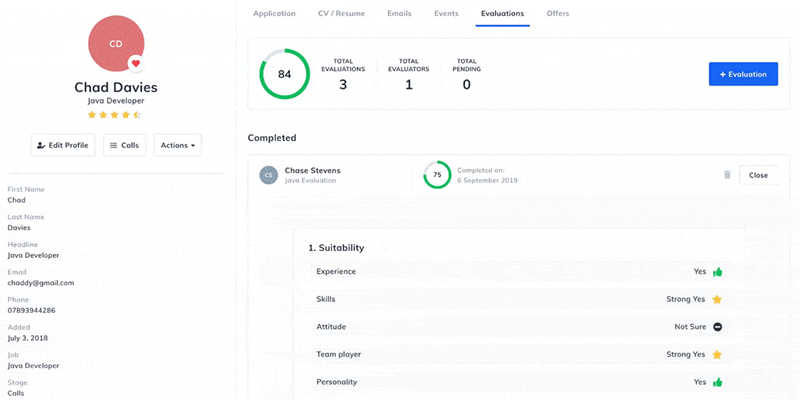
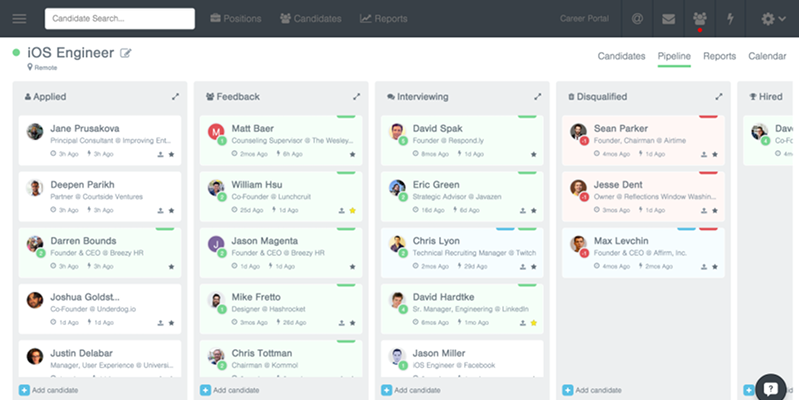
Breezy HR is one of the best applicant tracking systems for small businesses to make hiring simple. You can easily create job posts, find candidates, bulk upload, referrals, or LinkedIn, and move applicants through the hiring process using drag-and-drop pipelines. It offers a free plan for one active job and a paid plan that lets you post unlimited jobs and manage as many candidates as you want. Breezy HR keeps all your communication with candidates and team members in one place so that everyone can stay on the same page. It also has automation to help you screen candidates and hire more quickly. With easy job creation, ready-made templates, and a new tool for managing employee performance, Breezy HR helps you hire the right candidates.
Key Features
Sourcing: Breezy HR lets you post job openings automatically to over 50 popular job boards, including LinkedIn and Indeed, helping you reach more candidates effortlessly.
Automated Communication: Send personalized emails and SMS messages automatically to keep candidates engaged without manual follow-up.
Interview Scheduling: Sync Breezy with your Google or Outlook calendar for smooth and hassle-free interview bookings.
Video Interviewing: Conduct interviews through integrated video tools like Zoom or Google Meet right within Breezy.
Analytics & Reporting: Track key recruiting metrics through customizable dashboards to improve your hiring strategy.
Pros
- Easy to use and intuitive interface
- Automates emails and interview scheduling
- Excellent team collaboration features
Cons
- Limited customization on basic plans
- Advanced features need time to learn
Price
- Free demo available
- From $157 - $439/month
Benefits of HR Recruitment Software for Small Businesses
If you’re running a small business, you already know the difficulties of hiring the right people. Here are eight benefits that show why recruiting software works well for small businesses:
1. Save Time on Hiring
Recruitment software helps automate some of these manual tasks, such as posting job ads, screening resumes, and scheduling interviews. You can do away with paperwork faster and spend your time interacting with candidates and making hiring decisions.
2. Improve Candidate Quality
Smart filters and screening tools help you identify candidates who truly match your job requirements. You can avoid wasting time on unqualified applicants and focus on the best talent.
3. Communication
Recruiting software centralizes all candidate communication in one place, so you never miss a follow-up or mix up information. Everyone involved in hiring stays aligned.
4. Build a Talent Pool
Even if you're not hiring right now, recruiting software lets you build a database of potential candidates. So when a position opens up, you can reach out to people who have already shown interest or fit your company culture.
5. Improve Employer Branding
Most platforms allow you to customize job postings and career pages to reflect your brand’s values and culture. You can attract candidates who connect with your mission and stand out from competitors, even as a small business.
6. Gain Data and Insights
Recruiting software tracks essential metrics like how many applicants you get, where they come from, and how long the hiring process takes. This data helps you understand what works and where you can improve, so your hiring gets better over time.
7. Reduce Hiring Costs
Recruiting software saves you money by allowing you to expedite the hiring process and reduce bad hires. You may also save on recruiter fees or additional HR support.
8. Remote Hiring
Recruiting tools like video interviews and digital assessments mean it’s possible to hire from anywhere. You can access more of the talent pool while maintaining an efficient process.
How to Choose the Best Recruiting Software for Small Businesses
With so many options out there, it's easy to get overwhelmed. Here’s a simple step-by-step guide to help you make the right choice.
Set Your Budget First
Start by deciding how much you can afford. Some recruiting tools are free, while others can cost hundreds of dollars a month. Knowing your budget upfront helps you rule out tools that don’t fit. Also, check how the pricing works. Some charge per user, per job post, or month. Watch out for extra costs- like fees for advanced features or integrations- so you don’t get caught off guard.
Know Your Hiring Needs
Think about how many jobs you usually have open and how often you hire. Free plans often limit you to one active job, and basic paid plans only allow two to five. If you hire regularly, choose software that can handle that. Also, decide who will use the software. Is it just you? Your HR team? Department managers? The number of users affects the cost.
List Your Must-Have Features
Don’t pick a tool just because it has a long list of features. Focus on what you need. Do you want automated resume screening? Interview scheduling? Easy job posting? Write down the features you need. This will help you quickly narrow down your choices.
Check for Integrations with Your Current Tools
If you already use HR, payroll, or scheduling software, make sure the recruiting tool works with them. Good integrations save time and reduce manual work. Poor integrations create headaches. Some tools connect directly with popular software. Others use third-party platforms like Zapier to sync your systems. Make sure everything will work smoothly together.
Choose Easy-to-Use Interface
Look for a clean, simple interface. You should be able to post jobs, track candidates, and manage everything without a steep learning curve. The easier it is to use, the quicker your team will adopt it.
Try Before You Buy
Don’t skip the trial. Most good software companies offer free trials or demos. Use this time to explore everything- post a job, add users, and test the interface. Make sure it feels right. If you’re unsure, start with a month-to-month plan.
Try TechForing Talent, the best applicant tracking system for small companies. It has flexible pricing, connects easily with other tools, and is easy for your team to use.
Frequently Asked Questions
Why should I use recruitment software?
Hiring management software puts all your hiring tasks in one place and handles all the repetitive work. It helps you hire faster and makes the process easier for candidates. It also helps your team work better, so that you can make smarter hiring decisions.
How much does recruiter software cost?
The hr recruiting software price depends on how many people use it. Small business hiring usually pays $50 to $150 per user each month. Larger companies pay $150 to $500 or more per user each month. Some companies charge extra if they customise the software for you.
Is recruiting software hard to set up?
Not at all. Most modern human resource recruitment software, like TechForing Talent, is designed to be simple and easy to use. You can get everything set up in just a few days. After that, some training will help you get comfortable with the system.
Can I use recruiting software with my current HR tools?
Yes, most recruitment software solutions work well with the tools you already use. Just make sure to double-check compatibility before you choose one. TechForing Talent, for example, combines many HR tasks- including hiring- into one easy system.
What’s the difference between recruiting software and a recruiting CRM?
A recruiting CRM helps you keep in touch with candidates and clients. Recruiting software, on the other hand, covers everything from posting jobs to onboarding new hires.
Do I need hr applicant tracking software (ATS) if I only hire a few people?
Yes, it can still help a lot. Even if you hire just a few people, an ATS (Applicant Tracking System) can save you time and give candidates a better experience.
How does hr and recruitment software help small businesses?
Talent acquisition software makes hiring easier and faster. You can post jobs, track applicants, screen resumes, and manage onboarding. Many application tracking software tools, such as TechForing Talent, offer free trials.
