
Category: Articles
10 Blog Management Tools to Grow Your Audience Effortlessly
TABLE OF CONTENT :
Blogs generate 60% more leads compared to those that don’t blog. This is why starting a blog in 2025 is a smart move, even if you feel like you’re coming in late.
Blogging tools assist you with ideas, planning, KW research, writing, editing, SEO, and promotion. There are a lot of tools to make blogging easier and more effective.
In this post, we’ll share the 10 Best Blog Management tools that help you write better, publish faster, and rank higher to get more visitors and quality leads.
What are the Blogging Tools?
Blogging tools are software and platforms that help bloggers create, manage, and improve their content. These tools make blogging easier by assisting with writing, editing, SEO, and social media sharing. They also provide analytics results to track performance.
With about 600 million blogs worldwide, competition is so high. That’s why blogging tools are so important. They help with content research, keyword optimization, and audience engagement. This makes it easier for your blog to rank higher on search engines and provides value to your readers.
Best Blogging Tools to Grow Your Blog in 2025
Here are 10 Tools list that will Improve the quality of your blog content:
- TechForing CMS - Best Content Management System for Organizing Blog
- Google Docs - Best Word Document Writing Tool
- Ahrefs - Best SEO Tool for Ranking High On Google
- Grammarly - Best Tool for Fixing Grammar and Spelling Mistakes
- ChatGPT - Best AI Tool for Content Making
- Surfer SEO - Best SEO Tool for SERP Analyzer and NLP
- Jasper.AI - Best Tools for Writing Blogs
- Yoast SEO - Best WordPress Plugin Tool for Better Optimization
- Canva - Best Drag-and-Drop Image Editor Tool
- Buzzsumo - Best Content and Blog Research Tool
TechForing CMS (Content Management System for Blog Management)
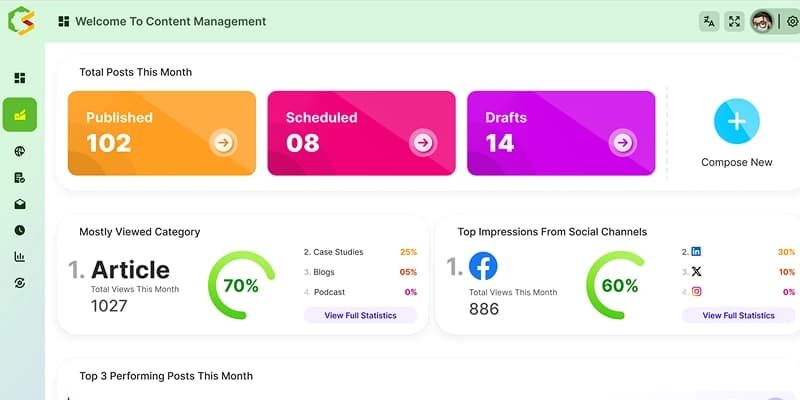
TechForing CMS helps bloggers manage all their blogs and content very easily. It smooths everything from writing and posting blogs to organizing sites and managing social media. You can do all of these things from one easy-to-use platform.
TechForing Growth CMS is great for any business- big or small and works well for content creators, marketers, and bloggers who need to manage digital content on several channels. It can manage different types of content, such as blog posts, articles, web pages, social media updates, images, videos, and other digital files.
TechForing CMS includes a handy scheduling tool that lets you plan and automate posting on various social media platforms and channels. It also focuses on security with features like role-based access, two-step verification, data encryption, and regular backups. Your content stays safe with standard industry security measures.
Key Features of TechForing CMS:
- Easy Site Setup - Quickly add your site details and organize your blogs with clear categories and sub-categories.
- Easy Blogging Process - Write, edit, and post your blogs without the hassle.
- SEO Optimization - Optimize your content with keyword management and meta-tag settings to increase search visibility.
- Role Management - Assign roles like admin, content creator, or editor to keep your content safe.
- Content Tracking - Keep track of all your blog posts and edits for easy reference.
- Third-Party Integrations - Integrates with popular third-party tools (Google Analytics, social media, email marketing).
Pros:
- Saves time by automating routine tasks
- Easy to use for beginner bloggers
- Centralizes blog and social media management
- Enhances security with role-based access
- Complies with major data protection regulations (GDPR, CCPA)
Pricing:
- Free trial/demo available to get started
- Flexible plans available (contact for a personalized quote)
Google Docs (Writing Tools)
Google Docs is a free online word processor that allows users to write and edit documents. With its cloud-based storage, you can easily save your work and access your documents from any device with an internet connection.
One of the best features of Google Docs is its collaborative capabilities. You can invite others to view or edit your documents in real time to make teamwork more efficient and effective.
Key Features of Google Docs:
- Voice Typing - Google Docs has a feature that helps users type words via dictation.
- Clear Formatting - It lets you clear formatting from selected text, returning it to the default style for better readability.
- Offline Mode - You can create, edit, and view documents without an internet connection in offline mode.
- Suggestion Mode - Google Docs allows you to edit in suggestion mode, letting collaborators review and accept or reject your changes.
- Dictionary - Google Docs provides a built-in dictionary that helps you check word meanings and ensure correct spelling while you write.
Pros:
- It is free.
- You can access your work from anywhere.
- It works well with other Google tools like Sheets, Slides, and Drive.
- Sharing is easy, which makes getting feedback simple.
- You can easily work offline, and your work will sync when you're online.
Cons:
- Documents with many photos, charts, or drawings can take time to load.
- Some people worry about privacy and security since it is cloud-based.
Pricing
- Google Docs is free to use.
Ahrefs (SEO Tools)
Many bloggers love using Ahrefs because it makes SEO easier. You can use it for many tasks. For example, it helps you find the best keywords and see where your competitors get their links.
One feature bloggers use a lot is the Content Gap report in the Site Explorer tool. It shows you the keywords your competitors rank for that you don’t.
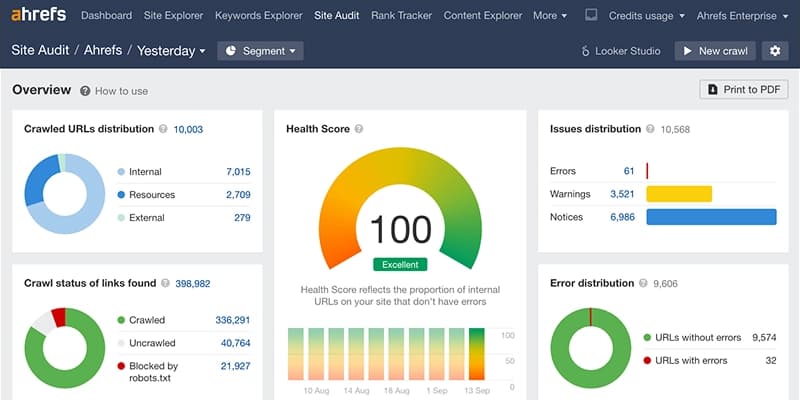
Ahrefs gives you lots of valuable SEO data. It tells you how your website is doing and what your competitors are up to. You get details about backlinks, search traffic, and keyword rankings. This helps you improve your content and increase your online visibility.
Key Features of Ahrefs:
- Backlink Analysis - Looking for any website’s backlinks, traffic, and keywords.
- Keyword Research - Find the right keywords with detailed metrics for your blog posts.
- Content Discovery - Discover popular topics in your niche that engage with the audience.
- Rank Tracking - Watch your keyword rankings over time and see where to improve.
- SEO Audit - Check your site for SEO problems and learn how to fix them.
Pros:
- You get detailed insights on backlinks, domain ratings, and search metrics.
- The tool is easy to use, even with lots of data.
- It updates often, so you always have the latest information.
- You can see what your competitors are doing.
- There are many guides and tutorials to help you learn.
Cons:
- Ahrefs can be expensive. It might not suit small blogs or businesses.
- Sometimes, the data may differ slightly from other tools or real search results.
Pricing
-
$99+ per month (free tools available)
Grammarly (Editing Tools)
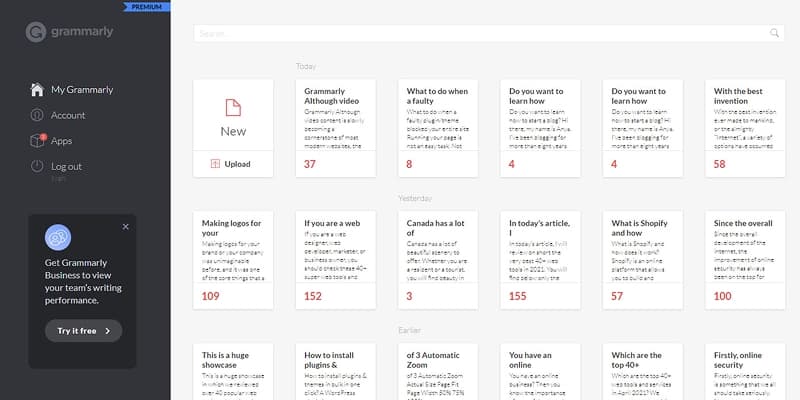
Grammarly checks spelling and grammar, and it even helps generate text when you’re stuck. The tone guide lets you see how readers might feel about your words.
If you upgrade to Grammarly Premium, you also get vocabulary suggestions and plagiarism checks. Grammarly makes the process of writing long posts or social media updates easier.
Key Features of Grammarly:
- Grammar Checker - It finds and fixes mistakes in grammar, punctuation, and style.
- Tone Detector - It shows if your writing sounds friendly, formal, or casual.
- Plagiarism Checker - It scans your work to make sure it’s original.
- Word Choice Suggestions - It recommends better words and phrases.
- Chrome Extension - It works in Google Docs, LinkedIn, and many other sites, so you can write directly without copying and pasting.
Pros:
- Help to improve sentence structure.
- Support writing in multiple languages, including British and American English.
Cons:
- Sometimes, it changes names or specific words automatically, which can be annoying.
- Not fully understanding context, leading to incorrect grammar or style recommendations.
Pricing
-
You can use Grammarly for free. If you need more features, you need to go with the premium version, which starts at $15 per month.
ChatGPT (Content Generation and AI Chatbot Tools)
Many writers use ChatGPT to help with writing and blogging. ChatGPT is an AI language tool made by OpenAI. It can chat, write, and answer any questions. It feels like having an intelligent friend in your pocket.
Bloggers utilize ChatGPT for many tasks. It helps them write blog posts and articles. They ask for ideas when they are stuck. It even checks work for grammar mistakes. This tool makes the writing process much easier.
Key Features of ChatGPT:
- Content Creation - You can quickly generate SEO-focused blog posts, topic ideas, and articles.
- Proofreading - It can spot errors and help you fix them for the polished blog.
- Topic Research - You will get summaries and ideas on various topics, reducing your time.
- Keyword Help - It gives you an idea of which words are important with content strategies.
- Catchy Headlines - It can create content headlines that will grab attention and increase click-through rates.
- FAQ Generation - It even helps you create useful question-and-answer sections for your blogs.
Pros:
- It helps you write versatile content in different languages.
- It saves you time and effort when you write a blog.
- It gives you ideas and content suggestions that assist your blog.
- It provides simple tips and guides for making content SEO-friendly.
Cons
- Sometimes, ChatGPT does not give a unique perspective or data.
- It also does not have the ability to check the SEO score of a blog or content.
Pricing
-
The best part is that you can use ChatGPT for free with the GPT-3.5 version. There is also a ChatGPT Plus plan that costs $20 per month if you need extra features.

Surfer SEO (Ranking analysis and Optimization Tools)
Surfer SEO is a smart tool that helps you increase your website's search rankings. It uses data to guide you in improving your content. With Surfer SEO, you will get clear advice and guidance on how to make your blog pages rank higher on SERP. It also recommends keyword density, content length, and other on-page related data by comparing it to top-ranking pages with a specific keyword.
Key Features of Surfer SEO:
- Outline Generator - It can create outlines and even full blog posts based on your chosen keyword.
- Content Editor - This feature gives real-time suggestions as you write, using ideas from top-ranking pages.
- SERP Analyzer - It breaks down the top pages on search engines. You learn what makes them best for ranking.
- Keyword Research - Help to find the best keywords for content and give an idea of how tough the competition is.
- Backlink Analysis - Check the backlink profiles of top pages to see how they got ranked.
- Content Planner - Provide a clear roadmap for creating content that can rank well in SERP.
- Audit Tool - Identify and fix issues that might hold page ranking potential.
- NLP Analysis - It reviews your content using Google’s language processing to ensure it is relevant.
Pros:
- It gives a recommendation score of 100 based on real data.
- The interface design is simple and easy to use.
Cons:
- New writers and beginners need more time to learn all the features.
- The many details and data can sometimes feel overwhelming.
Pricing
-
Pricing starts at $69 monthly. It also offers unlimited Content Editor credits.

Jasper.AI (Content and Outline Making Tool)
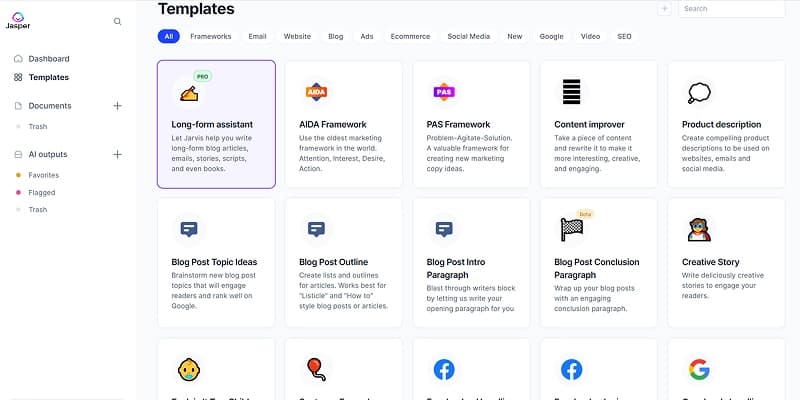
Jasper.AI is a brilliant tool that makes writing easy. With Jesper.AI, you can easily generate articles, blog posts, and ad copies that suit your style. If you are a writer, marketer, or business owner, it helps you create high-quality content quickly across various niches.
Jasper.AI uses artificial intelligence to understand and process human language. You can add links, images, and videos to give more details about your topic. Once you set everything, Jasper.AI will start writing the blog post for you. You can review and edit the blog post however you like.
Key Features of Jasper.AI:
- Easy Content Creation - Can write blog posts, full articles, and content across several topics.
- SEO-Friendly - Jasper.AI writes content using SEO best practices that help you achieve organic rankings.
- Ad Copy Creation - Crafts creative and catchy ad texts for different platforms and audiences.
- Customized Outputs - You can provide a guide to Jasper and it makes the content as per your specific needs.
- Templates - Choose from over 50 ready-to-use templates to make content fast.
- Multilingual Support - Producing content in more than 30 languages.
Pros:
- Built-In Plagiarism Checker
- Chrome browser Extension
- Provides API Access to use Jasper on your own platform
- Sentence Rewriting - Make quick edits to improve text
- Autosave Feature - Never lose work
Cons:
- For full SEO features, you need to add another third-party tool
- Sometimes, the tool can generate repetitive content ideas
Pricing
- Creator Plan - $39 per month (when billed annually)
- Teams Plan - $99 per month (when billed annually)
Yoast SEO (WordPress SEO Plugin)
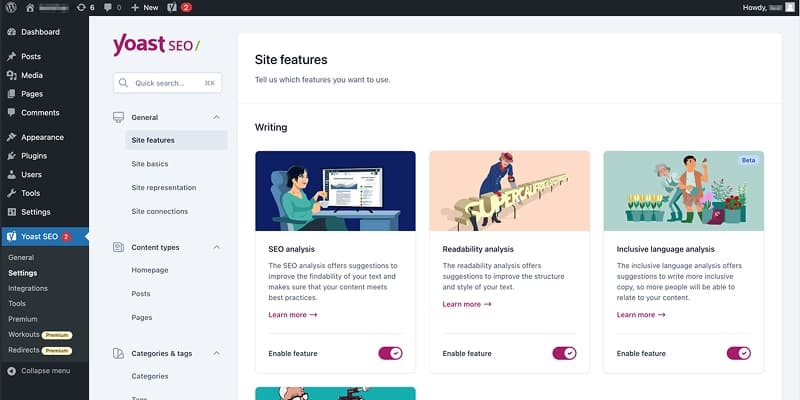
Yoast SEO is a well-known WordPress plugin that helps bloggers optimize their content for search engines. It guides you in making your blog posts more search-friendly, increasing your chances of ranking higher in SERP.
Yoast SEO especially gives tips on using keywords, writing better meta descriptions, improving URLs, and adding internal links to raise rankings.
The free version will give you basic access, like one focus keyword and complete SEO analysis. The premium version has more helpful features- including suggested synonyms, SEO tasks, and internal link ideas.
Key Features of Yoast SEO:
- Title and Description Generation - It allows you to generate catchy titles and meta descriptions with a single click.
- Optimization Feedback - Get instant feedback on how well your content is optimized for targeted keywords.
- Readability Check - Check readability to ensure that the writing is clear, engaging, and easy to read.
- Website Navigation - It Helps improve website navigation for a better user experience.
- XML Sitemap Creation - Automatically creates XML sitemaps to help search engines index sites faster.
- Article Filtering - Filter the most important articles on the blog to strengthen internal linking.
Pros:
- Easy-to-use interface
- Works with Schema
- Keyword insights data via Semrush
- FAQ block for content structure
Cons:
- Many advanced tools require a paid upgrade
- Sometimes, it does not work well with some themes or plugins
Pricing
- Free Version available
- Premium - $99/year
- Full Plugin Bundle - $229/year (includes 5 Yoast plugins)
Canva (Image Editor and Designing Tool)
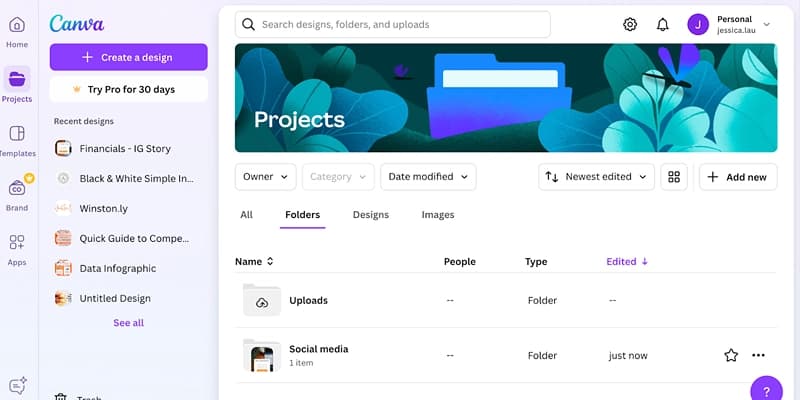
Canva is a simple design tool that helps bloggers create amazing graphics, banners, infographics, and more. It has a wide range of templates and design elements to design eye-catching visuals without needing professional skills.
You can use Canva to create a similar design for your blog. Pick a professional template, add an image from its library, or upload your own, and then add text. Canva is free, but you can upgrade to a paid plan for more templates and extra features.
Key Features of Canva:
- Design Creation - Combine text, images, and elements to create designs without technical skills.
- Templates - Pick from thousands of ready-made templates for social media, blog headers, infographics, and more.
- High-Quality Resources - Get access to tons of high-quality images, icons, and design elements.
- Branding - Can save brand colors, fonts, and logos to keep designs consistent.
- Flexible Sharing Options - Download designs in different formats and share them directly to social media.
- Advanced Editing - Pro users can use smart tools like Magic Edit for easy photo edits.
Pros:
- Budget-friendly price
- Collaborate with team members and share editable designs
- Fresh templates and design elements are added regularly
- Available on the web and mobile app
Cons:
- Some popular templates are used by others, leading to designs that are less unique
- Limited advanced design tools
Pricing:
- Free Plan Available
- Canva Pro - $54.99 per year (1 user)
- Canva for Teams - $130 per year (5 users)
Buzzsumo (Content Research Tool)
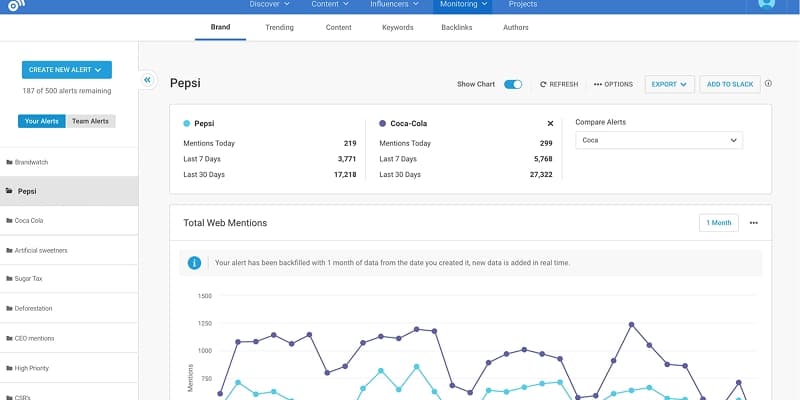
Buzzsumo helps content creators, marketers, and bloggers find the most popular content online. It analyzes content performance, identifies key influencers, and tracks emerging trends. With these insights, bloggers can create more engaging and relevant content.
Buzzsumo assists you in two ways. First, it makes user acquisition easier by showing you what people actually want to read. Second, once you have their attention, dealing with them becomes simpler because you understand their needs and problems better.
Key Features of Buzzsumo:
- Content Discovery - Find top-performing content on any specific topic or keyword to shape your content strategy.
- Influencer Identification - Connect with industry influencers who can boost your content’s reach.
- Content Alerts - Get instant updates on brand mentions, competitor activity, or specific keywords to track trends.
- Backlink Analysis - See which content earns backlinks and refine your link-building strategy.
- Engagement Data - Track content performance across social media platforms like Facebook, Twitter, and Pinterest.
Pros:
- Provide detailed data on content performance to improve blogging strategy.
- Track competitors' content to spot gaps and new opportunities.
- Search for content by date, type, country, and more for precise results.
Cons:
- New users may find the data overwhelming.
- Focuses on content, not detailed SEO insights.
Pricing:
-
30-day free trial available. Content Creation - $159 per month (Billed annually).
How to Choose the Right Blog Management Tools for You
Choosing the right tools for your blogging process depends on a few key factors. First, think about what you want to achieve. Next, consider the gaps you need to fill with tools. Also, ask yourself if the tool is worth the cost. Lastly, reflect on your personal preferences.
Here are some criteria when picking blogging tools:
- Many tools have free versions, but they may have limits. Look at what features you need and how much you're willing to pay.
- The tool should be an easy-to-use interface. If you’re not very tech-savvy, find a tool with a simple design.
- A good blogging tool lets you change the design, layout, and features of your blog. You should be able to match it to your brand and style.
- Make sure the tool has built-in SEO features or works well with SEO plugins. This will help your blog get more organic traffic.
- Look for tools that can connect with social media and email marketing platforms. This will help you run your blog more smoothly.
- Your blog may grow over time. Choose a tool that can handle more traffic, integrating e-commerce and new features as your blog expands.
- Good customer support and an active community are helpful. They can guide you and help solve problems if needed.
FAQs
What are the best blog management tools for beginners?
For beginners, TechForing CMS is a user-friendly platform for publishing content. Tools like Grammarly can help with proofreading, and Surfer SEO is good for optimizing posts.
How do I track my blog's performance using management tools?
You can track your blog's performance with tools like Google Analytics. It shows you how many visitors your blog gets, where they come from, and which posts are popular.
How can I automate my blog management tasks?
You can automate tasks using TechForing CMS for social media sharing and Mailchimp for email newsletters. The tools save time and keep your blog active.
What are the best content planning tools for bloggers?
TechForing CMS is one of the best content planning tools for bloggers. It helps you organize your posts, schedule content, and keep track of deadlines.
Conclusion
In this guide through the "10 Best Blog Management Tools" we explored tools for all your blogging needs. These tools help you create great content to optimize for online visibility.
The blogging world is large, but the right tools make it easy. Remember, tools are helpful, but your unique voice and passion make your blog shine.
With these tools and insights, improve your words, images, and strategies. Stand out in the online crowd. Here’s to your blogging success!
