
Category: Articles
Top 10 Content Management Systems for Your Blog in 2025
TABLE OF CONTENT :
Blogging is still very popular in 2025. There are over 600 million blogs on the internet, and millions of new posts are published every day. If you want to start a blog, the first thing you need is a good Content Management System (CMS).
In this blog, we’ll share the top 10 CMS - Content Management Systems for blogs in 2025. We’ll compare their features, prices, pros, and cons.
What is a Content Management System?
A Content Management System, or CMS, is a tool that allows you to create and manage your blog easily without needing to know how to code. It gives you a simple place to write your posts, add images or videos, organize your articles, and even set a time to publish them later.
A CMS also controls how your blog looks and works. You can change the design with ready-made themes and add extra features like buttons to share posts on social media or ways for readers to leave comments.
Key Benefits of Using a CMS for Blogging
Operating a Content Management System (CMS) has many advantages, especially for bloggers who want to manage their content without technical skills.
Easy to Use Without Skills
One big benefit of a CMS is that it has a simple, easy-to-use interface. Most CMS platforms have drag-and-drop editors and clear dashboards that let you create, edit, and publish blog posts quickly. This means you don’t need to learn coding like HTML or CSS.
Flexible Design and Customization Options
CMS platforms come with many ready-made themes and templates made for different styles and topics. You can change colors, fonts, layouts, and menus without any coding. Also, plugins let you add extra features like SEO tools, online stores, analytics, and social media sharing.
Easy Team Collaboration
If you have a blog with several writers or a team, a CMS is very helpful. It lets you give different roles and access levels- for example, authors can write posts, editors can check and publish them, and admins can manage the whole site. The system helps your team work better, avoids mistakes, and keeps your site safe by limiting who can do what.
Schedule and Automate Posts
Possessing a regular posting schedule is important to grow your audience. CMS platforms usually let you set the date and time to publish posts automatically to help bloggers plan their content and keep their blog active, even when they are busy.
Built-in SEO and Analytics Tools
Most CMS platforms have built-in SEO tools to improve your blog’s chances of appearing higher in search results. Also, CMS platforms often connect with analytics services such as Google Analytics, so you can see how many people visit, what they like, and improve your blog based on this data.
Top 10 Content Management Systems
- TechForing CMS
- WordPress
- HubSpot CMS
- Joomla
- Wix Studio
- Ghost
- Contentful
- Drupal CMS
- Magento
- DotCMS
Now, we’re sharing their key features, pros and cons, and pricing details, so that you can pick the best one.
1. TechForing CMS - Best Content Management System for Organizing Blog

TechForing CMS is a content management system that helps you write, organize, and publish blog posts easily. With this CMS, you can manage many websites and blog categories from one place. You can write, edit posts, add images, customize web links, and improve your content for search engines. It also lets you schedule and post directly to your social media accounts without switching between apps. You can also add group members and assign them different roles, such as writer, editor, or admin, to maintain security.
Key Features
- Dashboard - The platform has a clear dashboard that enables users to quickly create, edit, and publish blog posts without requiring technical expertise.
- Built-in SEO Tools - It helps improve blog visibility on search engines by automatically adding important SEO settings.
- Media Management - Users can easily upload and organize images and videos, and the CMS ensures fast loading of media on the blog.
- Team Collaboration - TechForing CMS allows multiple users with different roles and permissions to collaborate smoothly on content creation.
- Analytics Integration - It supports integration with tools like Google Analytics, enabling users to monitor visitor numbers and blog performance.
Pros
- Easy to use for beginners and experts
- Helps keep your blog posts organized with tags and categories
- Let you change how your blog looks with simple themes
- Comes with tools to help your blog show up in Google searches
- Connects easily with social media and extra features
Price
- Free trial/demo available to get started
- Flexible plans available (contact for a personalized quote)
2. WordPress - Popular Content Management System
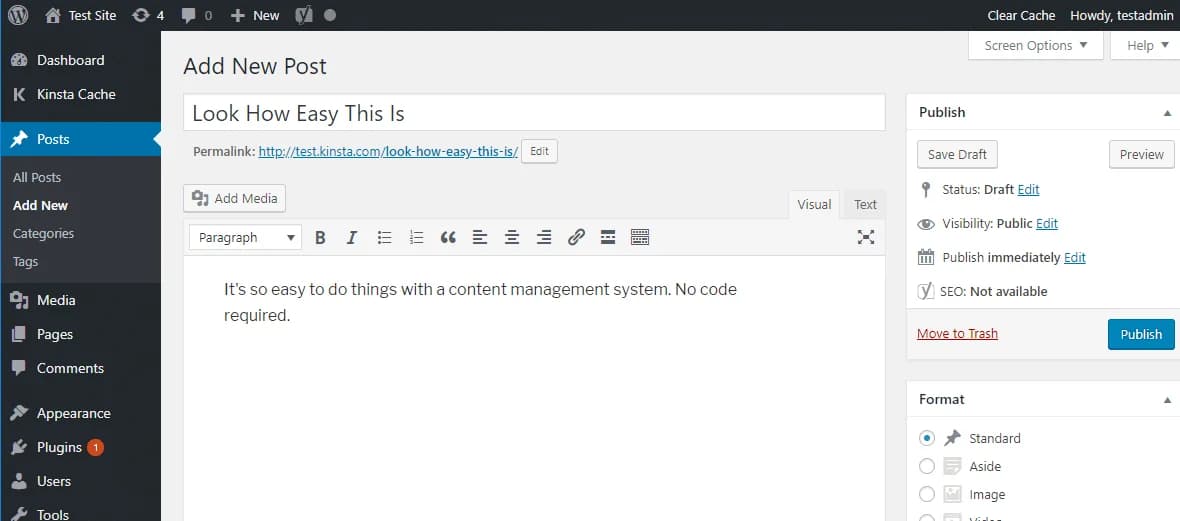
WordPress is the most famous website content management software, started in 2003 as a simple blogging platform but has grown into a powerful system for making all kinds of websites, like personal blogs, business sites, online shops, and news pages. It’s free to use and doesn’t require any coding skills. You can choose from thousands of designs (themes) and add extra features (plugins) to make your site look and work the way you want. WordPress is also great for search engines, works well on phones and tablets, and supports many languages.
Key Features
- Dashboard - WordPress provides a clear and easy-to-use dashboard that lets users create, edit, and publish content quickly without any technical skills.
- Extensive Plugin Library - Users can add over 60,000 plugins to enhance their website with SEO tools, social media features, contact forms, and e-commerce functions.
- Built-in SEO Tools - WordPress helps users optimize their content for search engines and supports plugins like Yoast SEO to boost website visibility.
- Media Management - Users upload, organize, and edit images, videos, and audio easily to create engaging content.
- User Roles and Permissions - WordPress lets site owners assign roles like Administrator, Editor, and Author to control who can access and manage content.
Pros
- Simple to use, even if you’re new
- It’s free, and anyone can use it
- Works well on phones and tablets
Cons
- Can be a target for hackers if not updated
- Using too many plugins can make the site slow
Price
-
From $4 - $25,000 billed annually
3. HubSpot CMS - Cloud-based Content Management System
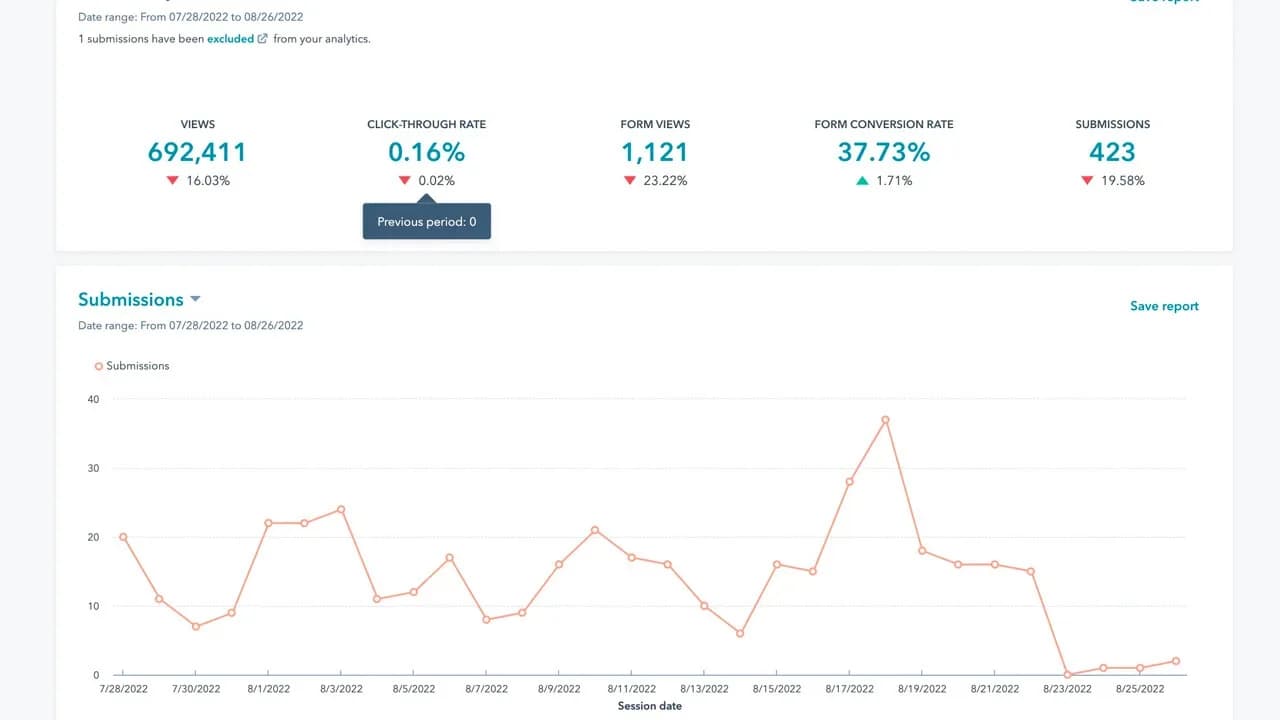
HubSpot CMS, also called CMS Hub, is an easy-to-use online tool that helps businesses build and manage their websites without needing special technical skills. It has a simple drag-and-drop editor, makes sure websites look good on phones and tablets, and includes helpful tools to improve search engine rankings. You can also personalize what visitors see based on what they like or do on your site. HubSpot CMS shows detailed reports on how your content is doing, keeps your site safe with strong security, supports multiple languages, and uses smart tools to test and improve pages automatically.
Key Features
- Drag-and-Drop Editor - HubSpot CMS offers a user-friendly drag-and-drop editor that allows anyone to build and customize pages without writing code.
- Content Personalization - Users can show different content to visitors based on location, device, language, or where they are in the buyer’s journey.
- Built-in SEO - The platform includes SEO tips and on-page suggestions in real-time to help improve visibility on search engines without needing external tools.
- Responsive Design - All templates and modules are automatically mobile-optimized, so websites look great and load fast across all devices.
- Analytics & Reporting - Built-in analytics tools show traffic sources, user behavior, conversions, and content performance to support data-driven decisions.
Pros
- Works perfectly with HubSpot’s sales and marketing tools
- Comes with built-in tools for SEO, testing, and tracking
- Let's you manage blogs, pages, buttons, and reports all in one place
Cons
- Not many design choices or extra plugins are available
- Costs a lot and takes time to learn because of special tools
Price
-
From $800 - $3600 monthly
4. Joomla - Top Content Management Software
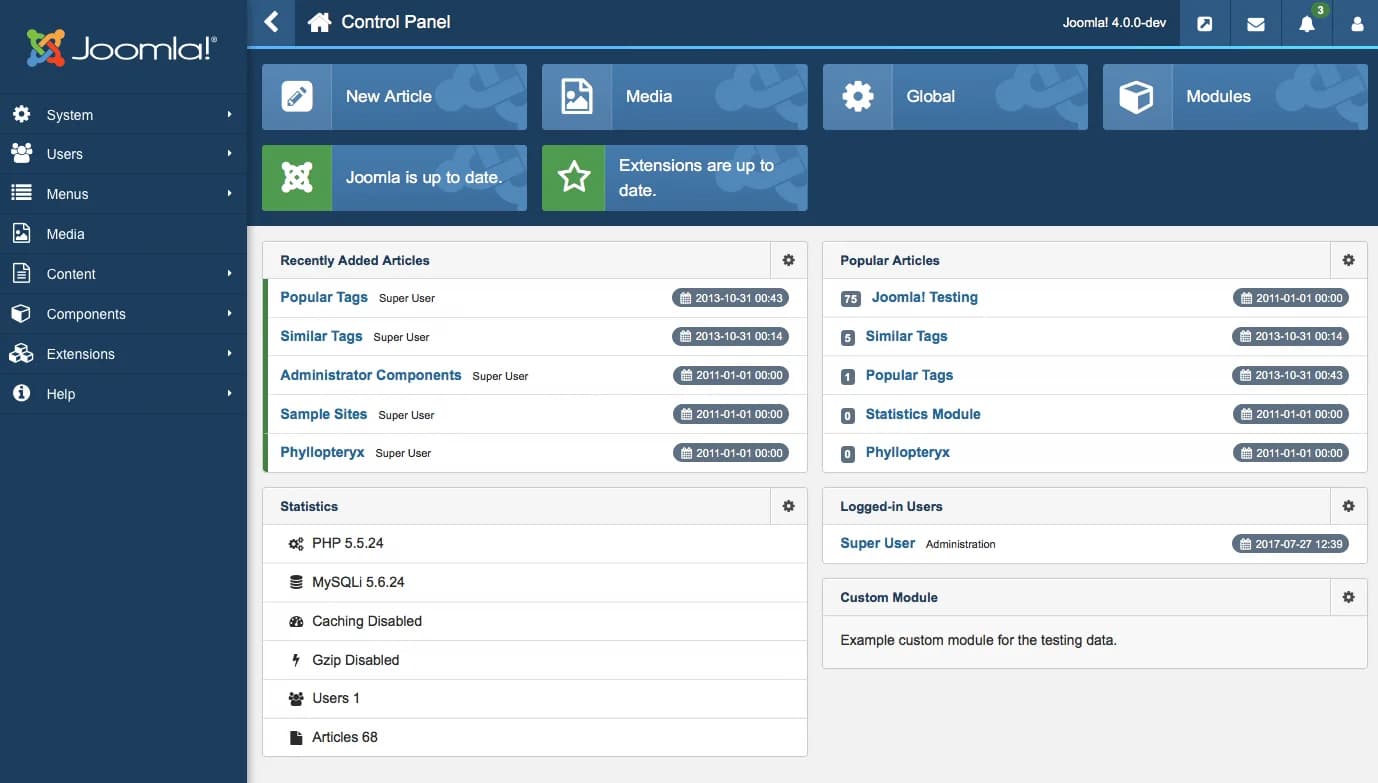
Joomla is a popular tool that helps you build and manage websites, especially blogs. It’s easy to use and lets you write and share posts with images and videos quickly. You can add many extra features like comments, social media buttons, and tools to help your blog show up on Google. Joomla has lots of ready-made designs, so your blog can look good on any device without needing to know coding. It also lets more than one person write and manage the blog with different access levels.
Key Features
- Content Management - Joomla allows users to organize content using categories, subcategories, and articles, so users can manage large amounts of blog posts.
- User Management - Joomla lets you set user roles and permissions with its Access Control List, so you can control who can create, edit, or publish content on your site.
- Extensions Library - Users can enhance the website by adding thousands of extensions for e-commerce, SEO, and social networking from the Joomla Extensions Directory.
- Multilingual Support - Joomla allows you to build websites in multiple languages without installing extra plugins, helping you reach a global audience.
- Media Management - You can upload, organize, and manage images, videos, and documents through Joomla’s Media Manager to make your content more engaging.
Pros
- Easy to manage complex content and users
- Lots of extensions and templates to customize your site
- Free to use and supported by a big community
Cons
- Fewer plugins and themes than WordPress
- Can be slow if not set up properly
Price
-
Free to use, and additional costs depend on hosting
5. Wix Studio - Web Page Content Management System
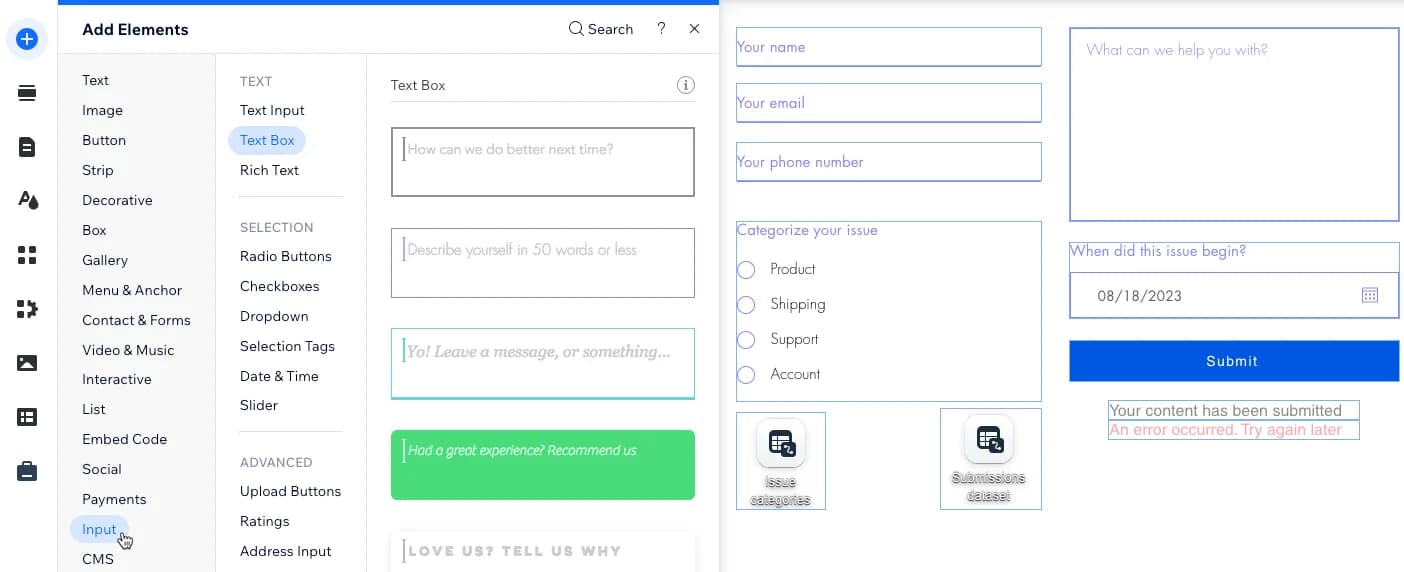
Wix Studio is an easy-to-use system for building websites, especially great for bloggers. It helps you manage your blog posts and images in collections, so you can show different content on similar pages easily. Wix Studio also has AI tools that help you write blog posts, suggest ideas, and improve your content for search engines. You can design your site with reusable blocks that keep your look consistent. It lets you set SEO settings for each page and supports over 180 languages to reach readers all over the world.
Key Features
- Content Management - Wix Studio lets you organize content using customizable CMS collections and dynamic pages, so you can easily manage blogs and portfolios.
- Collaborative Design - Let you work with the team in real time on the same project, with custom roles and authorizations to control who can edit or manage content.
- AI-Powered Tools - Use AI to automatically adjust layouts for all devices, generate code snippets, and create or edit images directly on your site.
- SEO & Marketing - Wix Studio offers advanced SEO features like server-side rendering, structured data markup, and SEO settings for dynamic pages.
- Enterprise Solutions - Manage content across multiple sites with an account-level CMS, and allow users to update content via dashboards.
Pros
- Uses AI to help design websites fast
- Works well with the Figma design tool
- Developers can customize a lot
Cons
- Takes time to learn all the features
- Not as flexible as some other tools like WordPress
Price
-
From $12 - $149 monthly
6. Ghost - Modern Content Management System
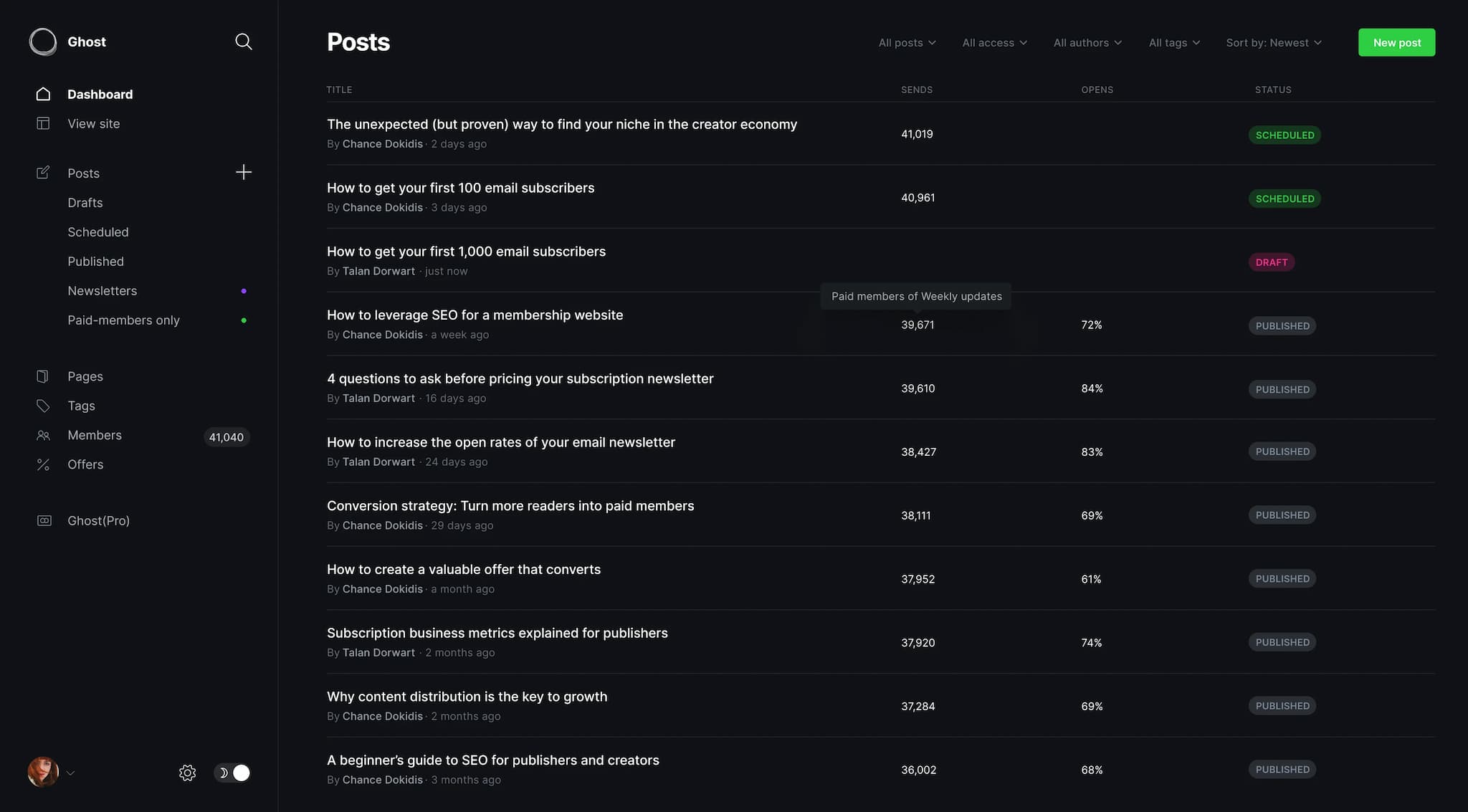
Ghost is a simple blogging and content management solution made for writers, bloggers, and publishers. Ghost is built using Node.js, which helps websites load quickly. It has a writing editor, supports Markdown, and includes helpful tools like built-in SEO, email newsletters, and paid membership features- so writers can earn money from their content without needing extra plugins. You can design your site using ready-made themes or connect it to other tools using its API. Ghost is open-source, which means anyone can use or change it for free.
Key Features
- Content Management - Ghost lets you create and manage blog posts using a clean Markdown editor and dynamic content collections.
- Membership & Subscriptions - You can build a subscriber base, send newsletters, and monetize your content with paid memberships, without relying on third-party plugins.
- SEO & Performance - Ghost boosts your visibility by automatically handling SEO essentials like sitemaps, canonical tags, and structured data.
- Team Collaboration - Assign custom roles like Admin, Editor, or Author, and let your team write, edit, and publish content while you control access and responsibilities.
- Newsletter & Email - Ghost lets you create and send beautiful newsletters directly from your site, manage your mailing list, and track engagement in real time.
Pros
- The editor is simple and easy to use
- It’s open-source and works well with APIs
- Great for making money with subscriptions through Stripe
Cons
- Fewer plugins and themes to choose from
- Can be tricky for beginners to set up
Price
-
From $9 - $199 monthly
7. Contentful - Content Management System for Website
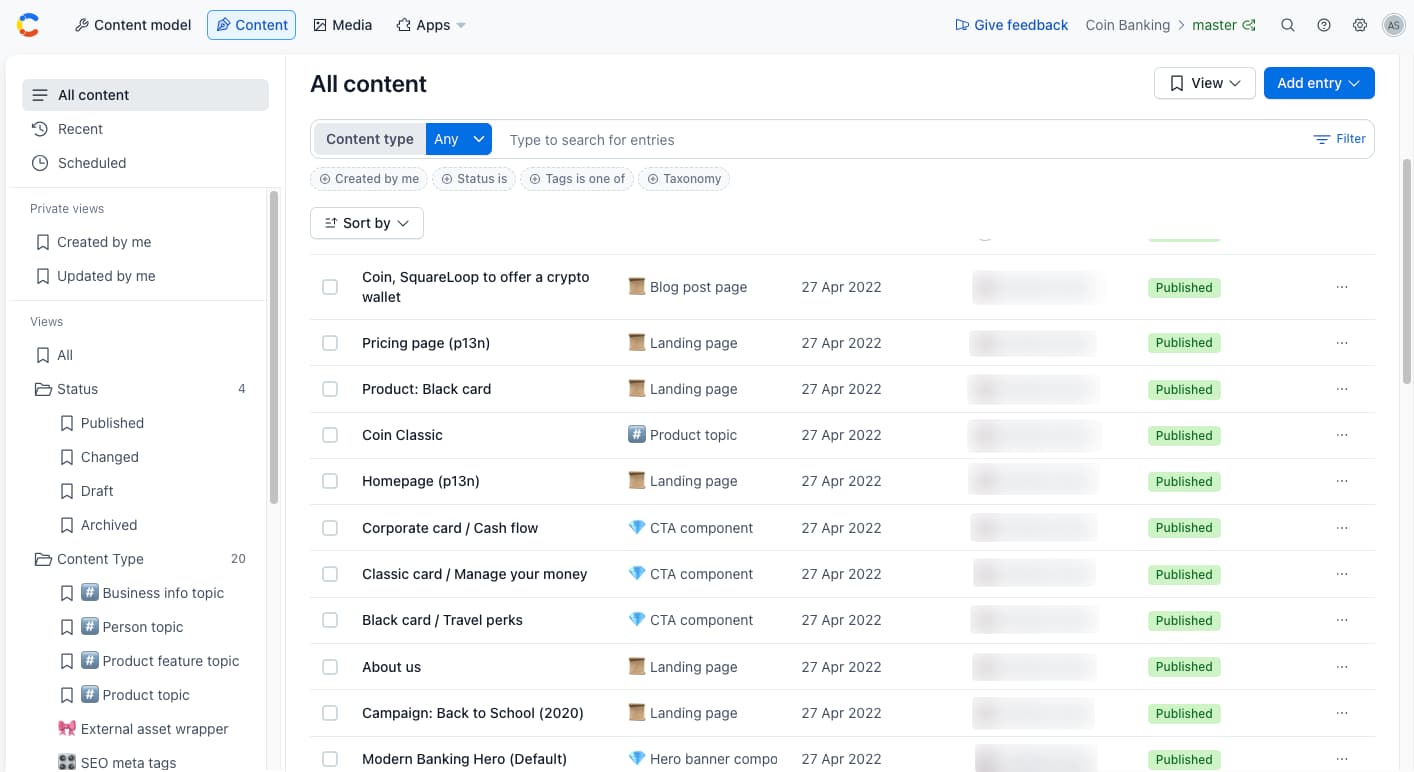
Contentful is a cloud-based CMS that helps businesses create, manage, and share content easily across different platforms like websites and apps. It lets users organize their content and delivers it quickly to users all around the world through its fast network. Teams can work together smoothly with tools like version control and roles, and it connects well with other popular services like online stores and marketing tools. Contentful makes it easy to publish content on many channels at the same time, making it a great choice for businesses that want an easy-to-use system for managing and sharing content everywhere.
Key Features
- API-First Architecture - Contentful offers a powerful API-first platform that allows developers to deliver content to websites, mobile apps, and other digital platforms.
- Content Modeling - It lets users create custom content types and fields, giving them full control over how they structure, manage, and reuse content.
- Collaborative Workflows - Teams can work together with role-based access, editorial workflows, and content approval processes to ensure smooth content production.
- Digital Asset Management - Contentful organizes and manages digital assets like images and videos, and it automatically resizes or converts them for optimized delivery.
- Performance Optimization - It allows users to add custom fields for meta titles, descriptions, and other SEO elements to optimize content for search engines.
Pros
- You can use the same content on websites, apps, and more
- Let you design your own content structure
- Great for teams, you can track changes and support many languages
Cons
- Not beginner-friendly, you’ll need developer help
- No drag-and-drop or built-in page builder
Price
- Free: basic, 10 users
- $300/month: 20 users
- Custom: unlimited, enterprise features
8. Drupal CMS - Best Content Management Systems
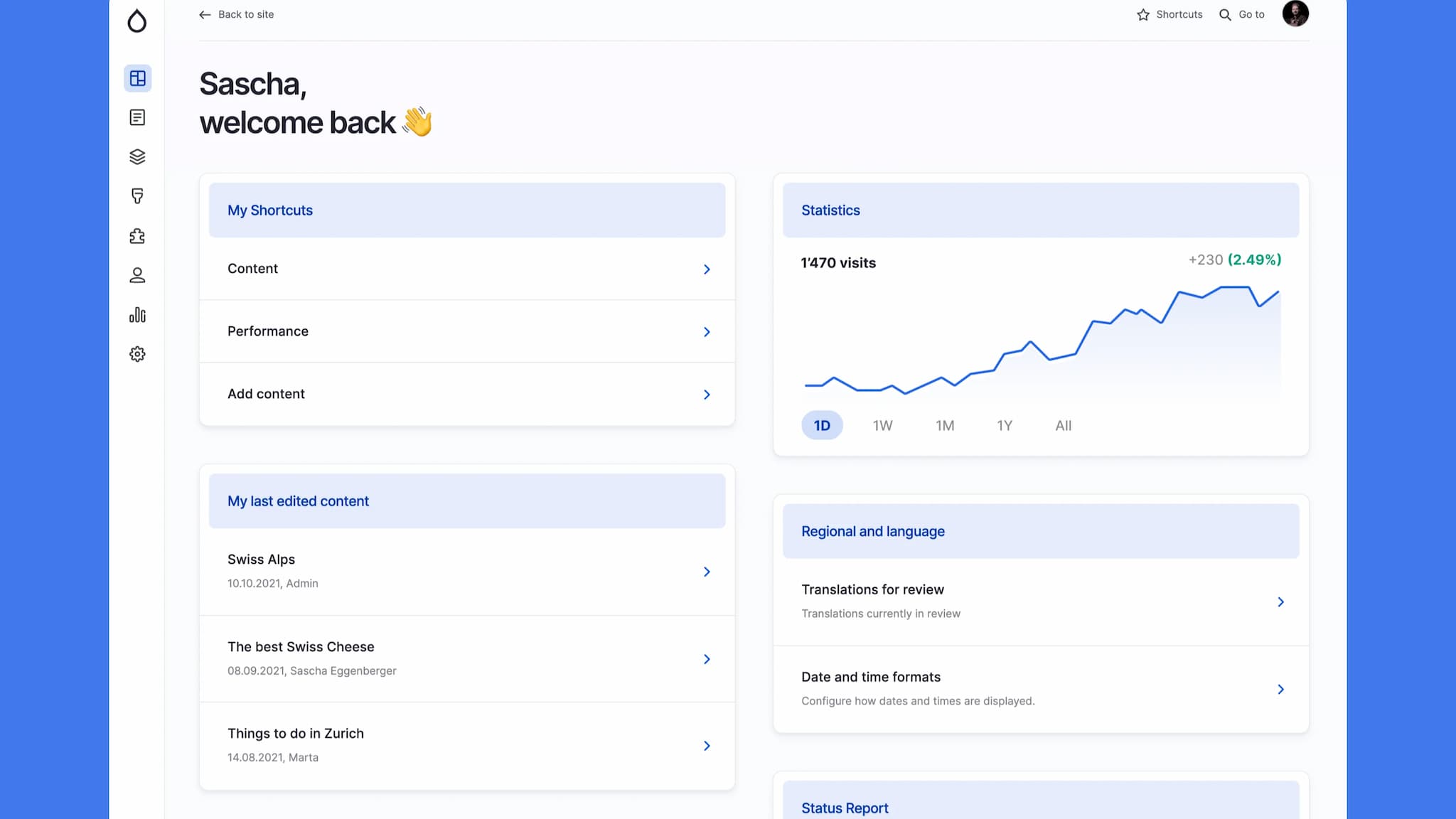
Drupal CMS is an open-source content management tool that uses modules, which are add-ons that let you add features like SEO tools, social media, and online stores. You can create mixed types of content, such as blog posts or events, and customize how they look. It also has strong user management, so you can control who can do what on your site. Drupal supports many languages, making it a good choice for global websites. Many governments, schools, non-profits, and businesses use Drupal because it can handle complex sites with lots of data.
Key Features
- Modular Architecture - Drupal allows users to customize their sites easily by adding or removing modules from thousands available.
- Content Management - Users can create custom content types with specific fields, enabling them to manage diverse content like blogs and media smoothly.
- Multilingual Support - The system supports multiple languages, making it good for websites that serve people from different countries.
- Role-Based Access - Administrators assign detailed permissions to different user roles to control who can create, edit, or publish content.
- Content Moderation - Drupal provides tools for reviewing and approving content, so teams can work together smoothly before publishing.
Pros
- Built-in multilingual support
- SEO-friendly features and modules
- Open-source with active community support
Cons
- Requires more server resources
- Smaller module ecosystem compared to competitors
Price
-
Free to use
9. Magento - Website Content Management Systems
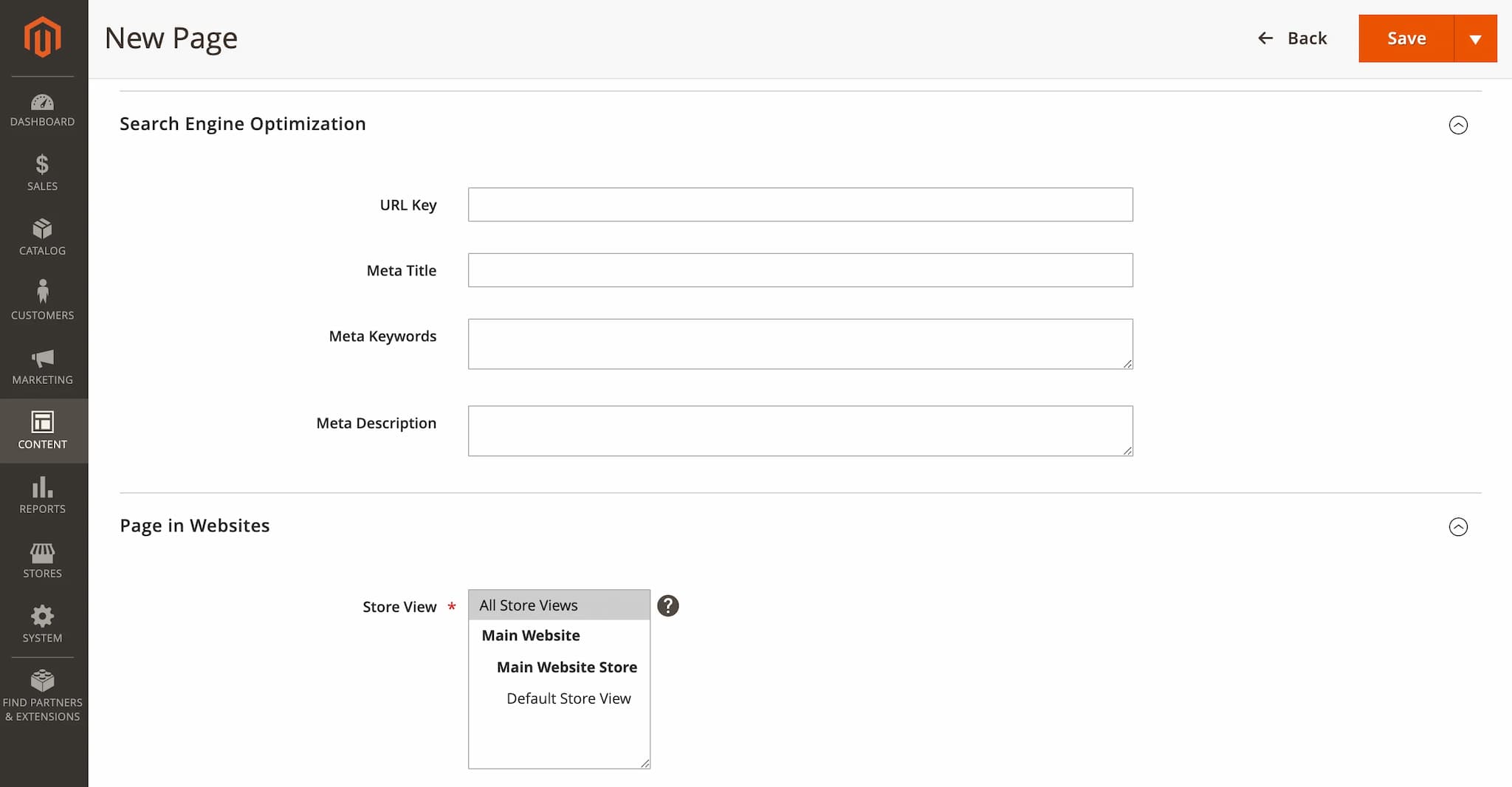
Magento is a powerful e-commerce platform made with PHP and owned by Adobe. It’s mainly used for online stores, but you can also use it for blogging by adding a blog extension. Magento doesn’t come with a built-in blog, but there are many useful extensions like Magezon Blog, Mirasvit Blog MX, and AheadWorks Blog. These tools let you write blog posts, add images, schedule posts, use tags and categories, show author info, and even connect blog posts to your products. Blogging with Magento helps your website show up better on search engines and brings more people to your store through useful content.
Key Features
- Page Builder - You can create custom layouts with Magento’s drag-and-drop Page Builder, without writing any code.
- Content Scheduling - Magento lets users plan when content should go live, making it ideal for seasonal campaigns or product launches.
- Multi-Store Management - Magento lets you handle several websites, languages, and currencies from one admin panel.
- Blog Integration - You can install blog extensions to publish posts, organize them with categories and tags, and interact with readers through comments.
- Personalized Content - Magento lets you display custom content based on customer behavior, location, or group, helping you boost engagement and sales.
Pros
- Let you add blogs with special plugins
- Works well with online stores
- Supports many languages and stores
Cons
- Needs strong hosting, which can be costly
- Fewer blog plugins than other platforms
Price
-
Pricing is custom-based
10. DotCMS - Best Website Content Management Software
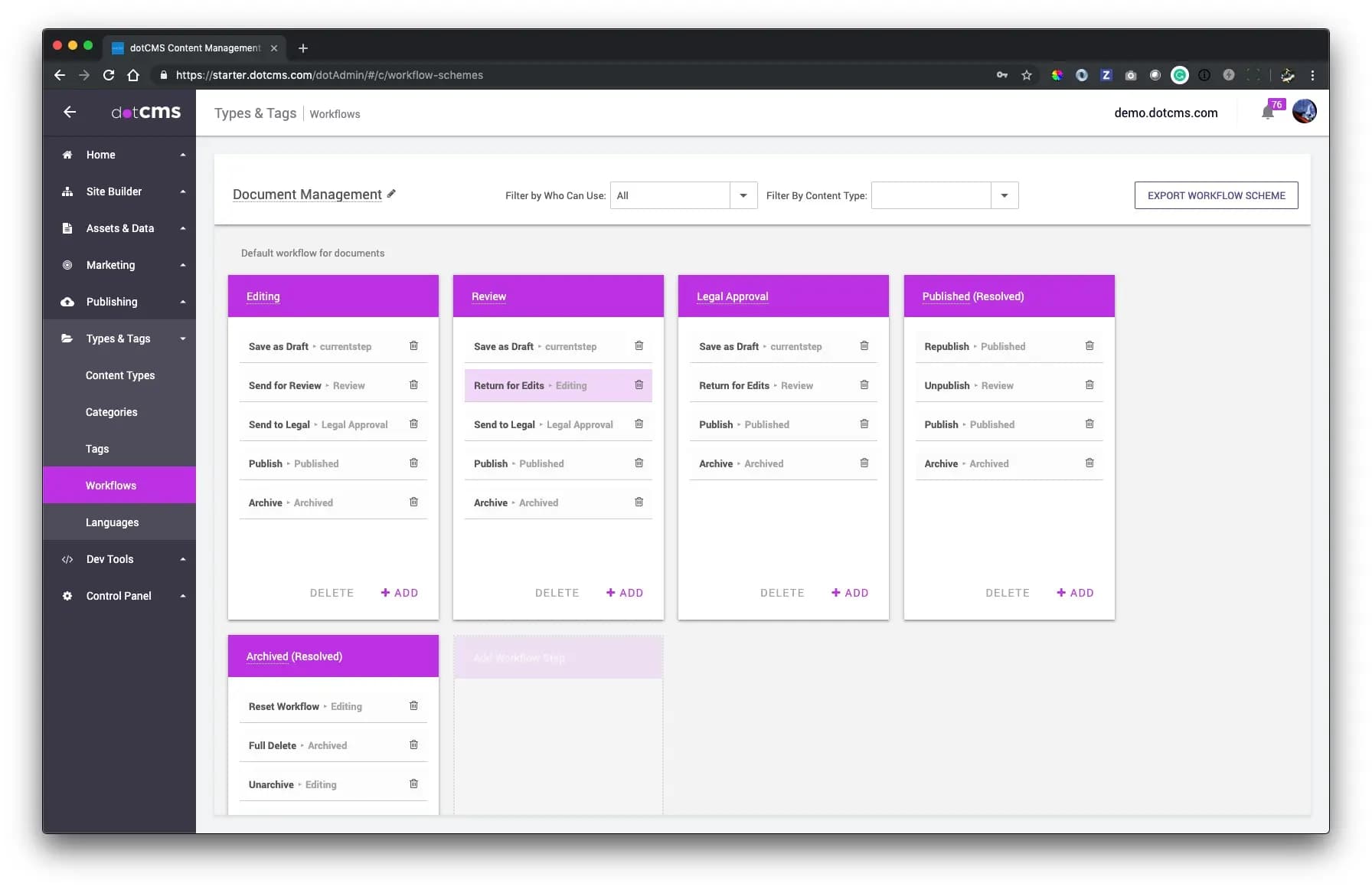
DotCMS is a saas content management system that helps businesses manage and share content across websites, apps, and other platforms. It’s built in Java and combines both traditional and headless CMS features, so you can use it in a flexible way. It has a simple drag-and-drop editor, so even non-technical users can make changes without coding. You can create content types without writing code, control who sees or edits what, and track all changes with version history. dotCMS also supports multiple languages and lets you run many websites from one place.
Key Features
- Drag-and-Drop Builder - dotCMS lets users create and manage content types by simply dragging and dropping, so they don’t need to write any code.
- Smart Personalization - Users can show different content to different people based on who they are, where they are, or what device they’re using.
- User Roles - Teams can set up approval steps before content goes live. They can also control who can see or edit certain content.
- Visual Editing - Users can edit content directly on the page, even for apps or modern websites, without switching to a different screen.
- Analytics Integration - Users can connect dotCMS with tools like Google Analytics to see how their content is performing and make better decisions.
Pros
- Works both as a regular CMS and a headless CMS
- Has strong tools for developers to build and connect things
- Can handle big websites and many users well
Cons
- Doesn’t come with many ready-made designs
- Setting up permissions and upgrades can be hard
Price
-
Pricing is custom-based
How to Choose a Content Management System for Your Blog
Choosing the right Content Management System (CMS) is an important step when you start a blog or website. In 2025, there are a million blogs online and many CMS options to pick from. To help you decide, here are some easy things to think about:
1. Know Your Purpose
First, decide what kind of website you want. Is it a personal blog, a business site, or an online shop?
- For a simple blog, platforms like TechForing CMS, Ghost, or WordPress are easy to use and quick to set up.
- If you want a business site or portfolio, try Wix Studio, HubSpot CMS, or Joomla because they have advanced tools for marketing and design.
- For an online store, platforms like Magento are built just for that.
2. Consider Ease of Use
Your CMS should make building and managing your site easy, even if you don’t know coding.
- Wix Studio and HubSpot CMS have drag-and-drop editors so you can design your site without any technical skills.
- TechForing CMS is simple with a clear dashboard for writing and publishing.
- But Drupal or Contentful may be harder to use and may need some technical help.
If you’re new to website building, look for CMS platforms with intuitive interfaces, built-in tutorials, and strong customer support.
3. Look at Customization Options
You want your website to look unique and match your style. The CMS should let you change things like layouts, colors, fonts, and menus.
- WordPress has over 60,000 plugins and thousands of themes to choose from.
- TechForing CMS, Joomla, and Drupal also let you customize your site a lot.
- Wix Studio works well with design tools like Figma and lets developers build custom parts.
- DotCMS gives both simple editing and advanced control for developers.
4. Check for SEO and Performance Tools
If you want people to find your website on Google, your CMS should help with SEO (Search Engine Optimization). A good CMS makes it easier for Google search engines to understand your content.
- TechForing CMS, Ghost, WordPress, and HubSpot CMS have built-in SEO features like sitemaps and meta tags.
- Wix Studio and DotCMS use fast page loading and special code to help Google rank your site higher.
- In 2025, fast and mobile-friendly websites are very important because search engines prefer them.
Websites that load in 2 seconds get up to 50% fewer visitors leaving quickly, so performance should be one of your top priorities.
5. Think About Scalability
Even if your website is small now, you might want to grow it later. A scalable CMS can handle more traffic, more content, and more users as your site gets bigger.
- TechForing CMS, Drupal, Contentful, and DotCMS can handle large sites with lots of visitors and languages.
- Magento lets you run many online stores from one place.
- WordPress can also grow big, but you may need better hosting as traffic increases.
6. Compare Pricing and Budget
Some CMS platforms are free, and others cost money each month or year. You should always check the full cost, such as what you’ll pay for hosting, themes, or extra tools.
| CMS | Starting Price | Free Plan Available | Custom Pricing |
| 1. TechForing CMS | Free trial/demo | Yes | Contact for a special quote |
| 2. WordPress | From $4 to $25,000 per year | Yes | Yes (for extra themes/plugins) |
| 3. HubSpot CMS | From $800 per month | No | Yes |
| 4. Joomla | Free | Yes | Depends on hosting |
| 5. Wix Studio | From $12 to $149 per month | No | Yes |
| 6. Ghost | From $9 to $199 per month | No | Yes |
| 7. Contentful | Free or $300+ per month | Yes (limited) | Yes |
| 8. Drupal CMS | Free | Yes | Depends on hosting |
| 9. Magento | Price varies | No | Yes |
| 10. DotCMS | Price varies | No | Yes |
7. Review Support and Community
If you ever get stuck, it helps to have support you can count on. Some platforms offer live help, others have big communities that can answer your questions.
- WordPress, Drupal, and Joomla have large user communities with many tutorials.
- Wix Studio, HubSpot, and TechForing CMS offer direct customer support.
- For bigger businesses, Contentful and DotCMS provide special support and training.
If you rely on your website, make sure the web content management system cms software has good help when you need it.
Frequently Asked Questions
What is a CMS?
A CMS (Content Management System) is a tool that helps you build and manage a website without needing to know how to code. You can use it to add or change text, photos, videos, and other content on your site easily.
What are the types of CMS?
There are a few kinds of CMS:
- Regular CMS - Like WordPress or Joomla. You can control both the design and content in one place.
- Headless CMS - Only manages content. Developers use it to show the content anywhere, like apps or websites.
- Decoupled CMS - A mix of both regular and headless CMS.
- Enterprise CMS - Made for big companies that need more features and stronger systems.
What is CMS software?
CMS software is a program you use to build and update websites. It helps you write blog posts, add images, make pages, and more- without needing to be a tech expert. Some popular CMS software are WordPress, Wix, and Joomla.
What is a CMS system?
A CMS system is everything that works together to help you run a website. It includes the software, tools, and features that let you create, edit, and organize your content online.
What is an enterprise content management system?
An enterprise CMS is a special kind of CMS made for large companies. It helps many people work on a lot of content at the same time. It’s good for managing files, keeping things organized, and making sure everything follows company rules.
What is the difference between a CMS and a website builder?
A CMS gives you more control and options, but it may take more time to learn. A website builder, like Wix or Squarespace, is easier to use, especially for beginners, but has fewer features. Use a website builder for small websites, and a CMS if you want more freedom to grow.
Final Thought
Choosing the right Content Management System is very important if you want your blog to succeed in 2025. There are many options, but TechForing CMS is one of the best. It is easy to use for beginners and helps you keep your blog organized, improve your posts for search engines, collaborate with your team, and share your content on social media - all in one place. If you want a tool that makes blogging simple and helps you grow your audience, TechForing CMS is a great choice.
