
Category: Articles
Content Management System for 2025: CMS Types & Benefits
TABLE OF CONTENT :
You have a great idea for a blog, a news update, or a product launch. But you spend hours figuring out code, formatting pages, and managing updates.
Frustrating, right?
That’s where a Content Management System can help you.
Today, over 71% of websites use a CMS to save time, reach more people, and share content without headaches.
In this guide, we will share what a CMS is, why it is important, key features, types, and how to pick the right one for your website.
Let's discuss.
What is Content Management?
Content management is the method of creating, organizing, storing, and sharing digital content in a way that is easy to use. Your content can include text, images, videos, audio, documents, or interactive elements.
When you manage content well, you save time, avoid mistakes, and make your website or platform more useful for visitors. You can plan what to publish, schedule updates, and control who can see or edit content.
What is a Content Management System?
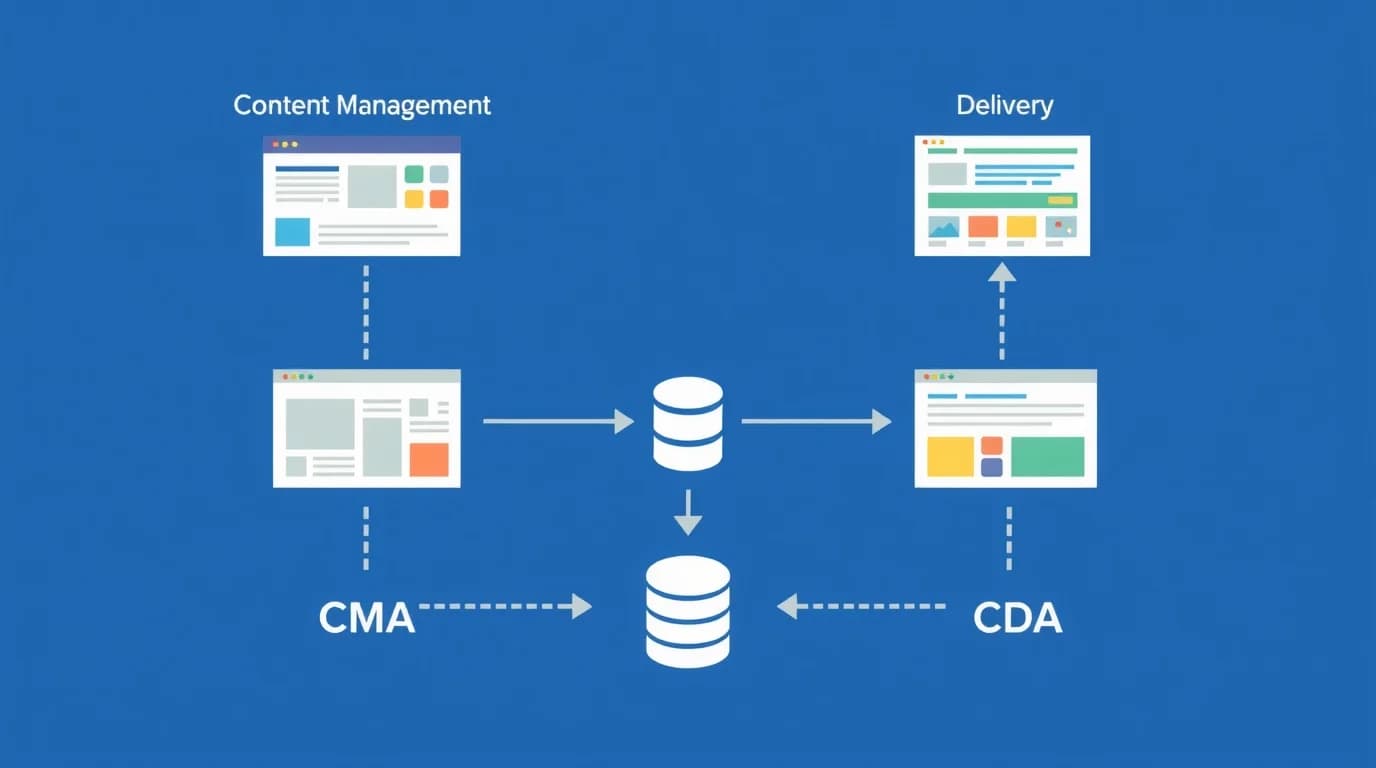
A Content Management System (CMS) is software that allows users to create, manage, and update website content without writing code. The main idea behind a CMS is simple - the system keeps website content separate from design and functionality. That separation makes updates and changes easier for everyone.
A CMS usually has two main parts:
- Content Management Application (CMA) - The CMA is the front-end area where users create, edit, and publish content. The interface includes drag-and-drop editors, text formatting tools, and media upload options.
- Content Delivery Application (CDA) - The CDA is the back-end engine that turns the created content into live web pages. The CDA connects with databases, templates, and servers to display pages instantly for visitors.
The CMA handles content creation, and the CDA makes everything visible on the website.
Most CMS platforms use a database-driven structure such as MySQL, PostgreSQL, or MongoDB. The database stores text, images, videos, and metadata. Templates and themes define the website’s design.
When a user opens a page, the CMS collects data from the database, combines it with the layout, and shows the final version on the screen.
Many modern CMS platforms also include APIs (Application Programming Interfaces) and headless options. These tools allow developers to manage one content source and send that content to websites, mobile apps, or other platforms.
A CMS works like a complete web system that supports blogs, online stores, and large company websites.
Key Features of a CMS in 2025
Here are the 15 content management system tools features:
- Intuitive Dashboard - A modern CMS gives you a central dashboard where you can manage content, media, analytics, and workflows. You can see real-time metrics, preview content, and use drag-and-drop builders to update pages quickly.
- Workflow Automation - You can assign roles for authors, editors, and administrators, control permissions, and track every content change. Workflow tools handle content approval, version control, and staging so publishing stays organized and consistent.
- Content Creation & Editing - You can write, format, and add multimedia without coding. You can use rich-text editors, WYSIWYG tools, reusable content blocks, and modular templates to make pages uniform.
- Built-in SEO & AI Assistance - You can optimize content for search engines automatically. AI suggests keywords, headlines, and tags, and improves readability. You will get quicker content creation with smarter SEO.
- Multi-language & Localization Support - You can reach global audiences by translating content into multiple languages. You can adapt content for different regions and maintain a single, organized content repository.
- Flexible Deployment & Headless Architecture - You can separate content storage from display using headless or decoupled CMS architecture. APIs deliver content to websites, mobile apps, AR/VR platforms, and IoT devices without rebuilding pages for each platform.
- Security & Compliance - You get strong security features like role-based access, multi-factor authentication, encryption, SSL/TLS, and audit logs. You can comply with GDPR, CCPA, and other privacy rules to protect data and users.
- Technical Support & Vendor Reliability - You receive regular updates, bug fixes, and expert support. You can rely on documentation, community forums, and enterprise service agreements for smooth CMS operation.
- Mobile-first & PWA Optimization - You can create responsive, fast-loading websites and Progressive Web Apps (PWA). Your users get offline access, push notifications, and app-like experiences on any device.
- Personalization & Audience Segmentation - You can show custom content based on user behavior, location, device type, or past activity. AI-driven personalization helps increase engagement and conversions.
- Analytics & Content Insights - You can track content performance with dashboards, A/B testing, predictive analytics, and integration with marketing or business intelligence tools. You get actionable insights to improve content strategy.
- Design Flexibility & Templates - You can customize layouts using themes, CSS frameworks, template hierarchies, and component-based design. Reusable blocks make pages consistent and easy to update.
- Integration & Extensibility - You can connect the CMS to CRM, ERP, e-commerce, marketing, payment, and analytics systems using plugins and APIs.
- Multi-channel Publishing - You can publish content simultaneously across websites, apps, social media, email campaigns, and IoT devices. Scheduling, versioning, and automation keep messaging consistent everywhere.
- Sustainability & Future-Proofing - You can rely on modular architecture, cloud hosting, and microservices to handle growth. You can adapt to new technologies like voice interfaces, AR/VR, IoT, and headless platforms without rebuilding the system.
Types of CMS Platforms
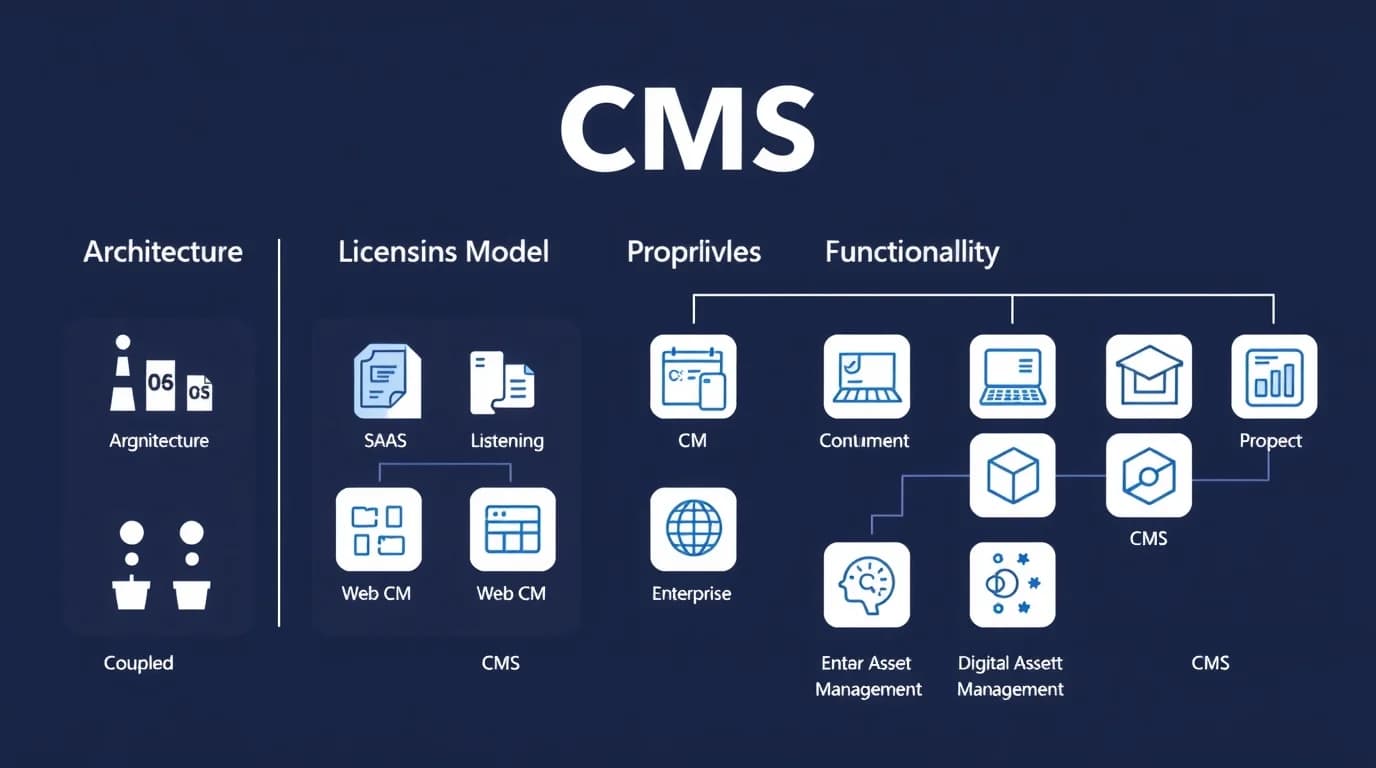
Content management tools come in many forms.
Some focus on websites, others on documents or large enterprises. CMS platforms can be grouped by architecture, licensing model, and functionality.
Let's discuss in detail.
By Architecture
01 # Coupled CMS (Traditional CMS)
A coupled CMS connects the backend for content creation with the frontend for content display. Both parts work together in one system. Users can create, edit, and publish from the same dashboard.
Setup is easy, and learning takes less time. The system works best for small teams and personal websites.
Best for - Bloggers, freelancers, and small businesses
Examples - WordPress, Joomla, and TYPO3
02 # Decoupled CMS
A decoupled CMS separates content management from presentation. The backend stores data, and the frontend pulls content using an API. Developers can design different frontends for web, app, or smart device use.
Teams enjoy more flexibility and better content reuse. The system fits organizations that want to reach multiple channels without losing control over design tools.
Best for - Medium and large organizations.
Examples - Magnolia, dotCMS, and Bloomreach
03 # Headless CMS
A headless CMS focuses only on storing and delivering content. The platform provides content through APIs to any device or channel. Developers have full control over frontend design.
The structure supports omnichannel marketing and multi-device delivery. Setup requires technical knowledge but provides high scalability and flexibility.
Best for - Enterprises and brands that target many platforms
Examples - Contentful, Strapi, Sanit, and Hygraph
04 # SaaS CMS (Cloud-Based CMS)
A SaaS saas content management system runs completely in the cloud. Service providers handle updates, hosting, and security. Users pay a subscription fee and manage content through a web interface.
The setup needs no coding or server work. Many cloud CMS tools now include AI features for SEO, analytics, and design support.
Best for - Startups, freelancers, and small companies
Examples - Wix, Squarespace, Webflow, and HubSpot CMS
05 # Hybrid CMS
A hybrid CMS blends features from traditional and headless systems. Content creators use visual editors while developers work with APIs. The mix supports both simplicity and flexibility.
Many companies choose hybrid systems during digital transformation. The structure suits teams with both technical and non-technical members.
Best for - Companies with diverse content teams
Examples - Kentico, Sitefinity, and Bloomreach Experience
By Licensing Model
06 # Open-Source CMS
An open-source CMS allows free use, modification, and distribution. Developers can customize the platform with plugins and themes.
Open-source systems offer strong flexibility and control. Users can manage their own hosting, updates, and security.
Best for - Developers, digital agencies, and small businesses.
Examples - WordPress, Drupal, and Joomla
07 # Proprietary CMS
A proprietary CMS belongs to a company that licenses access to users. Vendors offer customer support, frequent updates, and premium features. These systems cost more but provide higher stability, better integration, and strong security.
Proprietary platforms suit businesses that need professional assistance and enterprise-grade reliability.
Best for - Large companies and organizations
Examples - Adobe Experience Manager, Sitecore, and HubSpot CMS
By Functionality
08 # Web Content Management System (WCMS)
A web CMS helps manage website pages and media. Teams can create, edit, and publish content with simple tools. Platforms often include SEO settings, responsive design, and templates.
Many businesses use web CMS platforms for blogs, corporate websites, and news portals.
Best for - Blogs, news sites, and business websites
Examples - WordPress, Ghost, Umbraco, and TechForing CMS
Read More: 10 Blog Management Tools to Grow Your Audience
09 # eCommerce CMS
An eCommerce CMS supports online store creation and management. Users can add products, manage orders, track payments, and organize customers.
Many platforms offer AI-based product suggestions and multichannel sales tools. The systems also handle inventory, tax settings, and marketing integrations.
Best for - Online stores and digital sellers
Examples - Shopify, BigCommerce, Magento, and WooCommerce
10 # Document Management System (DMS)
A document management system stores and organizes digital files. Companies can track versions, set permissions, and follow document history.
The structure helps industries that depend on secure and accurate record-keeping. Legal, healthcare, and finance organizations rely on DMS for safe data handling.
Best for - Businesses managing confidential or large document volumes.
Examples - M-Files, OpenText, and DocuWare
11 # Enterprise Content Management System (ECM)
An enterprise CMS supports large organizations that manage high data volumes. The platform connects multiple departments and workflows. Employees can share, edit, and store content in one place.
Best for - Corporations, governments, and large enterprises.
Examples - IBM FileNet, Oracle WebCenter, Sitecore
12 # Digital Asset Management (DAM)
A DAM system handles digital assets such as images, videos, and design files. Teams can tag files, search quickly, and share with partners.
Marketing and creative departments use DAM to maintain brand consistency and manage media libraries.
Best for - Marketing, media, and design teams
Examples - Bynder, Widen Collective, and Cloudinary
13 # Learning Content Management System (LCMS)
A learning CMS organizes educational and training materials. Instructors can build lessons, track learner progress, and manage assessments.
The system fits schools, universities, and corporations that run training programs. Many LCMS platforms also include analytics to measure learning outcomes.
Best for - Education providers and corporate trainers
Examples - Moodle, Adobe Captivate Prime, and LearnWorlds
14 # AI-Powered CMS
An AI-powered CMS uses artificial intelligence for automation and analysis. The platform helps create content ideas, personalize user experience, and boost SEO performance.
AI tools can track user behavior and predict what type of content performs best. Businesses use AI CMS platforms to save time and improve their digital strategy.
Best for - Modern brands focused on automation and personalization
Examples - Contentstack AI, Acquia, and Bloomreach Experience Cloud
Benefits of Using Content Management Software
Content Management System (CMS) in 2025 can change how you manage your website and digital content. Here are 14 advantages of a CMS:
Easy Content Management
A CMS helps you to create and manage content without technical knowledge. Drag-and-drop editors and visual page builders let you publish pages, blogs, or updates in minutes.
You no longer need to wait for a developer for simple changes. Marketing teams can launch campaigns faster and maintain consistent messaging across your website.
Customizable Options
A CMS lets you adapt your website to match your brand and audience needs. Open-source platforms like WordPress and Drupal offer thousands of themes and plugins.
Proprietary systems such as Adobe Experience Manager give advanced customization tools. You can create unique layouts, add interactive features, and change designs as your business grows.
Better Team Collaboration
You can set roles for team members and track content from creation to publication. Writers, editors, and designers can work together without confusion.
Version control and workflow management reduce mistakes and speed up approvals. Teams in different locations can collaborate smoothly and stay aligned on projects.
Content Scheduling
A CMS allows you to schedule posts in advance. You can plan campaigns, blogs, or product updates and release content at the right time.
Automation keeps your website active even when your team is busy. Scheduling posts helps you maintain consistency and engage your audience regularly.
Strong Security
A CMS protects your website from cyber threats.
Modern platforms provide two-factor authentication, role-based access, and SSL encryption. Enterprise CMS platforms also provide compliance with GDPR, CCPA, and other regulations.
Accessible Anytime
Cloud-based content management systems allow you to update content, monitor performance, and respond to users in real-time.
You no longer depend on office computers or specific locations. Your team can stay productive all the time, no matter where they are.
Mobile-Friendly
More than 68% of web traffic comes from mobile devices in 2025. A CMS automatically adapts layouts, images, and media for mobile screens. Faster load times and smooth navigation improve engagement and search engine ranking.
No Coding Required
You can manage your website without writing code. A CMS allows you to create pages, upload media, and manage content independently. Developers can still customize features in the background when you control content.
SEO-Friendly
A CMS helps your website rank higher in search results. You can customize URLs, meta tags, headings, and images. Structured data and schema markup make content easier for search engines to understand.
Publish Across Multiple Channels
Headless and hybrid CMS platforms let you send content to websites, mobile apps, social media, and other digital platforms at the same time. Consistent messaging increases reach and ensures users see the same brand story across all channels.
Affordable and Cost-Effective
Open-source platforms are free or low-cost. SaaS and proprietary options use predictable subscription models. Cost-effective platforms allow you to invest more in marketing, content, and growth.
Future-Ready and Adaptable
A modern CMS prepares your website for future technologies. You can integrate AI, voice search, AR/VR, or IoT solutions without starting over.
Future-ready systems allow you to stay competitive, adapt to user expectations, and implement new digital trends quickly.
Revision History
You can track any changes and restore previous versions if mistakes happen. Editors can recover deleted content or undo errors. You will get a safety net for managing large volumes of content.
Performance Tracking and Analytics
You can connect your CMS to analytics dashboards. You can see page views, engagement, conversions, and bounce rates. Widespread CMS adoption means you get data-driven insights to improve your content strategy.
Examples of Content Management Systems
Many CMS platforms are available in 2025.
Some are better for blogs, some for online stores, and others for enterprise websites. Let’s look at some of the most popular and trusted ones.
01 # TechForing CMS
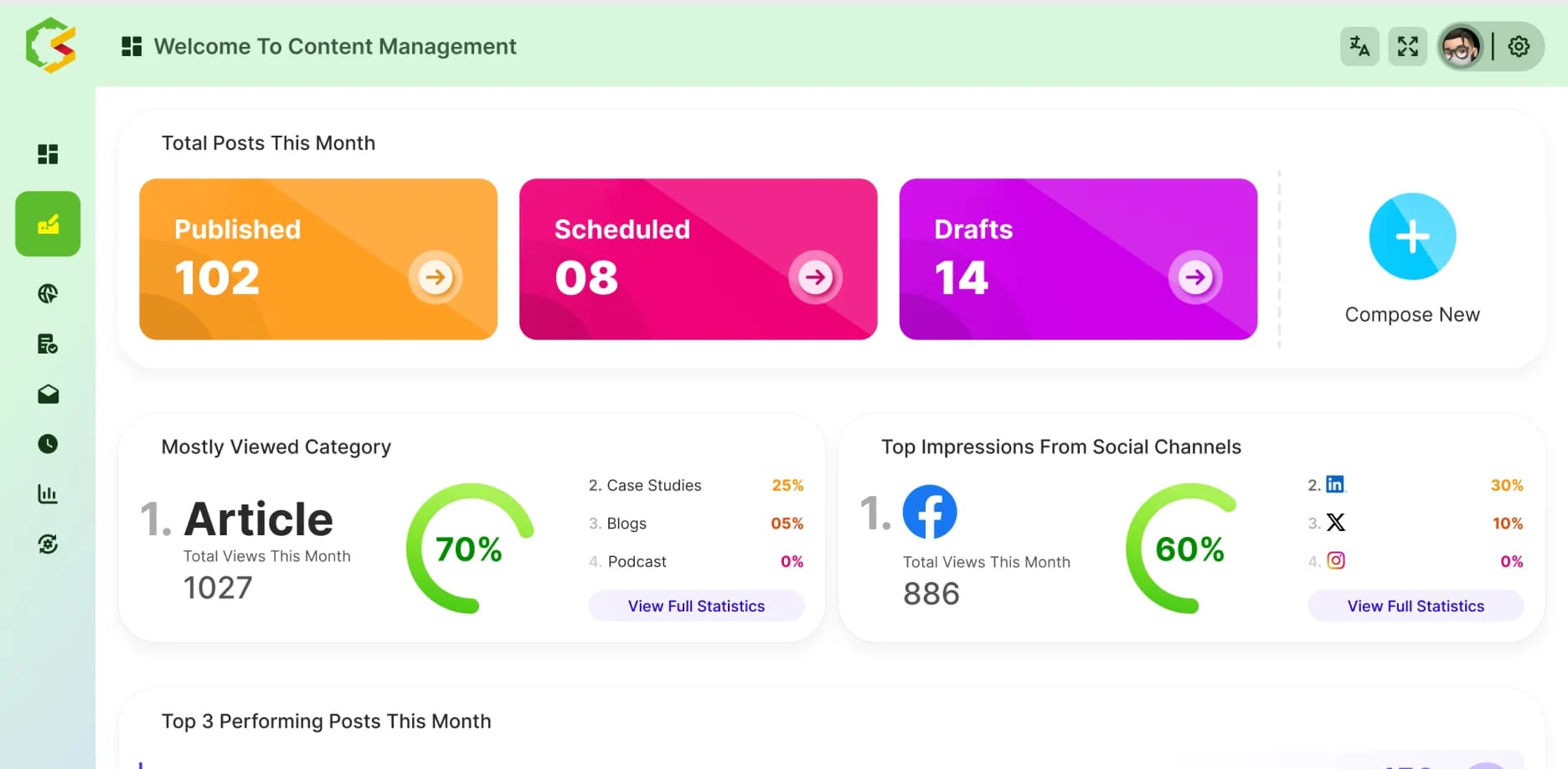
TechForing CMS offers a modern way to create and manage online content. Users can manage blogs, websites, and social media content from one dashboard.
TechForing CMS also provides drag-and-drop editing, SEO tools, and ready templates. The platform works well for people and businesses that want easy content management.
02 # WordPress
Among websites using a CMS, WordPress holds around 60% to 64% of the market.
The platform started with small blogs, but now supports big brands and eCommerce stores. WordPress has thousands of themes and plugins.
Users can design and manage any type of website without coding. The large community, strong SEO tools, and regular updates make WordPress a trusted option.
Read More: WordPress vs TechForing CMS
03 # Joomla
Joomla serves around 2% of the CMS market.
The platform supports complex content structures and strong user control. Many online magazines, communities, and portals use Joomla for content-heavy sites.
Joomla includes multilingual support and advanced access management. The plugin and theme ecosystem is smaller compared to WordPress.
04 # Drupal
Drupal powers around 0.8% of all websites and holds about 1.1% of the CMS market.
Many large organizations and government websites rely on Drupal for heavy data and complex designs. Developers like the flexibility and modular setup.
The platform needs a skilled technical team for setup and maintenance. The development time can be longer, but Drupal supports large-scale projects better than most other CMS options.
05 # Shopify
Shopify holds around 6.7% of the CMS market and supports about 4.8% of all websites. The platform focuses on eCommerce.
Shopify includes hosting, templates, payment gateways, and marketing tools in one package. Small and medium businesses use Shopify to create online stores quickly.
The platform works best for selling products.
However, content-heavy websites or community platforms may find limited customization options compared to open-source CMS systems.
06 # Wix
Wix controls around 5% to 5.2% of the CMS market. The platform uses a drag-and-drop website builder that helps anyone build a site quickly.
Freelancers, small businesses, and creative professionals use Wix for easy design and simple management.
The platform includes SEO tools, app integration, and AI-based design support.
Large websites with complex features may face some performance limits because Wix focuses on simplicity and ease of use.
07 # Squarespace
Squarespace holds around 3% to 3.4% of the CMS market. The platform focuses on design and user experience.
Artists, photographers, and small business owners prefer Squarespace for its elegant templates.
The system includes blogging tools, analytics, and eCommerce features. The plugin collection is smaller than WordPress's, so advanced customization options are limited.
08 # HubSpot CMS Hub
HubSpot CMS Hub combines website management with marketing and CRM tools. Businesses use the tools to manage content, sales, and customer communication in one place.
The platform includes SEO optimization, analytics, and personalized content features. Teams can track website performance and improve user engagement with built-in automation.
09 # Adobe Experience Manager (AEM)
Adobe Experience Manager supports enterprise-level content management. Large global brands use AEM to manage digital experiences across many channels.
The CMS integrates with Adobe’s creative tools and uses AI to automate tasks. Companies rely on AEM for personalization, asset management, and large-scale performance.
The platform suits large organizations with big budgets and professional teams. Smaller businesses may find AEM too complex and costly for their needs.
How To Choose a Content Management System - 14 Tips
- Decide on the main goal of the website. Identify types of content such as blog posts, product pages, portfolios, or multilingual versions. Determine publishing volume, update frequency, and channels like web, mobile app, or digital signage.
- Look for a CMS with an easy-to-use editor. Features should include block-based editing, live preview, drag-and-drop content, inline media embedding, content versioning, rollback, and approval workflows.
- Choose between traditional, headless, or hybrid CMS. A traditional CMS connects the back end and front end. A headless CMS separates them and delivers content through APIs. A hybrid model mixes both. A headless or hybrid CMS helps deliver content across websites, mobile apps, and voice devices.
- Check compatibility with tools such as CRM, marketing automation, analytics, e-commerce platforms, and digital asset management systems. Look for RESTful or GraphQL APIs, webhooks, pre-built connectors, and software development kits (SDKs).
- Examine how the CMS handles high traffic and growth. Features to look for include auto-scaling hosting, load balancing, CDN support, caching, and optimized code. Confirm whether hosting can run on cloud providers like AWS, Azure, or Google Cloud.
- Check built-in security features like role-based access control, two-factor authentication, TLS/SSL encryption, audit logs, and timely updates. Verify compliance with regulations such as GDPR, CCPA, HIPAA, or SOC 2 if the business processes sensitive data.
- Look for tools to customize URLs, meta titles, meta descriptions, header tags, XML sitemaps, robots.txt, and schema markup. Proper control helps search engines index content accurately and improves ranking.
- Confirm support for multiple languages and regional content. Features should include hreflang tags, separate URLs or subfolders, right-to-left (RTL) language support, and translation workflows.
- Check licensing fees, plugin costs, premium themes, hosting, maintenance, support, training, and migration expenses. Open-source CMS may have hidden costs.
- Strong support includes professional help, user forums, documentation, tutorials, and active developer communities. A solid ecosystem reduces troubleshooting time and provides ready-to-use tools.
- Check content workflows, team collaboration, content scheduling, user roles, and permission control. Teams can create, review, and publish content efficiently without errors.
- The CMS should deliver responsive themes, touch-friendly interfaces, and support progressive web apps (PWA). Websites perform better on mobile devices. Prepare for emerging user experiences like voice search and chatbots.
- Check how easily content, templates, and data can move to another system. Open standards, clean APIs, and data portability reduce migration costs and future limitations.
- Run a pilot project using real content. Track speed, usability, content creation, and integrations. Use metrics such as page load time, error rates, and publishing speed to make the final decision.
Frequently Asked Questions
How do content management systems manage large video and media files?
CMS platforms optimize files for faster loading and use content delivery networks (CDNs) to deliver videos and images quickly to users.
How do content management systems speed up the publishing process?
CMS platforms use drag-and-drop editors, templates, and workflow automation. Teams can assign tasks, approve content, and publish updates without coding.
What's the best content management system for sales teams?
HubSpot CMS Hub works best for sales teams. The tools integrate website content with CRM and marketing, helping track leads and increase conversions.
What is the best CMS in 2025?
WordPress remains the most versatile for blogs. TechForing CMS excels in modern business workflows and content management.
What is the most popular CMS system currently?
WordPress holds the top spot as the most popular CMS worldwide.
What is the most common type of CMS?
Coupled CMS, also called traditional CMS, is the most common type. Bloggers, small businesses, and standard websites use it most.
What's the difference between CMS and CRM?
A CMS manages website content like blogs, pages, and media. A CRM manages customer interactions and relationships.
Do I need a developer to use a CMS?
No. You can create, edit, and publish content without coding skills. Developers help if you want custom features or advanced design.
What is the easiest CMS for beginners?
TechForing CMS, Wix, and Squarespace provide the easiest experience. Drag-and-drop editors and simple interfaces let beginners build websites quickly.
How much does a content management system cost?
SaaS CMS may range from $100–$400/month, and enterprise CMS can cost thousands annually.
Final Thoughts
A Content Management System helps you create blogs, organize text, images, and videos, and reach your audience effectively.
Choosing the right CMS depends on your goals.
WordPress gives flexibility and a huge plugin library. Drupal or Adobe Experience Manager works well for a large website.
If you want a modern, secure, and easy-to-use content management solution, TechForing CMS works perfectly.
